BetterCapture AlternativesScreen Recorders and other similar apps like BetterCapture

BetterCapture is described as 'Free, open-source macOS screen recorder with native menu bar access, ProRes, HEVC, H.264 support, flexible audio capture, content filtering, and privacy-focused local storage' and is a Screen Recorder in the video & movies category. There are more than 50 alternatives to BetterCapture for a variety of platforms, including Windows, Mac, Linux, Android and Web-based apps. The best BetterCapture alternative is OBS Studio, which is both free and Open Source. Other great apps like BetterCapture are GPU Screen Recorder, Bandicam, VokoscreenNG and Camtasia.

Copy a direct link to this comment to your clipboard
BetterCapture alternatives page was last updated

Alternatives list

  1. OBS Studio icon
     1373 likes

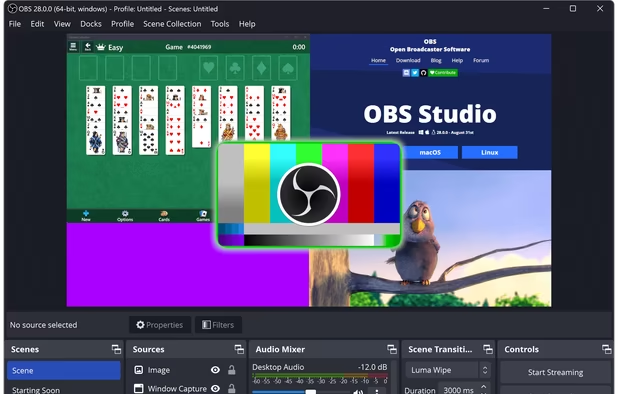
    A robust cross-platform application offering seamless screen recording and live-streaming capabilities across Mac, Windows, and Linux. It supports advanced features like H264 encoding, multiple scenes, customizable themes, and direct streaming to platforms like Twitch and YouTube.

    Cost / License

    Platforms

    • Mac
    • Windows
    • Linux
    • BSD
    • Snapcraft
    • Flathub
    • PortableApps.com
    • Steam
    • FreeBSD
     
  2. Bandicam icon
     139 likes

    Bandicam is a lightweight screen recorder for Windows that can capture anything on your PC screen. Also, it makes it possible to record a certain area on a PC screen, or capture a game.

    Cost / License

    • Freemium
    • Proprietary

    Platforms

    • Windows
     
  3. VokoscreenNG icon
     76 likes

    VokoscreenNG is a user friendly screencaster for Linux and Windows. It is a continuation of the now discontinued Vokoscreen project that has been totally rewritten from scratch using Qt and GStreamer.

    Cost / License

    Platforms

    • Windows
    • Linux
     
  4. Camtasia icon
     238 likes

    This all-in-one solution offers screen and webcam recording, video editing, and chroma key features, producing stunning HD-quality content easily shareable on platforms like YouTube and Screencast.com. Designed for training, presentations, and more, it supports H.264 format and compact file sizes.

    Cost / License

    • Freemium
    • Proprietary

    Platforms

    • Mac
    • Windows
    • Online
     
  5. OpenScreenShot icon
     15 likes

    Browser extension for full, region, and visible-area screenshots, local annotation, PDF and format export, customizable, free, open source, fully offline, no account or telemetry, zero ads, no third parties, using only needed permissions, privacy-focused.

    Cost / License

    • Free
    • Open Source (MIT)

    Application type

    Platforms

    • Google Chrome
     
  6. Kooha icon
     23 likes

    Capture your screen in an intuitive and straightforward way without distractions.

    Cost / License

    Application type

    Platforms

    • Linux
    • Flathub
    • Flatpak
     
  7. Reframed icon
     7 likes

    Native macOS recorder offers timeline-based editing, full screen, region, window, and iOS capture, webcam overlay, system audio and mic recording, customizable workflow including FPS and mouse clicks, advanced cursor effects, backgrounds, and high-quality export.

    Cost / License

    • Free
    • Open Source (MIT)

    Application type

    Platforms

    • Mac
     
  8. CamStudio icon
     178 likes

    Record your computer screen with audio input from Mic or Speakers. Also shows mouse clicks in addition to the regular cursor. Simple interface with ability to record in AVI or export as swf.

    Cost / License

    Alerts

    • Warning

    Platforms

    • Windows
    • PortableApps.com
     
  9. Comprehensive streaming studio encompassing scenes setup, cross-platform compatibility, multi-output recording, advanced audio management, and import tools, suitable for gaming, events, and communication integration through screen captures.

    Cost / License

    • Freemium
    • Proprietary

    Application type

    Platforms

    • Windows
     
  10. ActivePresenter icon
     62 likes

    Authoring solution enabling interactive eLearning course creation, flexible project layouts, advanced screen recording, video editing tools with annotation, timeline-based adjustments, and export to video, image, HTML5, SCORM, xAPI, office, or PDF formats.

    Cost / License

    • Free Personal
    • Proprietary

    Platforms

    • Mac
    • Windows
     
  11. Action! icon
     50 likes

    Action! enables HD, 4K, HDR10, and 8K streaming and recording, integrates fps displays, webcams, and live audio commentary. With overlays, monitoring tools, and benchmarking features, it offers a multifaceted solution for gaming capture.

    Cost / License

    • Paid
    • Proprietary

    Platforms

    • Windows
    • Steam
     
12 of 61 BetterCapture alternatives