FlashBack Alternatives

FlashBack is described as 'Free software which lets you record your screen, add a PIP webcam and select multiple options to export your video to. It will first store a lossless proprietary file which you can review frame by frame and then easily experiment with the output options to select best suited' and is a Screen Recorder in the video & movies category. There are more than 100 alternatives to FlashBack for a variety of platforms, including Windows, Mac, Linux, Web-based and Android apps. The best FlashBack alternative is OBS Studio, which is both free and Open Source. Other great apps like FlashBack are GPU Screen Recorder, SimpleScreenRecorder, Camtasia and Bandicam.

Copy a direct link to this comment to your clipboard
FlashBack alternatives page was last updated

Alternatives list

  1. Screencastify icon
     17 likes

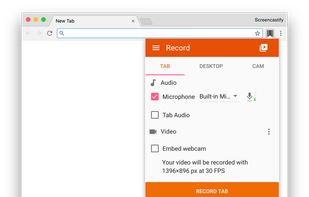
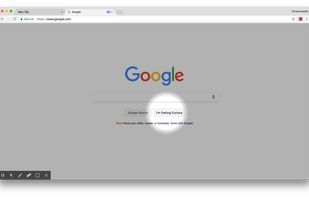
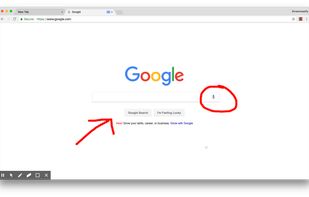
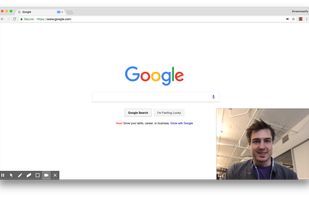
    A Chrome extension for capturing, editing and sharing screencasts. Save recordings automatically to your Google Drive or publish directly to YouTube.

    Cost / License

    • Freemium
    • Proprietary

    Platforms

    • Google Chrome
     
  2. Screenbits icon
     11 likes

    Ultimate screen recorder software for game recording, video tutorials, product demos, YouTube videos and more. Screenbits allows you to capture screen content, system sound, microphone and camera into HD/4K quality video files.

    Cost / License

    • Freemium
    • Proprietary

    Platforms

    • Windows
    • Steam
     
  3. Realtime screen recording like you've never seen before! iShowU Instant is the fastest, most feature filled realtime screen capture tool from shinywhitebox yet. It takes key features from both "Classic" and HD Pro, and merges them into a single product, making...

    Cost / License

    • Paid
    • Proprietary

    Platforms

    • Mac
     
  4. VSDC Free Screen Recorder is an easy-to-use lightweight screen recorder software that lets you capture your PC screen and save it in the MP4 format. It lets you capture the entire desktop screen, a selected area or even a videogame window of any resolution.

    Cost / License

    • Free
    • Proprietary

    Platforms

    • Windows
     
  5. PolyCapture icon
     2 likes

    PolyCapture allows you to record cameras, microphones, screens, and apps — individually or multiple at once.

    Cost / License

    • Freemium
    • Proprietary

    Application type

    Platforms

    • Mac
     
  6. ScreenRec icon
     68 likes

    If you spend too much time on email and chat, try sending instant video messages and screenshots with ScreenRec. You'll get your point across faster and save precious hours.

    Cost / License

    • Freemium
    • Proprietary

    Platforms

    • Mac
    • Windows
    • Linux
     
    |
    1
    ScreenRec vs FlashBack Comments
    Thekla Condos
    Positive
    1

    ScreenRec has become my go-to screen recording tool, and I can't help but appreciate its simplicity and efficiency. With its intuitive interface and fast performance, capturing and sharing my screen has never been easier. The time I save using ScreenRec allows me to focus on more important tasks, while still producing high-quality recordings that effectively communicate my ideas.

    • ScreenRec is Freemium and ProprietaryFlashBack is also Freemium and Proprietary
    • ScreenRec is Lightweight and Privacy focusedFlashBack is not according to our users
  7. Website offers online and desktop screen recorder for computer for capturing video with audio and webcam.

    Cost / License

    • Free
    • Proprietary

    Application type

    Platforms

    • Windows
    • Online
     
  8. Built with five screen recording modes, RecMaster will offer you an easies and most efficient way to record your computer screen. Just one click from RecMaster, enjoy every moment and details from your computer screen.

    Cost / License

    • Freemium
    • Proprietary

    Platforms

    • Windows
     
  9. SurFlex is the ultimate screen recording solution for both PC and Mac, providing a seamless experience to effortlessly capture top-notch video and audio from your screen, applications, windows, webcam, and microphone, all without the inconvenience of watermarks.

    Cost / License

    • Freemium
    • Proprietary

    Platforms

    • Mac
    • Windows
     
  10. VidGrid icon
     Like

    Video capture, screen recording, in-video questions, call to actions, video management, sharing, LMS integrations, hosting, analytics, and closed captioning inside one app.

    Cost / License

    • Paid
    • Proprietary

    Platforms

    • Mac
    • Windows
    • Online
    • Android
    • iPhone
    • Android Tablet
    • iPad
    • Software as a Service (SaaS)
     
You are at page 4 of FlashBack alternatives