FlashBack Alternatives

FlashBack is described as 'Free software which lets you record your screen, add a PIP webcam and select multiple options to export your video to. It will first store a lossless proprietary file which you can review frame by frame and then easily experiment with the output options to select best suited' and is a Screen Recorder in the video & movies category. There are more than 100 alternatives to FlashBack for a variety of platforms, including Windows, Mac, Linux, Web-based and Android apps. The best FlashBack alternative is OBS Studio, which is both free and Open Source. Other great apps like FlashBack are GPU Screen Recorder, SimpleScreenRecorder, Camtasia and Bandicam.

Copy a direct link to this comment to your clipboard
FlashBack alternatives page was last updated

Alternatives list

  1. Loom icon
     32 likes
    Copy a direct link to this comment to your clipboard

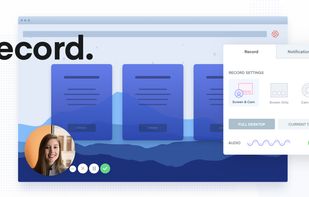
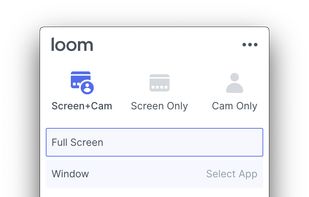
    Easy and free screen recorder for Mac, Windows, and Chromebooks. Record your camera and screen with audio directly from your Chrome browser and share the video with your team, friends, and family.

    214 Loom alternatives

    Cost / License

    • Freemium (Subscription)
    • Proprietary

    Platforms

    • Mac
    • Windows
    • Online
    • iPhone
    • Google Chrome
    • Android
    • Android Tablet
     
    • Loom is the most popular Android, iPhone & Android Tablet alternative to FlashBack.

    • Loom is Freemium and ProprietaryFlashBack is also Freemium and Proprietary
  2. Action! icon
     48 likes
    Copy a direct link to this comment to your clipboard

    Action! enables HD, 4K, HDR10, and 8K streaming and recording, integrates fps displays, webcams, and live audio commentary. With overlays, monitoring tools, and benchmarking features, it offers a multifaceted solution for gaming capture.

    100 Action! alternatives

    Cost / License

    • Pay once
    • Proprietary

    Platforms

    • Windows
    • Steam
     
  3. flowy icon
     5 likes
    Copy a direct link to this comment to your clipboard

    macOS tool for detailed screen recording, timeline-based video editing, customizable cursor animations, camera and audio capture, background editing, and easy sharing. Suitable for tutorials, presentations, or social media creation with a user-friendly workflow.

    Cost / License

    • Pay once
    • Proprietary

    Platforms

    • Mac
     
  4. Copy a direct link to this comment to your clipboard

    Peek makes it easy to create short screencasts of a screen area. It was built for the specific use case of recording screen areas, e.g. for easily showing UI features of your own apps or for showing a bug in bug reports.

    Cost / License

    • Free
    • Open Source

    Alerts

    • Discontinued

    Platforms

    • Linux
    • Flathub
    • Ubuntu
    • Flatpak
     
  5. Wink icon
     58 likes
    Copy a direct link to this comment to your clipboard

    Wink is a Tutorial and Presentation creation software, primarily aimed at creating tutorials on how to use software (like a tutor for MS-Word/Excel etc). Using Wink you can capture screenshots, add explanations boxes, buttons, titles etc and generate a highly effective tutorial...

    Cost / License

    • Free
    • Proprietary

    Application type

    Platforms

    • Windows
     
  6. Kazam icon
     63 likes
    Copy a direct link to this comment to your clipboard

    Kazam is a simple screen recording program that will capture the content of your screen and record a video file that can be played by any video player that supports VP8/WebM video format.

    112 Kazam alternatives

    Cost / License

    • Free
    • Open Source

    Alerts

    • Discontinued

    Platforms

    • Linux
     
  7. Ashampoo Snap icon
     10 likes
    Copy a direct link to this comment to your clipboard

    Capture screenshots or record videos with Ashampoo Snap’s efficient tools. Enjoy easy editing, multi-display support, OCR for 180 languages, and instant sharing capabilities. Revamp your projects with video cutting, annotations, and custom capture options.

    172 Ashampoo Snap alternatives

    Cost / License

    • Freemium (Pay once)
    • Proprietary

    Platforms

    • Windows
     
  8. Copy a direct link to this comment to your clipboard

    Apowersoft Screen Recorder captures screen and audio activity, saving it as WMV video files. It includes a converter for transforming WMV files into formats like AVI, MP4, FLV, SWF, and more. The software records PC screen activity with audio, webcam videos, external device...

    103 Apowersoft Screen Recorder alternatives

    Cost / License

    • Freemium
    • Proprietary

    Application type

    Platforms

    • Windows
    • Online
     
You are at page 2 of FlashBack alternatives