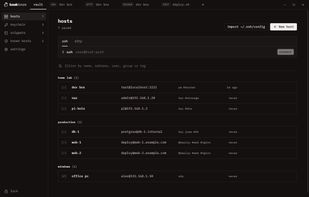
bawkterm is a desktop client for SSH, SFTP, Docker over SSH and Remote Desktop on Windows, macOS and Linux, with local terminals in the same window.
Terminals open in tabs and split panes, with broadcast input that types into every pane at once, chained jump hosts, agent auth with FIDO2 security keys, per-host agent forwarding and auto-reconnect. A files panel beside each SSH terminal uses the same login and follows the folder you cd into. There is also SFTP with local and remote panes side by side, an editor for remote files, and Docker containers grouped by Compose project, with live logs or a shell in a tab.
Hosts, passwords and keys live in an encrypted vault: AES-256-GCM under a random key, which your master password wraps through scrypt. You can unlock it with the master password, Windows Hello, a passkey or the system keyring. Sync between devices is end-to-end encrypted and needs no account. It goes through a folder that Dropbox, OneDrive, iCloud Drive or Syncthing already shares, or through bawksync, a small server you run yourself.
Hosts come in from ~/.ssh/config, PuTTY, KiTTY, WinSCP, FileZilla, MobaXterm or a CSV file, and go out as an SSH config file, a CSV file or an encrypted backup of the whole vault. It also has snippets, optional plain-text session logs and 31 terminal themes.







No comments or reviews, maybe you want to be first?