LightPDF AlternativesPDF Readers & PDF Editors like LightPDF

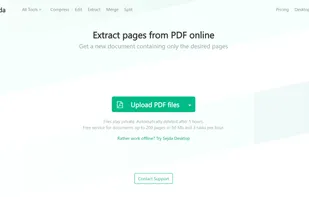
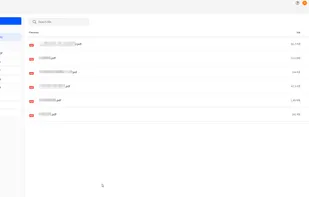
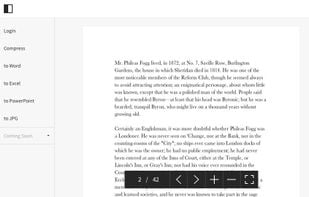
LightPDF is described as 'Rich-featured PDF editor, creator, reader and converter. It also offers some other stunning features such as managing PDF pages, adding signature, creating forms and protecting PDF files' and is a PDF Reader in the office & productivity category. There are more than 10 alternatives to LightPDF for a variety of platforms, including Windows, Mac, Web-based, iPhone and iPad apps. The best LightPDF alternative is Adobe Acrobat DC. It's not free, so if you're looking for a free alternative, you could try KDAN PDF or LightPDF.com. Other great apps like LightPDF are Nitro PDF , PDF Expert, Wondershare PDFelement and Ashampoo PDF Pro.

Copy a direct link to this comment to your clipboard
LightPDF alternatives page was last updated

Alternatives list

  1. Adobe Acrobat DC icon
     203 likes
    Copy a direct link to this comment to your clipboard

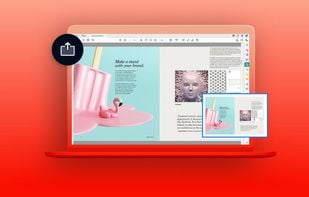
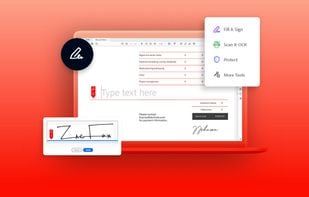
    Manage documents effortlessly, edit PDFs, create them from other formats, and e-sign anywhere. Secure sharing and comparison tools ensure smooth workflows and data protection. New AI Assistant offers quick document insights. Perfect for desktop and web platforms.

    310 Adobe Acrobat DC alternatives

    Cost / License

    • Subscription
    • Proprietary

    Application types

    Platforms

    • Mac
    • Windows
    • Online
     
    • Adobe Acrobat DC is the most popular Web-based, Windows & Mac alternative to LightPDF.

    • Adobe Acrobat DC is the most popular commercial alternative to LightPDF.

    • Adobe Acrobat DC is Paid and ProprietaryLightPDF is also Paid and Proprietary
  2. Nitro PDF  icon
     71 likes
    Copy a direct link to this comment to your clipboard

    Nitro offers comprehensive PDF solutions for editing, creating, and converting, alongside OCR and e-signature tools. Supports Mac, Windows, and iOS, providing a user-friendly interface with industry-standard security features. Ideal as an Adobe Acrobat alternative.

    168 Nitro PDF alternatives

    Cost / License

    • Subscription
    • Proprietary

    Application types

    Platforms

    • Mac
    • Windows
    • iPhone
    • iPad
     
    • Nitro PDF is the most popular iPhone & iPad alternative to LightPDF.

    • Nitro PDF is Paid and ProprietaryLightPDF is also Paid and Proprietary
  3. PDF Expert icon
     37 likes
    Copy a direct link to this comment to your clipboard

    Read, annotate, and highlight PDFs, fill interactive forms with saved input, underline or strike through text, manage bookmarks, sync files from cloud services, and share documents. Compatible with Preview and Adobe Acrobat annotations, supporting extensive iOS features.

    128 PDF Expert alternatives

    Cost / License

    • Pay once or Subscription
    • Proprietary

    Application types

    Platforms

    • Mac
    • iPhone
    • iPad
     
  4. KDAN PDF icon
     185 likes
    Copy a direct link to this comment to your clipboard

    Comprehensive solution for editing, signing, form filling, OCR scanning, commenting, converting, and redacting PDFs, with AI-driven analysis and content extraction, data export to spreadsheets, text-to-speech, seamless use across desktop and mobile, and batch processing.

    261 KDAN PDF alternatives

    Cost / License

    • Freemium (Subscription)
    • Proprietary

    Application types

    Platforms

    • Mac
    • Windows
    • Android
    • iPhone
    • Android Tablet
    • iPad
     
    • KDAN PDF is the most popular Android & Android Tablet alternative to LightPDF.

    • KDAN PDF is the most popular free alternative to LightPDF.

    • KDAN PDF is Freemium and ProprietaryLightPDF is Paid and Proprietary
    • KDAN PDF is Privacy focused and LightweightLightPDF is not according to our users
  5. Copy a direct link to this comment to your clipboard

    Provides editing of text, images, and objects in PDFs, annotation options, OCR for scanned files, conversion to multiple formats, form filling and signing, page management, merging and splitting, cloud integration, camera to PDF functionality, and sharing tools.

    130 Wondershare PDFelement alternatives

    Cost / License

    • Pay once or Subscription
    • Proprietary

    Application types

    Platforms

    • Mac
    • Windows
    • Android
    • iPhone
    • Android Tablet
    • iPad
     
  6. LightPDF.com icon
     20 likes
    Copy a direct link to this comment to your clipboard

    Cloud PDF toolkit provides over 20 tools for editing, conversion, OCR, merge, split, annotation, batch processing, and signatures, with free online access, cross-platform usability, no watermarks, no size limits, and options for mobile and desktop integration.

    Cost / License

    • Freemium (Subscription)
    • Proprietary

    Application types

    Platforms

    • Online
    • Android
    • iPhone
     
  7. Copy a direct link to this comment to your clipboard

    Ashampoo PDF Pro 3 is a software solution for managing and editing PDF documents. It offers tools for creating, converting, editing, merging, and securing PDFs. The software allows users to create optimally sized documents for any device and offers encryption to protect...

    Cost / License

    • Pay once
    • Proprietary

    Application type

    Platforms

    • Windows
     
  8. PDFescape icon
     17 likes
    Copy a direct link to this comment to your clipboard

    PDFescape is your free, online PDF reader, editor, form filler, & form designer. Without required downloads or installations! Without watermarks! Without required registration!

    Cost / License

    • Freemium (Subscription)
    • Proprietary

    Application types

    Platforms

    • Windows
    • Online
     
  9. FlexiPDF icon
     1 like
    Copy a direct link to this comment to your clipboard

    Your all-around PDF editor.

    Cost / License

    • Paid
    • Proprietary

    Application type

    Platforms

    • Windows
     
  10. Copy a direct link to this comment to your clipboard

    Infix PDF editor lets you open, edit and save PDF files. It’s easy and quick – you can change text, fonts, images and more. And, unlike other PDF editors, it works like normal word processing software, so it’s really easy to use.

    Cost / License

    • Paid
    • Proprietary

    Application types

    Platforms

    • Mac
    • Windows
     
  11. VivPDF Editor icon
     2 likes
    Copy a direct link to this comment to your clipboard

    It's virtually the fastest solution for users to edit PDF documents in any circumstances, all you need to do is several clicks!.

    Cost / License

    • Pay once
    • Proprietary

    Application type

    Platforms

    • Windows
     
12 of 17 LightPDF alternatives