Advanced Smart Capture Alternatives

Advanced Smart Capture is described as 'Full page screenshot, region capture, OCR text extraction, annotations, PDF export and scheduled captures. Free with $2.99 lifetime premium' and is a screenshot capture tool in the photos & graphics category. There are more than 25 alternatives to Advanced Smart Capture for a variety of platforms, including Windows, Mac, Google Chrome, Linux and Mozilla Firefox apps. The best Advanced Smart Capture alternative is ShareX, which is both free and Open Source. Other great apps like Advanced Smart Capture are Flameshot, Greenshot, PicPick and Snagit.

Copy a direct link to this comment to your clipboard
Advanced Smart Capture alternatives page was last updated

Alternatives list

  1. GoFullPage icon
     13 likes

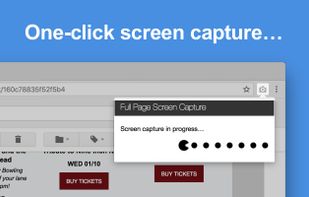
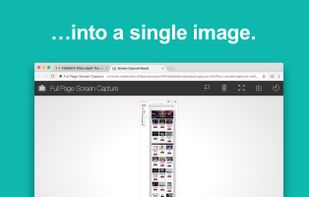
    The simplest way to take a full page screenshot of your current browser window. Click on the extension icon (or press Alt+Shift+P), watch the extension capture each part of the page, and be transported to a new tab of your screenshot where you can download it as an image or PDF...

    126 GoFullPage alternatives

    Cost / License

    • Freemium
    • Proprietary

    Application type

    Platforms

    • Mac
    • Windows
    • Linux
    • Google Chrome
     
  2. You're busy. OneNote Web Clipper lets you quickly clip all or part of a web page to OneNote, and save it for later. Clip images, pdfs, videos, or a visual bookmark of a page. Best of all, you can access them from any computer, tablet, or phone - even when you're offline.

    Cost / License

    • Free
    • Proprietary

    Platforms

    • Online
    • Chrome OS
    • Google Chrome
    • Firefox
     
  3. Paparazzi! icon
     8 likes

    Paparazzi! is a small utility for Mac OS X that makes screenshots of webpages.

    It’s written in Objective-C using the Cocoa API and the WebKit framework.

    It was inspired by webkit2png which is a commandline tool written by Paul Hammond in pyObjC, so all intellectual credit for t.

    39 Paparazzi! alternatives

    Cost / License

    • Free
    • Proprietary

    Application type

    Platforms

    • Mac
     
  4. The Fenêtre Capture Tool for making professional screenshots and screen recordings. With advanced functions and abilities that other free capture tools don't offer.

    Cost / License

    • Free
    • Proprietary

    Platforms

    • Windows
     
  5. ShotGlass icon
     6 likes

    Screenshot and screen recorder app for macOS. One app instead of four. Capture multiple windows, annotate, zoom, add transitions, and drop your recording onto a 3D MacBook with a simulated lens. Everything stays local.

    Cost / License

    • Freemium
    • Proprietary

    Platforms

    • Mac
     
  6. SnapNDrag Pro icon
     5 likes

    SnapNDrag makes taking screenshots super easy. Click, select and the screenshot is added to your library. SnapNDrag maintains a library of all the screenshots you have ever taken. Think of it as iPhoto for screenshots.

    Cost / License

    • Paid
    • Proprietary

    Platforms

    • Mac
     
  7. Swappy icon
     2 likes

    Swappy is a Wayland screenshot editing tool featuring brushes, text, shapes, arrows, and blur. Images can be saved locally or copied directly to the clipboard.

    Cost / License

    • Free
    • Open Source (MIT)

    Application type

    Platforms

    • Linux
     
  8. Trickle icon
     2 likes

    Trickle helps you summarize and organize screenshots, extracting insights for easy search and query. Transform visual chaos into an intelligent archive, allowing you to screenshot anything and effortlessly retrieve and utilize its contents later.

    Cost / License

    • Paid
    • Proprietary

    Application type

    Platforms

    • Online
    • Mac
     
  9. FlyScreen icon
     1 like

    FlyScreen is a powerful screenshot manager for iOS. Search your screenshots, copy text and links, organize by tags, and more.

    Cost / License

    • Free
    • Proprietary

    Application type

    Platforms

    • iPhone
    • iPad
     
  10.  1 like

    Simple cross-platform screenshot tool (CLI).

    Cost / License

    Platforms

    • Windows
    • Linux
    • Mac
     
  11. PixEase icon
     Like

    Capture, Customize, and Share Effortlessly with PixEase. We understand the value of your time, which is why we've designed our app to make the process of creating stunning visuals quick and seamless.

    Cost / License

    • Free
    • Proprietary

    Application type

    Platforms

    • Mac
     
You are at page 3 of Advanced Smart Capture alternatives