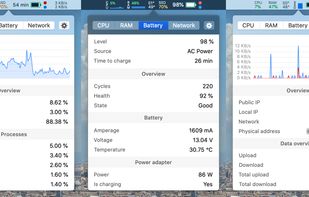
Menu bar tool for macOS shows real-time CPU, GPU, memory, disk, network, battery status, sensor data, fan speed, Bluetooth device info, multi-time zone clocks, customizable widgets, and historical graphs while ensuring privacy.

ActivityLine is described as 'A tiny native macOS menu-bar line for CPU, GPU, RAM, network activity, and the apps behind meaningful spikes' and is an app in the system & hardware category. There are more than 50 alternatives to ActivityLine for a variety of platforms, including Mac, Windows, Linux, iPhone and Flathub apps. The best ActivityLine alternative is Stats, which is both free and Open Source. Other great apps like ActivityLine are MacThrottle, iStat Menus, ACTVT and MacBar.
Menu bar tool for macOS shows real-time CPU, GPU, memory, disk, network, battery status, sensor data, fan speed, Bluetooth device info, multi-time zone clocks, customizable widgets, and historical graphs while ensuring privacy.

Lightweight macOS tool that tracks thermal pressure and throttling, shows real time CPU temperature and fan speed, provides 10-minute history graphs, statistics for thermal states, and customizable notifications, all without requiring administrator privileges.

Advanced Mac utility with menubar monitoring for CPU, GPU, memory, disks, network, and sensors, including fan control, S.M.A.R.T status, Bluetooth battery tracking, weather, notifications, and deep customization. Combines multiple stats in a single view while prioritizing privacy.


Native macOS app displays live CPU, GPU, memory, and network usage with history, manages and reclaims ports, tracks AI coding agent sessions in detail, enables local and remote monitoring, provides comprehensive notifications, and secures scanned data.


Lightweight macOS and Windows menu bar system monitor for Apple Silicon. Shows CPU, temperature, network, and benchmarks. Compiles from source on your Mac. No telemetry, no subscriptions.

Graphical editor for Linux streamlining MangoHUD overlay setup, allowing quick editing, real-time preview, export, import, and detailed option management for performance metrics in games or applications, supporting novices and advanced users alike.


System utility enabling manual control over fan speeds, real-time monitoring of temperatures and RPM, custom preset creation, support for third-party drives and Windows via Boot Camp, noise reduction features, compatibility with T2 chip models, and multilingual options.


Monitor and manage all internal Mac temperatures, enhancing longevity by ensuring components remain cool. Supports auto/manual fan speed adjustments and offers comprehensive diagnostics with local or email alerts. Secure and compatible with Macs from 2008 onward.


Displays macOS CPU thermal throttling, temperature, scheduler limit, available CPUs, and system thermal pressure with color-coded alerts. Offers real-time sensor graphs and at-a-glance hardware health feedback for both Intel and Apple Silicon Macs from the menu bar.


MoStats is a free, open-source macOS system monitor that lives in the menu bar. It shows live system stats and helps you inspect running processes without opening a larger monitoring tool. The app is built for quick checks: CPU, memory, disk, network, and process activity are...