


Hot
1 like
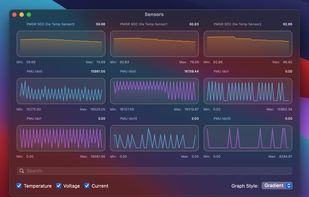
Displays macOS CPU thermal throttling, temperature, scheduler limit, available CPUs, and system thermal pressure with color-coded alerts. Offers real-time sensor graphs and at-a-glance hardware health feedback for both Intel and Apple Silicon Macs from the menu bar.

Platforms
- Mac


Discontinued
The project seems no longer developed. Last version, 1.9.4, released in July 2024, can be still downloaded from Github

Features
Hot News & Activities
Highlights All activities
Recent News
No news, maybe you know any news worth sharing?
Share a News Tip
Recent activities
- Paul added Hot as alternative to ActivityLine
 zxkmm added Hot as alternative to SafeFanControl
- Danilo Venom updated Hot
 Paul added Hot as alternative to MacThrottle


Hot information
Developed by
 DigiDNA Sàrl
 Licensing
Open Source (MIT) and Free product.Written in
Alternatives
12 alternatives listedBadge
Get an embeddable badge for HotSupported Languages

AlternativeTo Categories
System & Hardware, OS & UtilitiesGitHub repository
- 3,046 Stars
- 123 Forks
- 32 Open Issues
- Updated


Featured in Lists



My Top 100 Software
A list with 71 apps by LLiN without a description.
No comments or reviews, maybe you want to be first?