



DuckDuckGo browser now blocks YouTube Video Ads automatically on desktop and phones
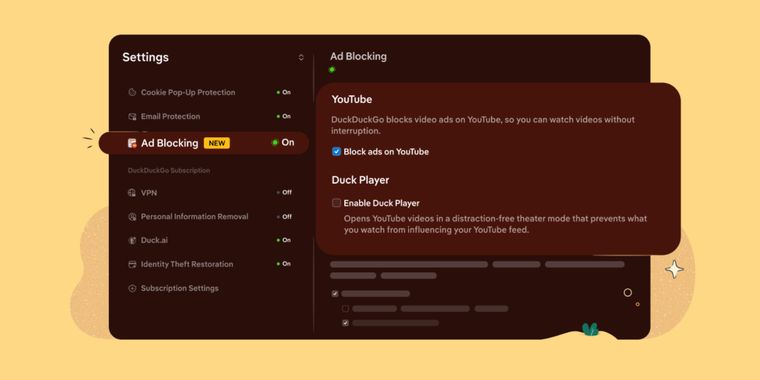
DuckDuckGo’s Browser now offers automatic blocking of most video ads on YouTube, including ads displayed before and during playback. The feature is enabled by default on iPhone, Windows, and Mac when the browser is up to date, while Android users can currently turn it on manually from Settings under Ad Blocking. DuckDuckGo says automatic activation for Android will roll out soon.
Users can enable or disable YouTube Ad Blocking from the browser settings or while watching a video. On desktop, the toggle appears through the video icon near the green shield in the address bar, while mobile users can access it from the menu. The feature only works when YouTube is opened through the DuckDuckGo browser, not inside the standalone YouTube app.
The feature uses open source filter lists from the uBlock Origin community, which are updated to respond to changes in how ads are delivered. DuckDuckGo notes that some extra buffering may happen before a video starts, but ads should not interrupt playback once the video loads. YouTube Ad Blocking is separate from Duck Player, though both can be enabled at the same time. Either way, this positions DuckDuckGo browser as an even more compelling alternative to other browsers with similar features, like the well-known Brave.





- Web Browser
- Freemium
- Open Source
Related news
External links
- Watch YouTube Without Ads on the DuckDuckGo BrowserDuckDuckGo • Official source
- DuckDuckGo's Free Browser Now Blocks Most YouTube Video AdsCNET
- DuckDuckGo just picked a fight with Google over YouTube adsPCWorld
- DuckDuckGo's Browser to Block YouTube Ads by DefaultPCMAG
- DuckDuckGo Browser Can Now Block Video Ads, Including YouTube'sEngadget
Comments
YouTube also always wait few seconds before streaming the video to ensure the ad has started to play (I guess it's what "extra buffering" means here).
Now, it just blocks ads (or tries to since YouTube changes rules every week), it doesn't enhance privacy. Duck Player uses YouTube embed mode to improve privacy, but only frontends like Invidious can prevent YouTube from having any data on you.