


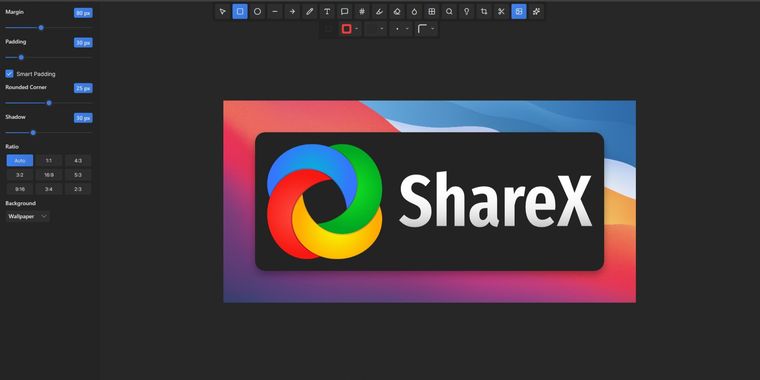

ShareX 20.0 released with native ARM64 support via MS Store and modernized image editor
ShareX 20.0 brings notable improvements for Windows users, starting with native ARM64 support now available via the Microsoft Store. This enhancement broadens device compatibility and enables optimal performance for users on ARM64 hardware.
The update also debuts a new image editor built with Avalonia UI, delivering a modernized interface. Users benefit from 18 annotation tools, a background beautifier, and access to 232 image effects. Most of the legacy editor's features are retained, while freehand drawing tools now include smoothing and curve interpolation for more polished annotations.
Building on these updates, several workflow refinements have been added. Users can now disable the region capture crosshair for less distraction and filter non-activatable tool windows during region selection. A “Copy folder path to clipboard” option has been introduced in the “After capture tasks” menu, and a tick or cross icon in the hash checker displays verification results.
For file transfers, SFTP upload speed has been increased. The uploader roster now features a PrivateBin text uploader, while MEGA support has been removed due to an unmaintained library. Support for OpenAI has expanded with a “Load models” button for automatic model population and a new legacy AI provider for local deployments, replacing custom AI provider options.





No comments so far, maybe you want to be first?