• iTerm2 icon
  • Zsh icon
  • Oh My Zsh icon
  • Z
  • Z
  • +10

macOS terminal setup to boost your productivity

PaulPaul15 appsUpdated
Copy a direct link to this comment to your clipboard

This post is not intended to show my complete terminal setup, but to provide you with the best tools out there, which I’ve found after some research and experience. I love doing stuff in the terminal and it’s a major part of my work day as a web developer. If you do too, then I hope you’ll find some useful things here.

  1. iTerm2 icon
     Like

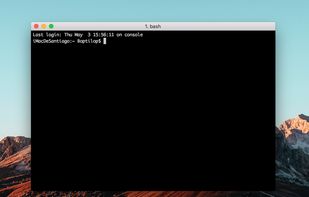
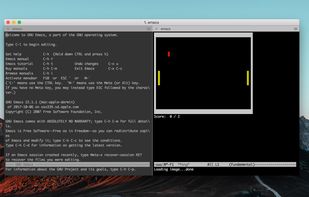
    Terminal emulator for macOS supporting split panes, session restoration, advanced search, inline images, SSH connections, automation, and tmux integration.

    Cost / License

    • Free
    • Open Source

    Application type

    Platforms

    • Mac
    • iPhone
    • iPad
    By Itself
    Autocomplete
    Split Panes
    +9
    Paste History
    PaulPaul’s note

    iTerm2 is a replacement for Terminal icon Terminal and the successor to iTerm icon iTerm. It works on Macs with macOS 10.10 or newer. iTerm2 brings the terminal into the modern age with features you never knew you always wanted. It's by far the most powerful and flexible terminal app you can use on a macOS icon macOS computer. To make it more beautiful with a nice and polish UI, I use the Nord color palette with Powerlevel9k and the Hack font in size 12pt. Alternatively, you can use this Material Design color palette, the Dracula theme or the famous Solarized color palette and the Source Code Pro font by Adobe.

  2. Zsh icon
     Like

    Zsh is a UNIX command interpreter (shell) which of the standard shells most resembles the Korn shell (ksh); its compatibility with the 1988 Korn shell has been gradually increasing. It includes enhancements of many types, notably in the command-line editor, options for...

    Cost / License

    • Free
    • Open Source

    Application type

    Platforms

    • Mac
    • Linux
    • BSD
    • Linux Mobile
    zsh suggestions in action
    PaulPaul’s note

    The Z shell (Zsh) is a Unix shell that can be used as an interactive login shell and as a powerful command interpreter for shell scripting. Zsh is an extended Bourne shell with a large number of improvements, including some features of GNU Bourne Again SHell icon GNU Bourne Again SHell, ksh, and tcsh. Alternatively, you can use fish icon fish (Friendly Interactive SHell) which is an attempts to be more interactive and user-friendly than former shells. The goal is to give the user a rich set of powerful features.

  3. Oh My Zsh icon
     Like

    Oh My Zsh is an open source, community-driven framework for managing your zsh configuration. That sounds boring. Let's try this again.

    Cost / License

    • Free
    • Open Source

    Platforms

    • Mac
    • Windows
    • Linux
    • BSD
    • zsh
    Oh My Zsh screenshot 1
    PaulPaul’s note

    Now that we’ve got Zsh icon Zsh up and running, it’s time to customize it! You’re probably ready to fire up Vim icon Vim or GNU Emacs icon GNU Emacs (or GNU nano icon GNU nano, I don't judge) and start editing config files but wait for a second, I’ll try to save you some time. Oh-my-zsh is a set of functions, auto-complete helpers, and other useful stuff. Also, it is a very good framework for further customizations.

    Oh-my-zsh comes with a handful of plugins for different apps – Git icon Git, Ruby icon Ruby, Ruby on Rails icon Ruby on Rails, gem and a lot more. Every plugin has a set of aliases, auto-complete helpers and functions. For example, you can type gst for git status, or type rdbm for rake db:migrate, db:test:clone and so on. Plenty of good stuff for free. Also, it has tons of themes pre-installed. Check out the entire list of themes with screenshots on the GitHub icon GitHub repository. Personally, I use Agnoster.

  4. This package provides syntax highlighting for the shell zsh. It enables highlighting of commands whilst they are typed at a zsh prompt into an interactive terminal. This helps in reviewing commands before running them, particularly in catching syntax errors.

    Cost / License

    • Free
    • Open Source

    Platforms

    • Mac
    • Windows
    • Linux
    • zsh
    PaulPaul’s note

    This is a plugin for Zsh icon Zsh whose purpose is to bring fish icon fish shell-like syntax highlighting to the Z shell. It enables highlighting of commands whilst they are typed at a Zsh icon Zsh prompt into an interactive terminal. This helps in reviewing commands before running them, particularly in catching syntax errors.

  5. Fish-like autosuggestions for Zsh.

    Cost / License

    • Free
    • Open Source

    Platforms

    • Mac
    • Windows
    • Linux
    • zsh
    PaulPaul’s note

    This is a plugin for Zsh icon Zsh whose purpose is to bring fish icon fish shell-like autosuggestions for the Z shell. It suggests commands as you type, based on command history.

  6. fzf icon
     Like

    A command-line fuzzy finder written in Go.

    Cost / License

    • Free
    • Open Source

    Application type

    Platforms

    • Mac
    • Windows
    • Linux
    • Vim
    fzf screenshot 1
    fzf screenshot 1
    PaulPaul’s note

    fzf icon fzf is a general-purpose command-line fuzzy finder. It's an interactive Unix filter for command-line that can be used with any list; files, command history, processes, hostnames, bookmarks, git commits, etc. It's pretty powerful, but alternatively, you can try fzy icon fzy that claims to be a "better fuzzy finder".

  7. k icon
     Like

    k is a zsh script / plugin to make directory listings more readable, adding a bit of color and some git status information on files and directories.

    Cost / License

    • Free
    • Open Source

    Platforms

    • Mac
    • Windows
    • Linux
    • zsh
    Git status on entire repos
    Git status on files within a working tree
    File weight colours
    +1
    Rotting dates
    PaulPaul’s note

    k is a Zsh icon Zsh script / plugin to make directory listings more readable, adding a bit of color and some git status information on files and directories.

  8. After a short learning phase, z will take you to the most 'frecent' directory that matches ALL of the regexes given on the command line, in order.

    Cost / License

    • Free
    • Open Source

    Platforms

    • Mac
    • Windows
    • Linux
    • zsh
    PaulPaul’s note

    z is a Zsh icon Zsh plugin that tracks your most used directories, based on frecency. After a short learning phase, z will take you to the most frecent directory that matches ALL of the regexes given on the command line, in order. For example, z foo bar would match /foo/bar but not /bar/foo. Frecency is a portmanteau of 'recent' and 'frequency'. It is a weighted rank that depends on how often and how recently something occurred. As far as I know, Mozilla came up with the term.

  9. Antigen icon
     Like

    Antigen is a small set of functions that help you easily manage your shell (zsh) plugins, called bundles. The concept is pretty much the same as bundles in a typical vim+pathogen setup. Antigen is to zsh, what Vundle is to vim.

    Cost / License

    • Free
    • Open Source

    Platforms

    • Mac
    • Windows
    • Linux
    • zsh
    PaulPaul’s note

    A plugin manager for Zsh icon Zsh, inspired by Oh My Zsh icon Oh My Zsh and Vundle.

  10.  Like

    Prezto is the configuration framework for Zsh; it enriches the command line interface environment with sane defaults, aliases, functions, auto completion, and prompt themes.

    Cost / License

    • Free
    • Open Source

    Platforms

    • Mac
    • Linux
    • Android
    • zsh
    Prezto screenshot 1
    PaulPaul’s note

    Prezto is the configuration framework for Zsh icon Zsh. It enriches the command line interface environment with sane defaults, aliases, functions, auto-completion, and prompt themes. It's an alternative to the famous Oh My Zsh icon Oh My Zsh.

  11. Homebrew icon
     Like

    Homebrew is the easiest and most flexible way to install the UNIX tools Apple didn’t include with macOS. Also available for Linux.

    Cost / License

    • Free
    • Open Source

    Application type

    Platforms

    • Mac
    • Linux
    Homebrew screenshot 1
    Homebrew screenshot 1
    PaulPaul’s note

    Homebrew is a free and open-source software package management system that simplifies the installation of software on macOS icon macOS operating system. Homebrew installs packages to their own directory and then symlinks their files into /usr/local. Homebrew won’t install files outside its prefix, and you can place a Homebrew installation wherever you like.

  12. Cakebrew icon
     Like

    Cakebrew is the most convenient way to use Homebrew for your daily tasks! It does for Homebrew what Synaptics does to Linux package managers. From the Cakebrew UI, you can:

    Cost / License

    • Free
    • Open Source

    Application type

    Platforms

    • Mac
    Cakebrew screenshot 1
    Cakebrew screenshot 1
    Cakebrew screenshot 2
    +1
    Cakebrew screenshot 3
    PaulPaul’s note

    Cakebrew is the most convenient way to use Homebrew icon Homebrew for your daily tasks. It does for Homebrew what Synaptic icon Synaptic does to Linux package managers. It adds a user interface that can search for formulae, install, uninstall and upgrade formulae, tap and untap repos, update Homebrew and run the brew cleanup tool. You can also use this website to search and discover new formulas.

  13. MacPorts icon
     Like

    The MacPorts Project is an opensource package management system that simplifies compiling, installing, upgrading, and removal of other open-source software on Mac OS X 10.4 Tiger and later, running on Intel or Apple Silicon.

    Cost / License

    • Free
    • Open Source

    Application type

    Platforms

    • Mac
    MacPorts screenshot 1
    MacPorts screenshot 1
    MacPorts screenshot 2
    PaulPaul’s note

    The MacPorts Project is an open-source community initiative to design an easy-to-use system for compiling, installing, and upgrading either command-line, X11 icon X11 or Aqua based open-source software on macOS icon macOS.

  14. Fink icon
     Like

    What is Fink?

    Fink is a project that wants to bring the full world of Unix Open Source software to Darwin and Mac OS X. As a result, we have two main goals. First, to modify existing Open Source software so that it will compile and run on Mac OS X. (This process is called portin.

    Cost / License

    • Free
    • Open Source

    Platforms

    • Mac
    PaulPaul’s note

    The Fink project wants to bring the full world of Unix Open Source software to Darwin and macOS icon macOS. We modify Unix software so that it compiles and runs on macOS icon macOS ("port" it) and make it available for download as a coherent distribution. Fink uses Debian icon Debian tools like dpkg and apt-get to provide powerful binary package management. You can choose whether you want to download precompiled binary packages or build everything from source.

  15. Mas CLI icon
     Like

    A simple command line interface for the Mac App Store. Designed for scripting and automation.

    Cost / License

    • Free
    • Open Source

    Application type

    Platforms

    • Mac
    PaulPaul’s note

    Mas CLI is a simple command line interface for the . Designed for scripting and automation.

I don't use all these tools: for example, I only use https://alternativeto.net/software/homebrew/ and don't have https://alternativeto.net/software/macports/ and https://alternativeto.net/software/fink/ installed on my computer. I also don't use https://alternativeto.net/software/prezto/ since I personally prefer https://alternativeto.net/software/oh-my-zsh/. I've tested https://alternativeto.net/software/cakebrew/ a while ago and it's a good piece of software but I have a preference for the command line so I don't use it anymore. So, that's all, here are all the tools I use to boost my productivity when I'm in the terminal (very often).

No comments so far, maybe you want to be first?