Freedom-Respecting Apps for Creatives

ddnn
ddnnList by ddnn, last updated 
Copy a direct link to this comment to your clipboard
  1. Qtractor icon
     Like

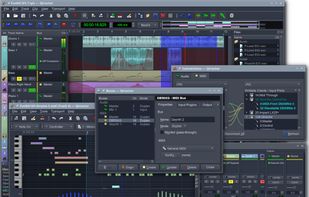
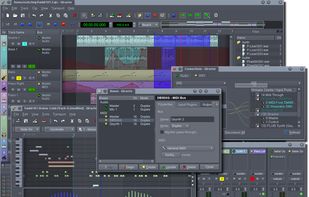
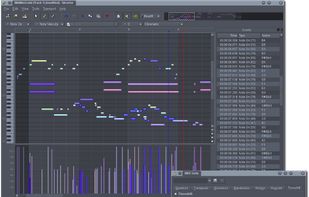
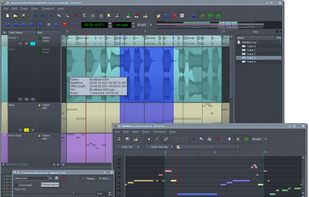
    Qtractor is an Audio/MIDI multi-track sequencer application written in C++ with the Qt framework. Target platform is GNU/Linux, where the Jack Audio Connection Kit (JACK) for audio, and the Advanced Linux Sound Architecture (ALSA) for MIDI, are the main infrastructures for...

    Cost / License

    • Free
    • Open Source

    Platforms

    • Linux
    Qtractor screenshot 1
    Qtractor screenshot 1
    Qtractor screenshot 2
  2. Audacity icon
     Like

    Free open-source multi-track audio editor and recorder with 32-bit float processing. Supports many formats and plugins for Windows, macOS, Linux.

    Cost / License

    • Free
    • Open Source

    Platforms

    • Mac
    • Windows
    • Linux
    • BSD
    • AppImageHub
    • Flathub
    • PortableApps.com
    • Haiku
    Editing Audio
    Audacity 2.2.0 in default Light theme running on Windows 10
    Recording with Audacity 2.2.0 in Dark theme on Windows 10
    +4
    Audacity 2.2.0 MIDI playback running on macOS
  3. Tenacity icon
     Like

    Tenacity is an easy-to-use, privacy-friendly, FLOSS, cross-platform multi-track audio editor/recorder for Windows, macOS, Linux and other operating systems.

    Cost / License

    • Free
    • Open Source

    Platforms

    • Mac
    • Windows
    • Linux
    • Flathub
    • FreeBSD
    • Haiku
    Dark mode
    Light mode
  4. REAPER icon
     Like

    A digital audio workstation, MIDI sequencer and video editing software application created by Cockos. The current version is available for Microsoft Windows, macOS, and Linux.

    Cost / License

    • Paid
    • Proprietary

    Platforms

    • Mac
    • Windows
    • Linux
    • Flathub
    • Flatpak
    Default theme
    Full screen in Linux with inline MIDI editor using REA Evolution theme
    Analog Default theme
    +3
    Dark_Side_Imperial theme
  5. Waveform icon
     Like

    Either Waveform or Reaper could've started the proprietary section of this list. Reaper started it because there is an evaluation period where you don't need to register to use the app.

    However, Waveform has a completely free version, unlike Reaper, which asks you politely to pay both during and after the evaluation period.

    Waveform is a commercial, cross-platform DAW. With a focus on design and composition, it offers tools to greatly simplify everything from initial inspiration to the final mix.

    Cost / License

    • Freemium
    • Proprietary

    Platforms

    • Mac
    • Windows
    • Linux
    Waveform screenshot 1
    Waveform screenshot 1
    Waveform screenshot 2
    +1
    Waveform screenshot 3
  6. Bitwig Studio is a multi-platform music-creation system for production, performance and DJing, with a focus on flexible editing tools and a super-fast workflow.

    Cost / License

    • Paid
    • Proprietary

    Platforms

    • Mac
    • Windows
    • Linux
    • Flathub
    • Flatpak
    Bitwig Studio screenshot 1
    Bitwig Studio screenshot 1
    Bitwig Studio screenshot 2
    +3
    Bitwig Studio screenshot 3
  7. Studio One is an advanced digital audio workstation for Mac and Windows featuring a bevy of powerful composition, editing, mixing and mastering tools on top of standard multi-track DAW features. Highly praised for its intuitive chord track that lets users drag and drop both...

    Cost / License

    • Paid
    • Proprietary

    Platforms

    • Mac
    • Windows
    • Linux
    Studio One Pro 7
    Studio One screenshot 1
    Studio One screenshot 2
    +1
    Studio One screenshot 3
  8. Writing and Note-taking

    Why Obsidian? Interoperability. No vendor lock-in. Freedom to use other apps. Multiplatform and Markdown support. Note/Character/Location/Planet linking. Extensibility with many available and useful plug-ins.

    For novel writers specifically, Quoll Writer is actually the best available to be honest. However, the developer doesn't really care about Linux. The Linux app is an afterthought to him/her, and using the Windows version with WINE for compatibility may not work as expected or at all.

    NovelWriter is pretty much like a fusion between Obsidian and Quoll Writer, but with fewer features. But the developer fully supports Linux. The only real issue is importing notes. You cannot import a folder, so you'd have to import them one-by-one. For someone who doesn't have much, it's not a big problem, though.

    Notesnook. It's pretty much Notion, so it's great, but I can't edit my notes or stories unless I'm using it, so that's a HUGE no-go for me. That said, if you know that you have no intention of using any other app, then it's a great option since your notes will also be encrypted. Not just private, but also secure.

    Lastly, every writer is different. Depending on what you are writing, you may have different needs, and I guarantee you that a good enough, if not perfect, app is available on Linux for you. Writing tools, in all their forms, seem to be the easiest tools to find great alternatives for. In fact, this was written in Geany, a development (coding) tool, and I'm not a developer. It's just perfect for stuff like this.

  9. Obsidian icon
     Like

    Obsidian is a note-taking app that lets you create a personal knowledge graph with ease. It is designed for non-linear thinking and allows you to easily link your notes together wiki-style.

    Cost / License

    • Freemium
    • Proprietary

    Platforms

    • Mac
    • Windows
    • Linux
    • Android
    • iPhone
    • Android Tablet
    • iPad
    • Snapcraft
    • Microsoft Edge
    • Google Chrome
    • Flathub
    • Safari
    • Mozilla Firefox
    Obsidian screenshot 1
    Obsidian screenshot 1
    Obsidian screenshot 2
    +4
    Obsidian screenshot 3
  10. Focus on your words not the interface. Quoll Writer is a writing application that helps you focus on your words. Clean and uncluttered. Feature rich. Features are where you would expect them to be.

    Cost / License

    • Free
    • Open Source

    Platforms

    • Windows
    Quoll Writer screenshot 1
    Quoll Writer screenshot 1
    Quoll Writer screenshot 2
  11. novelWriter is a Markdown-like text editor designed for writing novels and larger projects of many smaller plain text documents. It uses its own flavor of Markdown that supports a meta data syntax for comments, synopsis and cross-referencing between files.

    Cost / License

    • Free
    • Open Source

    Platforms

    • Mac
    • Windows
    • Linux
    • Qt
    Screenshot of older version
    Default system theme
    Dark theme
  12. ghostwriter is a feature-rich text editor using Markdown syntax which makes it suitable for note-taking, document redaction, simple HTML website creation and much more.

    Cost / License

    • Free
    • Open Source

    Platforms

    • Mac
    • Windows
    • Linux
    • Snapcraft
    • Flathub
    • Haiku
    ghostwriter screenshot 1
    ghostwriter screenshot 1
    ghostwriter screenshot 2
    +1
    ghostwriter screenshot 3
  13. Kate icon
     Like

    The Kate project develops two main products: KatePart, the advanced editor component which is used in numerous KDE applications requiring a text editing component, and Kate, a MDI text editor application.

    Cost / License

    • Free
    • Open Source

    Application types

    Platforms

    • Mac
    • Windows
    • Linux
    • BSD
    • KDE Plasma
    • Flathub
    • Flatpak
    • Snapcraft
    Kate screenshot 1
    Kate screenshot 1
    Kate with an ATOM color scheme using some RegEx to find and replace.
  14. Other Tools

    For generally useful tools (web browsers, media players, etc.), please check this list: https://alternativeto.net/list/40280/privacy-respecting-apps-and-services-computers-/

  15. Operating System

    Making things simple here.

    If you just want to do cool stuff and not worry about learning how your system works, get Ubuntu Studio.

    If you want to do cool stuff and control how your system works, get EndeavourOS. Similarly, Omarchy allows full control and comes with some default proprietary apps you may already be used to, like Zoom and proprietary web apps, like those from Google.

    If you want something that comes with minimal packages and a set of easy-to-use tools for system maintenance, get MX Linux.

    There are other options available — MANY — but creatives usually just want to create.

  16. Ubuntu Studio is a multimedia editing/creation flavor of Ubuntu icon Ubuntu. It's built for the GNU/Linux audio, video, and graphic enthusiast or professional.

    Cost / License

    • Free
    • Open Source

    Platforms

    • Linux
    Ubuntu Studio screenshot 1
    Ubuntu Studio screenshot 1
    Ubuntu Studio screenshot 2
    +2
    Ubuntu Studio screenshot 3
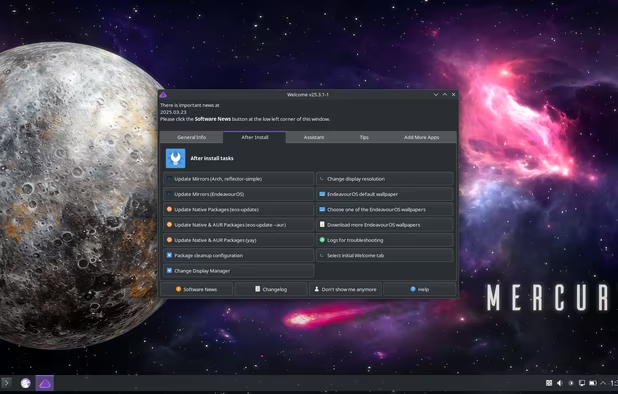
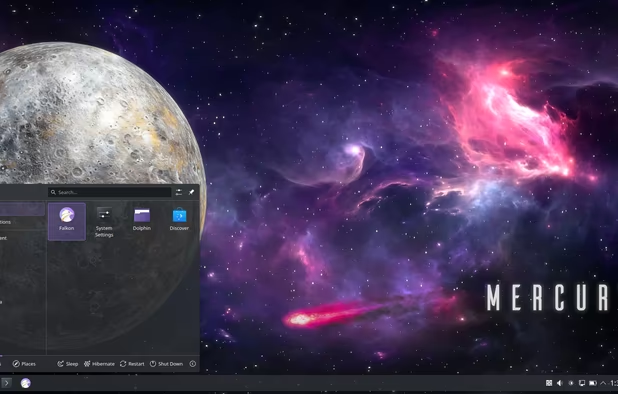
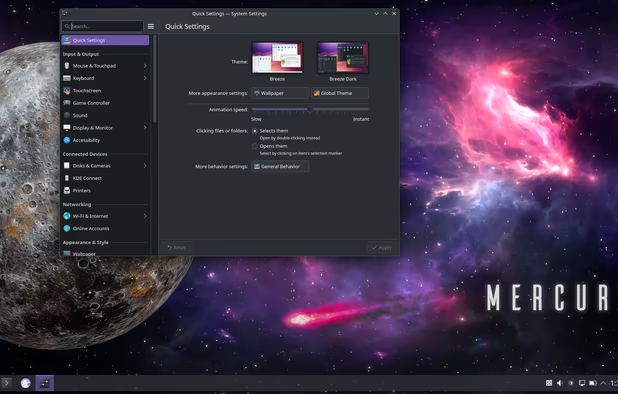
  17. EndeavourOS is an Arch-based distro that provides an Arch experience without the hassle of installing it manually for both x86_64 and ARM systems. After installation, you’re provided with a lightweight and almost barebones environment ready to be explored with your terminal...

    Cost / License

    • Free
    • Open Source

    Platforms

    • Linux
    Welcome window
    Application menu
    KDE System Settings panel
  18. MX Linux icon
     Like

    MX Linux is an operating system - a cooperative venture between the antiX and former MEPIS communities. It is a midweight OS that combines an elegant and efficient desktop with simple configuration, high stability and solid performance.

    Cost / License

    • Free
    • Open Source

    Platforms

    • Linux
    MX Linux screenshot 1
    MX Linux screenshot 1
    MX Linux screenshot 2
    +1
    MX Linux screenshot 3
  19. Omarchy icon
     Like

    Omarchy is an Arch-based Linux distribution featuring the Hyprland tiling window manager. It ships with what a modern software developer would need to be productive immediately, including Neovim, Spotify, Chromium, Typora, Alacritty, LibreOffice and Zoom.

    Cost / License

    • Free
    • Open Source

    Platforms

    • Linux
    Omarchy screenshot 1
    Omarchy screenshot 1
    Omarchy screenshot 2
    +2
    Omarchy screenshot 3
Page 2 of 2

I hope this list is helpful to people of all sorts:

  • Hobbyists, or even fledgling professionals, who can't afford to pay for software yet.
  • Those who don't want a spyware OS.
  • Those who can't afford or won't be forced to buy a new device because of planned obsolescence or arbitrary incompatibility.
  • Those who like the freedom and interoperability that comes with using open source tools and platforms.
  • Those who want to fight against monopolistic abuse and fund projects that anyone can access.
  • And for those who truly understand that Big Tech is meant for the workplace and should not have control over or access to your personal life or data.

Like I said, this website has MANY alternatives to what I recommend, so click on an app's icon/name to see a list of alternatives if you prefer something else.

Comments are only shown on the first page of the list.