PowerShell IDEs

A list of code editors or extensions/plugins that support PowerShell — exclusively or with other languages, whether Desktop, Core, or both. Also, a small number of noteworthy form-building modules. The only real requirement is that the editors listed have, at minimum, PowerShell syntax highlighting & code folding out of the box. Anything further, debugging, some level of auto-complete (whether real-time and context sensitive or based on a predefined list of keywords), module and help creation, snippets, graphical tools, form designer, etc. are optional but preferred. A great resource — albeit not updated often enough, and which has more than a couple dead links or outdated resources — is the Awesome PowerShell list @ https://github.com/janikvonrotz/awesome-powershell

The rough sorting is editors with 1st-class PowerShell support — i.e. editors that are either primarily built around PowerShell, or which support PowerShell with true IntelliSense-like code completion, whether natively or via an extension or plugin. Secondary is their depth and breadth of support. Third is their status — are they abandoned, or currently being developed and supported? For instance, I'd put Notepad++ above PowerGUI, even though the latter is fully meant for PowerShell, as despite Notepad++'s lack of true PowerShell support in any way beyond syntax highlighting and manual function definition lists for auto-complete, PowerGUI is far too outdated to be considered a viable option, and is more of a curiosity that you can still run... for now. Same goes for ISE, despite not being updated since TechNet was discontinued, but as it's a 1st-class product developed by Microsoft and despite many addons no longer working (at least without some searching and manual activation), it's a much more viable option in my opinion than Notepad++, unless you don't need features like IntelliSense, smart auto-completion, and the like.

Your mileage may vary.

TMA_2
TMA_2List by TMA_2, last updated 
Copy a direct link to this comment to your clipboard
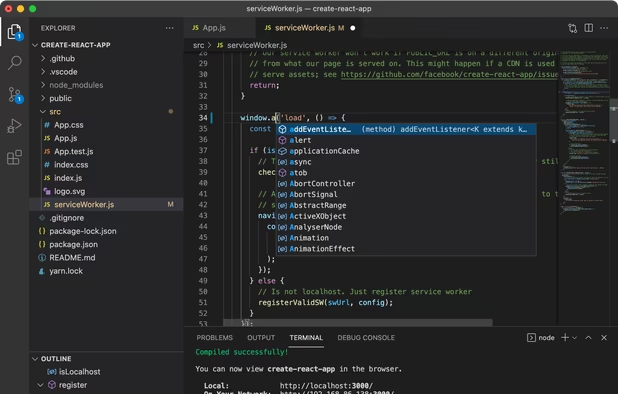
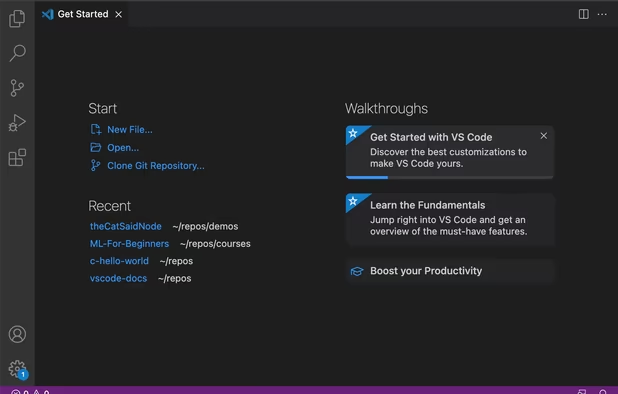
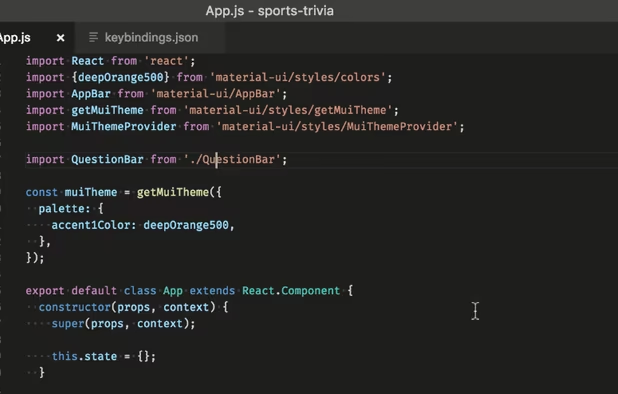
  1. The standard for PowerShell Core development, currently. Has built-in PowerShell syntax highlighting and code folding out of the box. Like Atom before it, it's Chromium-based, so under the hood you have tons of HTML5, CSS, and Typescript. If you're good with those, you'll take to it like a fish to water. All of its configuration is done through JSON as well, though there's a UI for everything, and rarely will you come across a setting that doesn't have a schema (i.e. suggestions and autocomplete), including 3rd-party extensions.

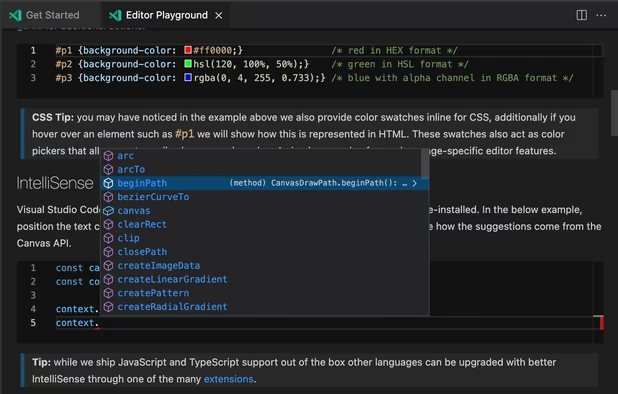
    Speaking of extensions, the primary PowerShell support comes with the official PowerShell extension, which gives you in-depth debugging, breakpoints, variable watching, Pester tests, Plaster module creation, pretty decent IntelliSense on-par with ISE (but much more configurable without need for writing binary addons), with support for PS Core as the default, but will work with PowerShell 5.1 as well, and much more. Microsoft's LSP (language server) is responsible for providing the IntelliSense-like code suggestions and completion. Technically this could also include the PowerShell Pro Tools extension for further features, but that's much larger in scope and technically includes standalone software, so it's in another section.

    As a footnote, there are many forks of VS Code I won't bother including with the exception of VSCodium, as the PowerShell extension works with all of them so far as I know.

    Cost / License

    • Free
    • Proprietary

    Application types

    Platforms

    • Mac
    • Windows
    • Linux
    • Online
    • Chrome OS
    • Snapcraft
    Visual Studio Code screenshot 1
    Visual Studio Code screenshot 1
    Visual Studio Code screenshot 2
    +2
    Visual Studio Code screenshot 3
  2. VSCodium icon
     Like

    Technically the same as VS Code as it's not a fork, but rather a build script that automates the removal of Microsoft branding and telemetry before building and releasing with a fully open-source license. If you're worried at all about privacy or tracking, go for this over VS Code (although there is a setting to disable the telemetry features).

    Cost / License

    • Free
    • Open Source

    Application types

    Platforms

    • Mac
    • Windows
    • Linux
    • Flathub
    • Electron
    • Snapcraft
    • Homebrew
    • Chocolatey
    VSCodium screenshot 1
  3. Technically, this is a trio of extensions for VS Code and Visual Studio (2022 and 2017/2019), although there is a standalone script editor with form designer (PSScriptPad), but that's a separate application to the bare-bones WinForms builder packaged with the VS Code extension. The Visual Studio extensions of course use the built-in Forms editor, of course. However, only the former has support for WPF/XAML. The Visual Studio extensions also use a MSBuild-derived project system (.pssproj) which is easy to understand, and fairly well-documented.

    They were recently made free and open-source as they're being sunsetted in favor of focusing on their PowerShell Universal product, with extended support lasting through October 30th, 2025. However, I heard from the developer that updates and fixes will continue past then, just at a slower rate. Definitely worth checking out, especially if you already use VS Code or Visual Studio.

    I've now used the VS Code extension for some time, and while it certainly contains many more features than the official extension, including a .NET explorer, AST explorer (one of the most useful parts in my opinion), module browser with optional updating, exclusion settings for modules and assemblies, etc., it's also updated very sparingly, and contains a number of bugs, missing commands, and a very large monorepo that's difficult to get a grasp on, since it contains the Ironman PowerShell Host, custom "RapidSense" engine which you can activate as an alternative to the prediction offered by PSES, three extensions, the form builder, and all the tests and shared dependencies for each.

    In addition, the "Custom" view through which you're meant to be able to add your own tree view items with actions has never worked for me (I've opened an issue, but it has yet to be fixed as of version 2024.12.0). The form builder is very bare-bones and only supports WinForms, not WPF as the previous tool, PSScriptPad, offered. I'm unsure why he replaced it, but PSScriptPad is still available as a standalone application, as is the executable packager used by the extensions.

    As Josh Grote said, it's the "best value add for PowerShell in VS Code", especially now that it's FOSS, but fair warning that there are a number of issues that have yet to be addressed by the developer or any contributors.

    • I understand it also has some functionality to integrate with PowerShell Universal endpoints, but I haven't yet tried that part of it, and there's a separate PowerShell Universal extension for VS Code anyway.

    Cost / License

    • Free
    • Open Source

    Platforms

    • Mac
    • Windows
    • Linux
    AST explorer
    Run in New Terminal
    Decompiler
    +12
    AST Type Hover
  4. The built-in, Windows-native mainstay of Windows PowerShell (5.1) from its inception to PowerShell Core. No longer updated, hard-coded for Windows PowerShell / .NET Framework, and most of its functionality which was dependent on downloads from the now-defunct TechNet doesn't work, at least automatically. It still gets the job done, at least if you're only concerned with PS 5.1, has real IntelliSense, allows easy addition of menu items and AST exploring via the reserved $psISE variable, as well as an SDK for adding more intricate addons. The old module explorer, PSScriptAnalyser, etc. can be added by downloading from PSGallery or other sources, but their functionality will be limited since so much of it relied on no-longer-functioning sites. For some serious extensibility, also see the ISE Steroids extension developed by the proprieters of powershell.one.

    Cost / License

    • Free
    • Proprietary

    Application type

    Platforms

    • Windows
    Viewing command help
    Code Completion
    Syntax highlighting
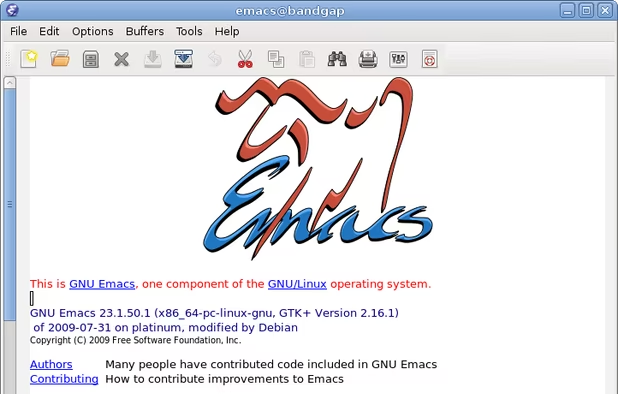
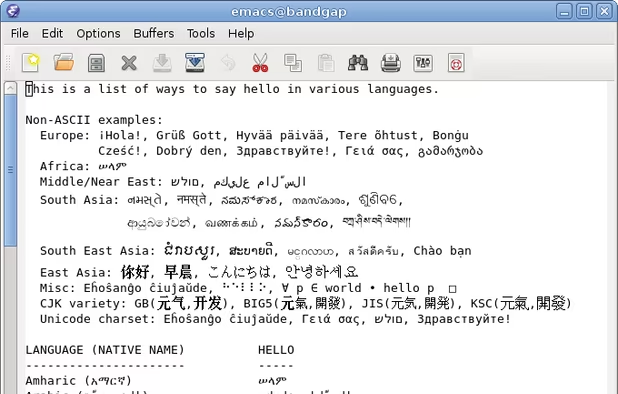
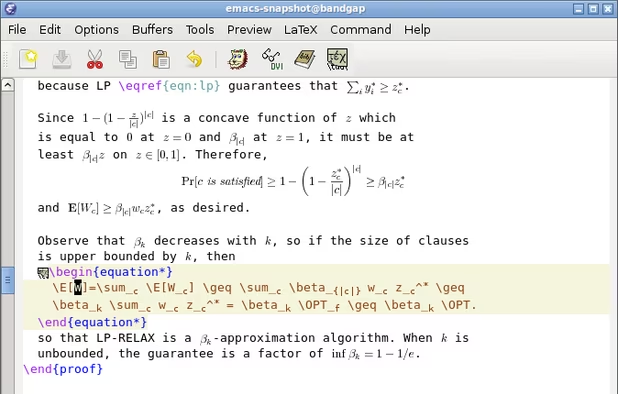
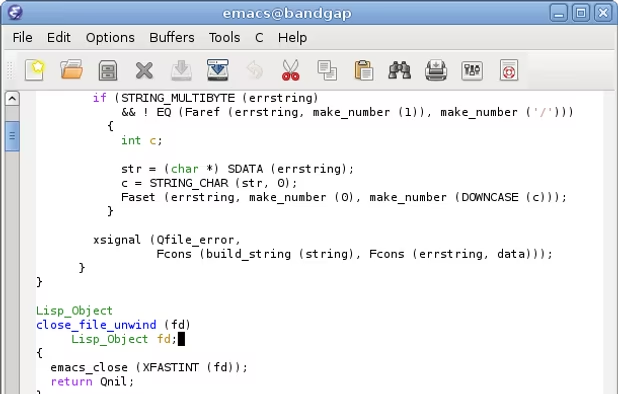
  5. GNU Emacs icon
     Like

    I know nothing about this editor, but understand it supports an LSP-backed PowerShell extension.

    Cost / License

    • Free
    • Open Source

    Application types

    Platforms

    • Mac
    • Windows
    • Linux
    • Android
    • BSD
    • Snapcraft
    • F-Droid
    • Haiku
    • Debian
    • MacPorts
    • Homebrew
    The GNU Emacs Manual calls Emacs the extensible, customizable, self-documenting real-time display editor
    Beyond just being able to edit plain text files, Emacs includes special features to help you write in many different human languages and programming/markup languages
    GNU Emacs screenshot 2
    +6
    GNU Emacs screenshot 3
  6. A free PowerShell IDE with some useful built-in features. Another one I have only very limited experience with. I believe it has built-in signing and some object/class exploration functionality (WMI, COM, .NET presumably), as well as some manner of module and/or profile management.

    Cost / License

    • Free
    • Proprietary

    Platforms

    • Windows
    Application Window
  7. A full-featured IDE for PowerShell that aims to replicate the Visual Studio experience, but for PowerShell. Fairly pricey, however, and unlike VS Code, is of course proprietary. It does appear to have a very lengthy feature list, so it may be worth the price, but given how extensible PowerShell is and the wealth of free tools, UI tutorials, designers, and modules (some even specifically for programmatically generating UIs, e.g. ShowUI and AnyBox), I'm skeptical, especially after using it for a couple days. It's clearly designed with a beginner-oriented, mouse-navigation design. There is no customization of keyboard shortcuts, and even inconsistency in basic editing features like "go to declaration" and "nudge line up/down" commands, no WPF designer (although you can convert WinForms to XAML and edit the latter as text), very outdated snippets, and a few infuriating bugs I came across in my short time with it.

    On the plus side, the Avalonia-based (I believe) tool windows are dockable as you'd expect from Visual Studio or any program influenced by that design, the WinForms builder is easy to use, it contains an excellent binary packager with obfuscation, and the most impressive feature, in-line .NET documentation provided by the "PrimalSense" engine, so you'll be provided with descriptions of classes, members, and parameters. However, it's based on a cached copy of .NET Framework XML docs, so it isn't exactly "live," nor does it properly reflect newer .NET versions if you're using PowerShell 7, for which it has lesser support.

    But, try it for yourself. I know many people swear by it, so it clearly offers something of value to some portion of PowerShell users. That just doesn't include me. See the product page for my full review.

    Cost / License

    • Paid
    • Proprietary

    Application type

    Platforms

    • Windows
    PowerShell Studio 2023
    PowerShell Studio 2023 - Editor
    PowerShell Studio 2023 - GUI Designer
    +9
    PowerShell Studio 2023 - MSI Builder
  8. PoshGUI icon
     Like

    A very cool, one-of-a-kind online PowerShell script editor and WPF/XAML form designer (no WinForms) that, sadly, was once free but is no longer. It even allows sharing scripts, including form designs and various templates in their repository @ https://app.poshgui.com/Repository. I think projects were and still are saved using a proprietary format, but you can of course export projects to local copies. Has a monthly or yearly subscription model ($7 or $70 respectively), a free trial, but is web-based and doesn't integrate with any desktop IDEs or editors.

    A decent product if your main concern is the ability to edit scripts and XAML-based forms on any device with a browser, but I found the script editor to be heavily lacking compared to basically every other entry on the list. I'm not sure I can recommend it if you don't fall into the above group. But there's always the trial, so you can see for yourself if it's a fit.

    Cost / License

    • Paid
    • Proprietary

    Platforms

    • Windows
    • Online
    PoshGUI screenshot 1
  9. This isn't a PowerShell IDE by any means, but it does have .NET support, a free version, and most importantly, a PowerShell extension that uses the same PowerShellEditorServices LSP behind the VS Code extension found here. I'm very unfamiliar with the IntelliJ ecosystem outside of dotPeek, so I'm not sure what else I can say about this. There you have it.

    Cost / License

    • Free Personal
    • Proprietary

    Application types

    Platforms

    • Mac
    • Windows
    • Linux
    JetBrains Rider screenshot 1
    JetBrains Rider screenshot 1
  10. I haven't used this before given its paid status, but understand it has a large and devoted community. So much so that Microsoft's LSP language server format has been ported as an add-on, as has the VS Code PowerShell extension. So, you can actually get many of the same features implemented (which, exactly, I'm not sure) in Sublime Text. If you're already comfortable with this application, its PowerShell support may well be on-par with VS Code.

    Cost / License

    • Freemium
    • Proprietary

    Application types

    Platforms

    • Mac
    • Windows
    • Linux
    Sublime Text screenshot 1
    Sublime Text screenshot 1
    Sublime Text screenshot 2
    +2
    Sublime Text screenshot 3
  11. Very similar to PowerShell Studio, but with support for other scripting languages like VBScript, KiX, etc. Expensive and extensive.

    Cost / License

    • Paid
    • Proprietary

    Platforms

    • Windows
    Start page
    Group Files In Tabbed Sections
    Instant Sample Code For WMI Classes
    +3
    Native 64 bit Power Shell Debugger
  12. Another abandoned IDE initially created as a Kix scripting language editor that later added support for AutoIt, VBScript, and PowerShell. It used to be paid (~$225), but as it's been abandoned for 10 years, one of its developers has made it a free download. Needless to say it only works with Windows PowerShell, and many of the features that were planned never happened, so there will likely be many moments of "what the hell was this for?" while using it. Its two most useful features, in my opinion, are its WinForms designer and COM object explorer — although sorting the list doesn't appear to be possible, but it obviously has a slightly outdated design. One caveat: the developer requires you to follow his Twitter account in exchange for the download link. Take it or leave it... or just stick with ISE or VS Code.

    Cost / License

    • Free
    • Proprietary

    Application type

    Platforms

    • Windows
    VBScript editing with the WMI explorer
    XML editing
    Tools and links
    +6
    Script deployment
  13. PowerGui icon
     Like

    Another abandoned PowerShell IDE. Once developed by Dell, then KACE, then ...? Contrary to what you might infer from its name, it doesn't contain a form designer, but I could have missed it. But given its age, the name likely means "hey, it's a visual PowerShell editor! You don't have to code in an extremely early version of ISE, or the old, terrible Windows console host!" Back then, that would have been /really/ nice. Not so much in 2024, when just Windows Terminal and PSReadLine give you near-endless functionality and extensibility.

    Cost / License

    • Free
    • Proprietary

    Platforms

    • Windows
    PowerGui screenshot 1
  14. The web version of VS Code. Has no support for the PowerShell extension, but still has syntax highlighting and code folding, so as a quick web-based editor where you don't have access to the full version, it can really come through in a pinch.

    Same goes for GitHub's web editor.

    Cost / License

    • Free
    • Open Source

    Application type

    Platforms

    • Online
    • Self-Hosted
    vscode.dev screenshot 1
  15. Notepad++ icon
     Like

    Everyone knows it. Has simple PowerShell syntax highlighting out of the box, but not much beyond that. No plugins (that I'm aware of, certainly not in the official plugin repo) that add any further predictive auto-complete or context-sensitive help, etc. A list of PowerShell cmdlets could be added via a UDF, but I've personally found those intensely aggravating to work with, as they combine formatting with data, which is just how NP++ seems to be structured. Not my favorite by any stretch, and although it's updated often, has an incredibly outdated UI that even now, after using it for around 7 years, I always find myself opening the wrong menu item or dialogue when looking for a setting. I'm not sure how likely it is to change any time soon, but I only find it useful for viewing and simple editing of various scripts, or text manipulation.

    Cost / License

    • Free
    • Open Source

    Application types

    Platforms

    • Windows
    • PortableApps.com
    Notepad++ screenshot 1
    Notepad++ screenshot 1
    Notepad++ screenshot 2
    +10
    TextFX plugin menu
  16. Special mention: This isn't an IDE per se, but via PowerShell and PSReadLine, and the fact PowerShell is an interpreted language, you can do a /lot/ of things with just a terminal. Just press Shift+Enter for a new line, and now you're writing a multi-line script, piece-by-piece, much like using Python with IDLE... or so I'm told.

    Cost / License

    • Free
    • Open Source

    Platforms

    • Windows
    White and dark theme showcase
    Windows Terminal screenshot 1
    Windows Terminal screenshot 2
    +3
    Windows Terminal screenshot 3
  17. Module - ShowUI

    A PowerShell module that allows programmatic creation of forms. Unfortunately, most of the exposed cmdlets have literally dozens to over a hundred parameters, and very little documentation. Extremely impressive if you can figure it out. PSGallery: https://www.powershellgallery.com/packages/ShowUI GitHub: https://github.com/ShowUI/ShowUI Site: http://show-ui.com/

  18. Module - AnyBox

    A PowerShell module, like ShowUI, to programmatically create WPF forms on-the-fly. The developer (actually a former employee of my company), recently started working on it again and added online documentation to his site, including a placeholder for version 2. However, the repository still hasn't been updated in 3 years, so I'm not sure how much longer it'll be before version 2 materializes, if ever. PSGallery: https://www.powershellgallery.com/packages/AnyBox GitHub: https://github.com/fresh2dev/AnyBox Documentation: https://fresh2.dev/r/anybox

  19. Module - ISESteroids

    Essentially, a ton of upgrades to PowerShell ISE developed by the people at powershell.one, which is in itself an invaluable resource, especially on in-depth functionality of things like the pipeline, why certain built-in cmdlets are slower than expected, comparing and contrasting different ways to implement parameter auto-completion, etc. However, ISESteroids is not free, and it's for ISE. If you can't live without ISE, this might be worth a look, otherwise it's probably better to stick with what already works for you and read their tutorials. Available via private ($39) or commercial ($190) licenses that are, fortunately, perpetual, as well as a 10-day trial. However, the link to purchase a license is dead, so I'm not sure what that means for it. Site

I realize there are also terminal-based UI modules, as well as some attempts at standalone visual editor modules (PowerShell Designer likely being the most noteworthy) but I haven't included them as it feels like they get a little too far out of scope — AnyBox and ShowUI are the only noteworthy exceptions I've come across, and even then they're probably too far away from the list's intended purpose. Please feel free to suggest editors, features, or modules I've overlooked. Thanks for reading.

No comments so far, maybe you want to be first?
Gu