


Powershell ISE
10 likes
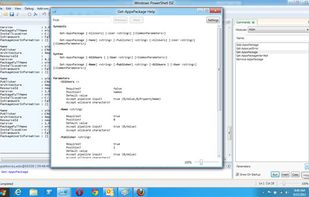
The Windows PowerShell Integrated Scripting Environment (ISE) is a host application for Windows PowerShell. In Windows PowerShell ISE, you can run commands and write, test, and debug scripts in a single Windows-based graphic user interface with multiline editing, tab completion...

Platforms
- Windows


Discontinued
Website is no longer available.

Features
Powershell ISE News & Activities
Highlights All activities
Recent activities
- TMA_2 liked Powershell ISE


Powershell ISE information
Developed by
 Microsoft
 Licensing
Proprietary and Free product.Alternatives
4 alternatives listedBadge
Get an embeddable badge for Powershell ISESupported Languages
AlternativeTo Category
Development


Featured in Lists


Work Apps
Applications I use on my work computer(s)


PowerShell IDEs
A list of code editors or extensions/plugins that support PowerShell — exclusively or with other languages, whether Desktop, Core, or both. Also, a small number of noteworthy form-building modules.
The only real requirement is that the editors listed have, at minimum, PowerShell syntax highlighting & code folding out of the box. Anything further, debugging, some level of auto-complete (whether real-time and context sensitive or based on a predefined list of keywords), module and help creation, snippets, graphical tools, form designer, etc. are optional but preferred.
A great resource — albeit not updated often enough, and which has more than a couple dead links or outdated resources — is the Awesome PowerShell list @ https://github.com/janikvonrotz/awesome-powershell
The rough sorting is editors with 1st-class PowerShell support — i.e. editors that are either primarily built around PowerShell, or which support PowerShell with true IntelliSense-like code completion, whether natively or via an extension or plugin. Secondary is their depth and breadth of support. Third is their status — are they abandoned, or currently being developed and supported? For instance, I'd put Notepad++ above PowerGUI, even though the latter is fully meant for PowerShell, as despite Notepad++'s lack of true PowerShell support in any way beyond syntax highlighting and manual function definition lists for auto-complete, PowerGUI is far too outdated to be considered a viable option, and is more of a curiosity that you can still run... for now. Same goes for ISE, despite not being updated since TechNet was discontinued, but as it's a 1st-class product developed by Microsoft and despite many addons no longer working (at least without some searching and manual activation), it's a much more viable option in my opinion than Notepad++, unless you don't need features like IntelliSense, smart auto-completion, and the like.
Your mileage may vary.


Windows 11 Developer Setup
Contains various scripting languages, installations, configurations, checklists, processes, and notes regarding setting up and provisioning a new Windows 11 machine optimized for development work.
Official Links
There are no links for this app, or they've been disabled.
No comments or reviews, maybe you want to be first?