• Tor Browser icon
  • Mozilla Firefox icon
  • ungoogled-chromium icon
  • Brave icon
  • uBlock Origin icon
  • +10

Essential Browser Tools for Privacy

Privacy PiratePrivacy Pirate15 appsUpdated
Copy a direct link to this comment to your clipboard

A brief discussion of browsers and extensions that can help keep what you do online hidden from prying eyes, ordered more or less by perceived importance/usefulness from my experience. For more comprehensive recommendations, see https://prism-break.org and https://privacytools.io (I am not affiliated with either of these sites).

Browsers

  1. The Tor software protects you by bouncing your communications around a distributed network of relays run by volunteers all around the world: it prevents somebody watching your Internet connection from learning what sites you visit, it prevents the sites you visit from learning...

    Cost / License

    • Free
    • Open Source

    Application type

    Platforms

    • Mac
    • Windows
    • Linux
    • Android
    • Flathub
    • OpenBSD
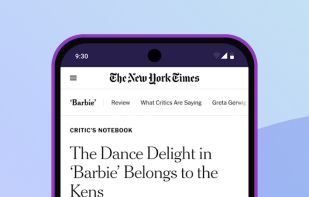
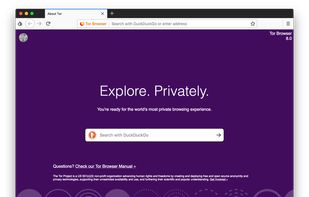
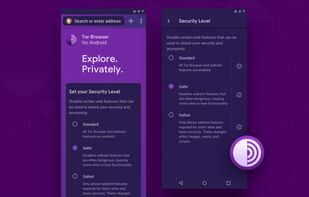
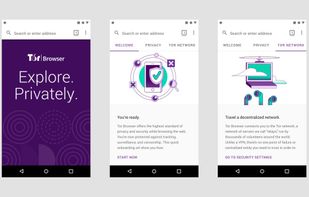
    Tor Browser screenshot 1
    Tor Browser screenshot 1
    Tor Browser 10.0.3 is now based on the new version of Firefox for Android.
    +1
    Tor browser for android alpha
    Privacy PiratePrivacy Pirate’s note

    Tor Browser is the single best option to use for staying anonymous online. The strength of using tor browser in particular to access the Tor network is that the browser is designed to have a very uniform fingerprint across all those who use it. For this reason, it is not recommended that users change the add-ons that are installed. Tor Browser is built on Firefox with NoScript and HTTPS Everywhere installed by default. The version of tor browser built into Tails OS additionally uses uBlock Origin, so this is the add-on that carries the least risk of increasing your tracking presence if installed by the user.


  2. Open-source browser with Gecko engine, supporting HTML add-ons and providing privacy features like Enhanced Tracking Protection and third-party cookie blocking.

    Cost / License

    • Free
    • Open Source

    Application type

    Platforms

    • Mac
    • Windows
    • Linux
    • Android
    • iPhone
    • Android Tablet
    • BSD
    • HUAWEI AppGallery
    • iPad
    • AppImageHub
    • Snapcraft
    • Linux Mobile
    • Flathub
    • Samsung Galaxy Store
    • PortableApps.com
    • Haiku
    • Flatpak
    • Homebrew
    • Chocolatey
    • Gecko
    • F-Droid
    More protection from the start
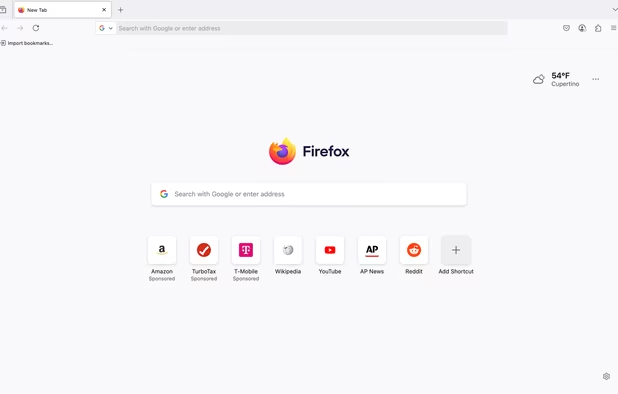
    Firefox Desktop (Light Theme)
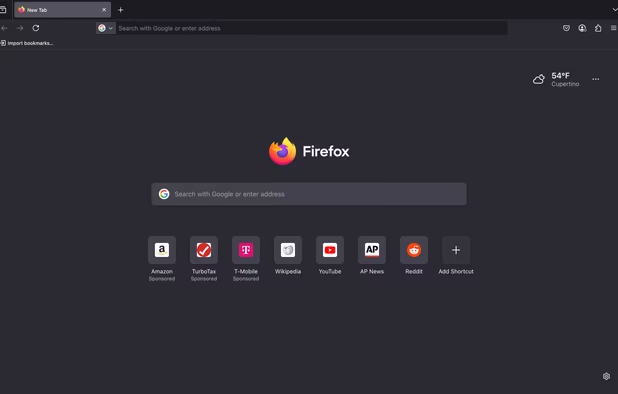
    Firefox Desktop (Dark Theme)
    +8
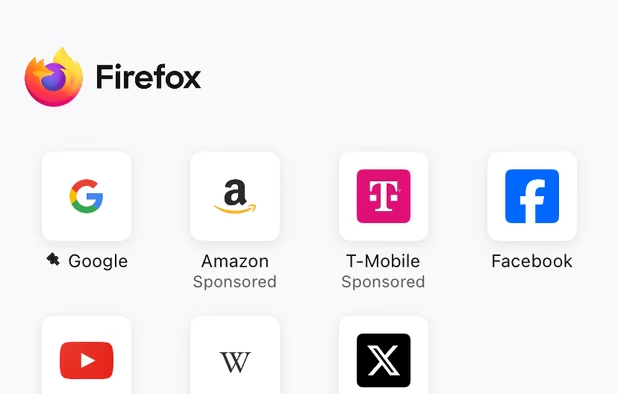
    Firefox iOS (Light Theme)
    Privacy PiratePrivacy Pirate’s note

    The Mozilla Foundation is a non-profit organization which has supported the open-source community for over two decades. They maintain the Firefox browser, which remains the best option for everyday use for most people (though you should use Tor Browser when you can). Firefox can be compiled from the source code, meaning anyone can see exactly how it works to ensure that there aren't any nasty hidden trackers and to find security flaws so they can be patched. Additionally, Firefox is the only major browser (other than Safari, I suppose) that is not built on Chromium. Although Chromium is also open-source, it is maintained by Google, perhaps the worst internet privacy offender out there. See https://www.privacytools.io/browsers/#about_config for about:config hardening tweaks.

  3. Open-source browser disables Google integration and background services, increasing privacy, stripping binaries, and offering user control with full transparency.

    Cost / License

    • Free
    • Open Source

    Application type

    Platforms

    • Mac
    • Windows
    • Linux
    • Flathub
    ungoogled-chromium screenshot 1
    ungoogled-chromium screenshot 1
    ungoogled-chromium screenshot 2
    +1
    ungoogled-chromium screenshot 3
    Privacy PiratePrivacy Pirate’s note

    Basically Chrome with greater customization and transparency, minus Google telemetry. Although Firefox should be preferred, this is an option to consider for those who dislike the Firefox UI.

  4. Brave icon
     Like

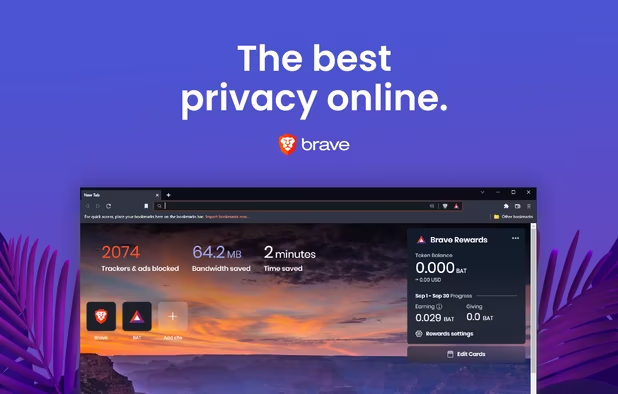
    Fast, secure browser with built-in ad block, privacy controls, and global tracking protections. Optimizes data, speed, and battery life.

    Cost / License

    • Free
    • Open Source

    Application type

    Platforms

    • Mac
    • Windows
    • Linux
    • Android
    • iPhone
    • Android Tablet
    • iPad
    • Snapcraft
    • Epic Games Store
    • Flathub
    • Samsung Galaxy Store
    • F-Droid
    • Homebrew
    • Chocolatey
    Brave screenshot 1
    Brave screenshot 1
    Brave screenshot 2
    +7
    Brave screenshot 3
    Privacy PiratePrivacy Pirate’s note

    An open-source and Chromium-based browser with some security upgrades and built in ad-blocking. Although it is possible to use Brave to access the Tor network, Tor Browser should be preferred because Brave will not offer the same level of fingerprinting resistance. This browser performs well on tools like EFF's panopticlick (https://coveryourtracks.eff.org/), but many privacy advocates turned away when Brave was caught autocompleting affiliate links for users trying to access Binance. Users can opt-in to receive banner ads that will generate cryptocurrency upon viewing which can be donated to approved content creators (see: https://brave.com/brave-rewards/). Although I do not see myself using Brave as my daily-driver anytime soon, it may a good option for people who are less invested in understanding browser add-ons and I do think the Brave Rewards program is a clever idea that I hope will get more traction as time goes on. I certainly wish everything could be FOSS, but it is a sad reality that monetization is necessary for projects to have teams dedicated to security patches and improvements -- services like Brave which find ways to generate revenue without selling out user data will be important for mainstream adoption of privacy-preserving technologies.

Add-ons

  1. uBlock Origin (uBO) is a CPU and memory-efficient wide-spectrum content blocker. It blocks ads, trackers, coin miners, popups, annoying anti-blockers, malware sites, etc., by default using EasyList, EasyPrivacy, Peter Lowe's Blocklist, Online Malicious URL Blocklist, and uBO...

    Cost / License

    • Free
    • Open Source

    Application type

    Platforms

    • Microsoft Edge
    • Google Chrome
    • Thunderbird
    • Opera
    • Node.JS
    • Mozilla Firefox
    uBlock Origin screenshot 1
    uBlock Origin screenshot 1
    uBlock Origin screenshot 2
    +3
    uBlock Origin screenshot 3
    Privacy PiratePrivacy Pirate’s note

    ESSENTIAL. The best ad-blocker out there, fully open-source, developed and maintained by Raymond Hill who has been advancing the privacy-centered and open-source software community for years. It is worth your time to learn how to use advanced mode. Also be sure to disable WebRTC.

  2. HTTPS Everywhere is a browser extension produced as a collaboration between The Tor Project and the Electronic Frontier Foundation. It encrypts your communications with a number of major websites.

    Cost / License

    • Free
    • Open Source

    Application type

    Platforms

    • Online
    • Vivaldi Browser
    • Google Chrome
    • Yandex.Browser
    • Opera
    • Chromium
    • Firefox
    HTTPS Everywhere screenshot 1
    HTTPS Everywhere screenshot 1
    HTTPS Everywhere screenshot 2
    +1
    HTTPS Everywhere screenshot 3
    Privacy PiratePrivacy Pirate’s note

    ESSENTIAL. Developed by the Electronic Frontiers Foundation (EFF), this add-on will make sure you are always accessing the HTTPS (encrypted) version of every site you visit. It can also be set to deny any unprotected connections.

  3. Privacy Badger is a free browser extension made by the leading digital rights nonprofit EFF to stop companies from spying on you online.

    Cost / License

    • Free
    • Open Source

    Application type

    Platforms

    • Microsoft Edge
    • Google Chrome
    • Opera
    • Brave
    • Mozilla Firefox
    • Safari
    • Mac
    Overview of Privacy Badger extension
    Privacy PiratePrivacy Pirate’s note

    ESSENTIAL. Another add-on by EFF, this one will help block trackers and unnecessary cookies.

  4. NoScript icon
     Like

    The NoScript Firefox extension provides extra protection for Firefox, Seamonkey and other mozilla-based browsers: this free, open source add-on allows JavaScript, Java, Flash and other plugins to be executed only by trusted web sites of your choice (e.g. your online bank).

    Cost / License

    • Free
    • Open Source

    Application type

    Platforms

    • Mac
    • Windows
    • Linux
    • BSD
    • Google Chrome
    • SeaMonkey
    • Mozilla Firefox
    Diablog of blocked scripts
    NoScript Anwhere (Firefox Mobile version).
    Privacy PiratePrivacy Pirate’s note

    ESSENTIAL FOR HIGH THREAT MODELS. JavaScript is all around us, but can be a nightmare for privacy and security. It is often inconvenient to block JavaScript because it can break sites, but if you are serious about taking all steps you can to reduce the risk of being tracked online, NoScript is a must.

  5. Protects you against tracking through "free", centralized, content delivery. It prevents a lot of requests from reaching networks like Google Hosted Libraries, and serves local files to keep sites from breaking. Complements regular content blockers.

    Cost / License

    • Free
    • Open Source

    Application type

    Platforms

    • Mac
    • Windows
    • Linux
    • Android
    • Android Tablet
    • Google Chrome
    • Pale Moon
    • Opera
    • Chromium
    • Mozilla Firefox
    Decentraleyes screenshot 1
    Decentraleyes screenshot 1
    Decentraleyes screenshot 2
    +1
    Decentraleyes screenshot 3
    Privacy PiratePrivacy Pirate’s note

    RECOMMENDED. This add-on can block requests to centralized content-delivery networks, such as Google. You can still access the same sites you normally would, but with a lesser risk of being tracked.

  6. Easily open disposable containers that isolate attached data and are deleted after usage: Fully automatic, based on navigation-target, for certain websites, with configured mouse clicks on links or just by using the toolbar icon.

    Cost / License

    • Free
    • Open Source

    Platforms

    • Online
    • Firefox
    Temporary Containers screenshot 1
    Temporary Containers screenshot 1
    Temporary Containers screenshot 2
    +3
    Temporary Containers screenshot 3
    Privacy PiratePrivacy Pirate’s note

    USEFUL. Another cookie management tool, this one allows you to create custom profiles that will control which cookies are used. For example, you might want the cookies for your work email to be isolated from those that let you sign into your personal email. As the name suggests, you can also easily create temporary containers that will be forgotten when they are closed.

  7. Control your cookies! This extension is inspired by Self-Destructing Cookies icon Self-Destructing Cookies. When a tab closes, any cookies not being used are automatically deleted. Prevent tracking by other cookies and add only the ones you trust.

    Cost / License

    • Free
    • Open Source

    Application type

    Platforms

    • Mac
    • Windows
    • Linux
    • Android
    • iPhone
    • Android Tablet
    • iPad
    • Google Chrome
    • Tor Browser Bundle
    • Chromium
    • Firefox
    Toolbar. Version 2.
    Export cookie expressions white list. Version 2.
    Settings. Version 2.
    +4
    Optional notifications. Version 2.
    Privacy PiratePrivacy Pirate’s note

    USEFUL. Sometimes you need cookies to access certain sites, but there's no reason to have them following you around elsewhere. This add-on can be used to delete cookies automatically when they aren't in use.

  8. Chameleon is a WebExtension port of the popular Firefox addon Random Agent Spoofer icon Random Agent Spoofer .

    Cost / License

    • Free
    • Open Source

    Platforms

    • Mozilla Firefox
    Chameleon WebExtension screenshot 1
    Chameleon WebExtension screenshot 1
    Chameleon WebExtension screenshot 2
    +3
    Chameleon WebExtension screenshot 3
    Privacy PiratePrivacy Pirate’s note

    USEFUL. This add-on can spoof information about your browser's user agent, such as default language, screen resolution, operating system, timezone, and more. All of these pieces of information make you fingerprint more unique so it can be useful to give out fake info and change settings often.

  9. This add-on allows users to prevent websites from using the Javascript API to fingerprint them. Users can choose to block the API entirely on some or all websites (which may break some websites) or just block or fake its fingerprinting-friendly...

    Cost / License

    • Free
    • Open Source

    Platforms

    • Mac
    • Windows
    • Linux
    • Mozilla Firefox
    CanvasBlocker screenshot 1
    CanvasBlocker screenshot 1
    Privacy PiratePrivacy Pirate’s note

    USEFUL. If you do need to use JavaScript to access a page, this add-on can alter API calls which will prevent fingerprinting in some cases.

  10. ClearURLs icon
     Like

    This extension will automatically remove tracking elements from URLs to help protect your privacy when browse through the Internet.

    Cost / License

    • Free
    • Open Source

    Application type

    Platforms

    • Google Chrome
    • Mozilla Firefox
    • Microsoft Edge
    ClearURLs screenshot 1
    ClearURLs screenshot 1
    ClearURLs screenshot 2
    +1
    ClearURLs screenshot 3
    Privacy PiratePrivacy Pirate’s note

    USEFUL. If you ever notice the url you are going to is super long and includes things like "UTMsource" or "redirectFrom", it's because the url is storing additional information about how you navigated to it. ClearURLs will automatically redirect you to the shorter version without the unnecessary tracking information.

  11. Block ads, cookies, popups & other trackers. Ghostery sets you up for a private, transparent, and fast internet.

    Cost / License

    • Free
    • Open Source

    Application type

    Platforms

    • Mac
    • Windows
    • Android
    • iPhone
    • Android Tablet
    • iPad
    • Microsoft Edge
    • Vivaldi
    • Google Chrome
    • Safari
    • Yandex Browser
    • Opera
    • Mozilla Firefox
    Ghostery Tracker & Ad Blocker screenshot 1
    Ghostery Tracker & Ad Blocker screenshot 1
    Ghostery Tracker & Ad Blocker screenshot 2
    +1
    Ghostery Tracker & Ad Blocker screenshot 3
    Privacy PiratePrivacy Pirate’s note

    USEFUL. Some people swear by ghostery, I personally do not use it often because I am not convinced it offers greater functionality that uBlock Origin + Privacy Badger.

No comments so far, maybe you want to be first?