• Mozilla Firefox icon
  • Buttercup icon
  • Bitdefender Antivirus icon
  • Malwarebytes Anti-Malware icon
  • Proton VPN icon
  • +14

My privacy / security tools

XandiarXandiar19 appsUpdated
Copy a direct link to this comment to your clipboard

In recent years advertising companies started to tracks you everywhere on the web (and even in the "real life") spying you, constantly wanting to know what you are doing, when, where, why and even with who.

So I decided to change my "internet lifestyle" in order not to be tracked anymore. I want to keep my private datas for myself even though I have nothing to hide really. But thinking that major companies are selling my everyday life really bother me.

Then if you want to avoid as much as possible beign tracked here are the tools I use daily.

I'll also include some softwares/apps which are not especially privacy focused but security focused.

And forgive me if I do mistakes, english isn't my mother tongue ;)

Softwares

  1. Open-source browser with Gecko engine, supporting HTML add-ons and providing privacy features like Enhanced Tracking Protection and third-party cookie blocking.

    Cost / License

    • Free
    • Open Source

    Application type

    Platforms

    • Mac
    • Windows
    • Linux
    • Android
    • iPhone
    • Android Tablet
    • BSD
    • HUAWEI AppGallery
    • iPad
    • AppImageHub
    • Snapcraft
    • Linux Mobile
    • Flathub
    • Samsung Galaxy Store
    • PortableApps.com
    • Haiku
    • Flatpak
    • Homebrew
    • Chocolatey
    • Gecko
    • F-Droid
    More protection from the start
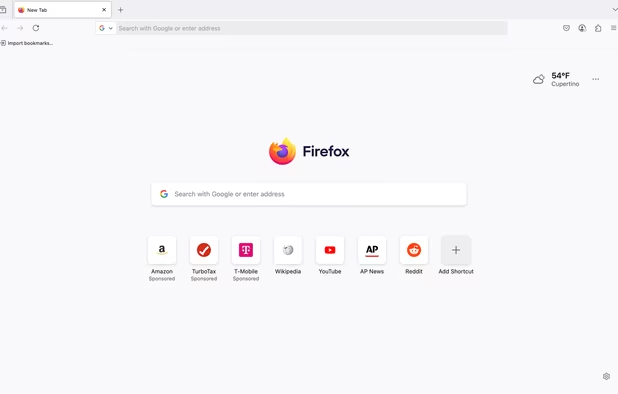
    Firefox Desktop (Light Theme)
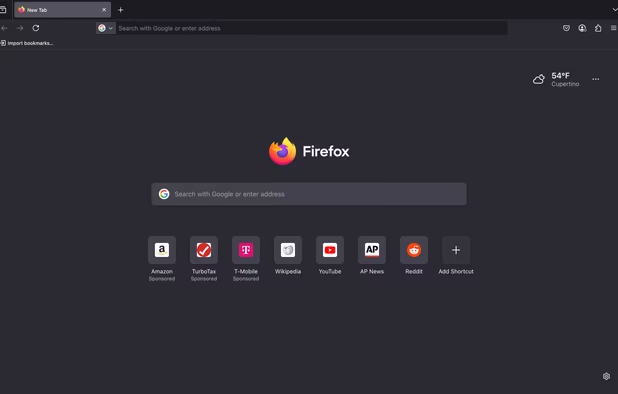
    Firefox Desktop (Dark Theme)
    +8
    Firefox iOS (Light Theme)
    XandiarXandiar’s note

    Who speaks of online privacy speaks of Firefox. It's really, in my opinion the best web browser and the Quantum update just made it perfect ! It is light, privacy focused, secure, highly customizable. I recommend you check privacytools.io which is going to give you tips how to increase the security and privacy settings.

  2. Buttercup icon
     Like

    Buttercup uses a delta-system to manage archive changes and save conflicts. The archive, upon saving, is encrypted with AES 256bit to ensure the security of your credentials. Buttercup uses industry standard methods and configuration for encryption to ensure that there are no...

    Cost / License

    • Free
    • Open Source

    Application type

    Platforms

    • Mac
    • Windows
    • Linux
    • Android
    • iPhone
    • Google Chrome
    • Brave
    • Firefox
    Buttercup for desktop (win/mac/linux)
    Buttercup browser extension - unlock vault page
    Buttercup browser extension - autofill login details
    +2
    Buttercup browser extension - popup menu for searching
    XandiarXandiar’s note

    Buttercup is a good password manager with a modern interface, free, open-source and self-hosted. I recently moved from Keepass2 to Buttercup mainly because BC has a FireFox addon and an official Android app.

  3. Free antivirus with real-time protection, minimal resource usage, Game mode optimization, AI threat detection, and easy setup with customer support.

    Cost / License

    • Freemium
    • Proprietary

    Application type

    Platforms

    • Mac
    • Windows
    • Android
    • iPhone
    • Android Tablet
    • iPad
    • Samsung Galaxy Store
    Bitdefender Antivirus screenshot 1
    Bitdefender Antivirus screenshot 1
    Bitdefender Antivirus screenshot 2
    +5
    Bitdefender Antivirus screenshot 3
    XandiarXandiar’s note

    Some are gonna say that having a free anti-virus is enough, which is not false but Bitedefender offers a real and complete protection of your PC including ransomwares protection, webcam protection, anti-spam tool, firewall, you can do an audit of potentials vulnerabilities and so on. It is worth the price

  4. Advanced AI-driven protection software that offers real-time defense against new and known threats using machine learning for superior threat detection.

    Cost / License

    • Freemium
    • Proprietary

    Application type

    Platforms

    • Mac
    • Windows
    • Android
    • iPhone
    • Chrome OS
    • Android Tablet
    • iPad
    • Kindle Fire
    Malwarebytes Anti-Malware screenshot 1
    Malwarebytes Anti-Malware screenshot 1
    Malwarebytes Anti-Malware screenshot 2
    +11
    Malwarebytes Anti-Malware screenshot 3
    XandiarXandiar’s note

    Malwarebytes is a good tool to use along with Bitdefender. It is really effective. I'm using the free version, which is way enough for me.

  5. Swiss-based VPN that ensures online privacy with a high-speed network, advanced encryption, and no-logs policy, offering a free version. Supports multiple platforms and unblocks content worldwide.

    Cost / License

    • Freemium
    • Open Source

    Application type

    Platforms

    • Mac
    • Windows
    • Linux
    • Android
    • iPhone
    • Chrome OS
    • Android Tablet
    • iPad
    • Google Chrome
    • Apple TV
    • Flathub
    • F-Droid
    • Android TV
    • OpenAPK
    • Flatpak
    • Fire TV
    • Mozilla Firefox
    • Kindle Fire
    Proton VPN screenshot 1
    Proton VPN screenshot 1
    Proton VPN on Fedora
    +7
    Proton VPN screenshot 3
    XandiarXandiar’s note

    And to finish with the "Software" section here is ProtonVPN. A swiss VPN, cross-platform with free version. It's a no log VPN and I trust it because it is under the Swiss juridiction. The speed is really good, there are a lot of servers and is a TOR-over VPN (I do not use TOR but could be useful)

Smartphone apps

  1. A simple calendar with optional CalDAV synchronization. You can easily create recurring events and setup reminders, it can also display week numbers.

    Cost / License

    • Freemium
    • Proprietary

    Application type

    Platforms

    • Android
    • Android Tablet
    Simple Calendar screenshot 1
    Simple Calendar screenshot 1
    Simple Calendar screenshot 2
    +5
    Simple Calendar screenshot 3
    XandiarXandiar’s note

    Simple Calendar is a very good minimalistic, free, open-source, ad-free app and needs almost no authorization (only the one needed) and do not require to connect to internet then it can't steal your data. Though, if you need a more complex calendar with sync and all it is not gonna to suit you.

  2. Simple Gallery is a highly customizable offline gallery. Organize & edit your photos, recover deleted files with the recycle bin, protect & hide files and view a huge variety of different photo & video formats including RAW, SVG and much more.

    Cost / License

    • Freemium
    • Proprietary

    Application type

    Platforms

    • Android
    • Android Tablet
    • F-Droid
    Simple Gallery screenshot 1
    Simple Gallery screenshot 2
    Simple Gallery screenshot 3
    XandiarXandiar’s note

    It is made by the same developper as Simple Calendar (Simple Mobile Tools) and just as Simple Calendar it requires only the authorizations it needs in order to works.

  3. FreeOTP icon
     Like

    FreeOTP is a two-factor authentication application for systems utilizing one-time password protocols with support for Android (6 or later) and iOS (11 or later). Tokens can be added easily by scanning a QR-code or by manually entering in the token configuration.

    Cost / License

    • Free
    • Open Source

    Application type

    Platforms

    • Android
    • iPhone
    • Android Tablet
    • iPad
    FreeOTP screenshot 1
    FreeOTP screenshot 2
    FreeOTP screenshot 3
    XandiarXandiar’s note

    It is, in my opinion, the best alternative to Google Authenticator. Very simple, free, no ads and open-source developped by Red Hat.

  4. Simple File Manager is a super quick & professional file and folder manager for Android devices.

    Cost / License

    • Freemium
    • Proprietary

    Application type

    Platforms

    • Android
    • Android Tablet
    • F-Droid
    Simple File Manager screenshot 1
    Simple File Manager screenshot 2
    Simple File Manager screenshot 3
    XandiarXandiar’s note

    Here is another "Simple" app and just as the two above-mentioned it is a really good minimalistic tool privacy focused. It really does the job !

  5. Firefox Focus is the Mozilla-made browser that considers your privacy first and foremost. By default, it blocks ad-trackers and it helps keep things secure by providing easy ways to clear your browsing history, including passwords and cookies.

    Cost / License

    • Free
    • Open Source

    Application type

    Platforms

    • Android
    • iPhone
    • Android Tablet
    • iPad
    • Samsung Galaxy Store
    • Safari
    • visionOS
    Firefox Focus screenshot 1
    Firefox Focus screenshot 2
    Firefox Focus screenshot 3
    XandiarXandiar’s note

    This is a very light version of Firefox with the particularity that it does not stores any logs. Whenyou close the app it cleans your history, cookies and tabs. Also, this is the fastest browser I've seen. If you got an old smartphone this will be the app you need.

  6. Metal is a Web wrapper with some awesome enhancements you don't get from just a browser like Notifications, Floating windows and Themes.

    Cost / License

    • Freemium
    • Proprietary

    Platforms

    • Android
    Metal for Facebook screenshot 1
    Metal for Facebook screenshot 2
    Metal for Facebook screenshot 3
    XandiarXandiar’s note

    As a FB user (which I have to keep in order to keep contact with quite a lot of people I've met) I wanted a good alternative to the spyware which is the official FB app. This one does the job. It requires way less authorization and less critical ones, it is free (with a paid version which gives you a "material interface"). If like me you can't really get rid of FB, this app is gonna suit you.

Firefox addons / Search Engines

  1. Privacy-focused search engine offering Zero-click Info, instant answers, and more, built from open-source software for a user-friendly experience.

    Cost / License

    • Free
    • Proprietary

    Application type

    Platforms

    • Online
    • Microsoft Edge
    • Google Chrome
    • Tor
    • Opera
    • Mozilla Firefox
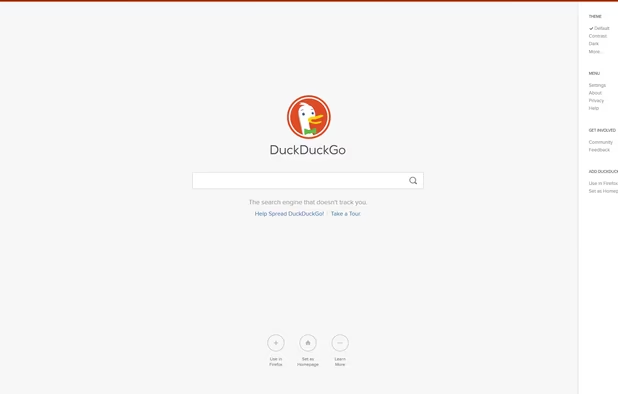
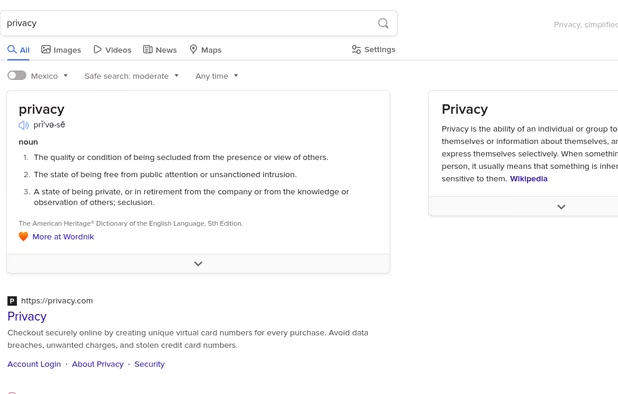
    DuckDuckGo Homepage
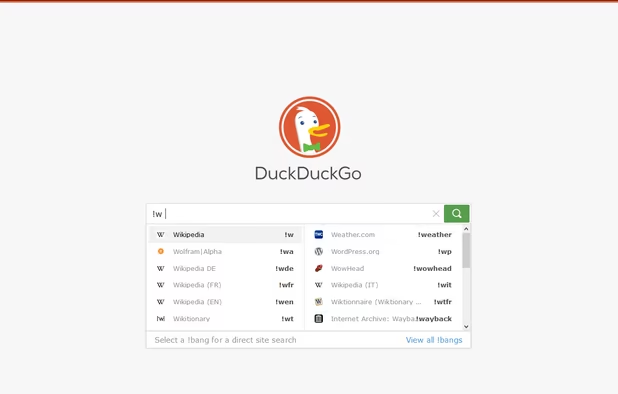
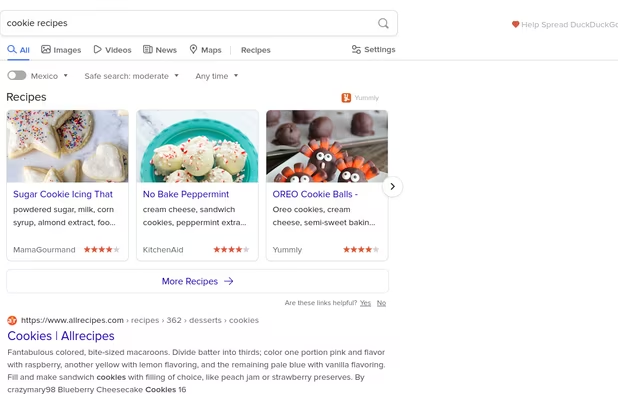
    DuckDuckGo screenshot 1
    DuckDuckGo screenshot 2
    +16
    DuckDuckGo screenshot 3
    XandiarXandiar’s note

    Here is one of the most famous alternative to Google Search. If you don't know it ; It's a privacy focused Search engine which do not tracks you. Also it lets you disable ads which are not targeted ads anyways, there also is a "dark theme" which is a blessing for my eyes and it is higly customizable. And there still is the "view image" button for the pictures search not like on Google :).

  2. uBlock Origin (uBO) is a CPU and memory-efficient wide-spectrum content blocker. It blocks ads, trackers, coin miners, popups, annoying anti-blockers, malware sites, etc., by default using EasyList, EasyPrivacy, Peter Lowe's Blocklist, Online Malicious URL Blocklist, and uBO...

    Cost / License

    • Free
    • Open Source

    Application type

    Platforms

    • Microsoft Edge
    • Google Chrome
    • Thunderbird
    • Opera
    • Node.JS
    • Mozilla Firefox
    uBlock Origin screenshot 1
    uBlock Origin screenshot 1
    uBlock Origin screenshot 2
    +3
    uBlock Origin screenshot 3
    XandiarXandiar’s note

    I've tried different Adblockers and this one is my favorite it is easy to use and more than just blocking ads you can also prevent WebRTC leaks (it's a security issue) which is awesome. You can also whitelist the websites you choose if you want to support them.

  3. Privacy Badger is a free browser extension made by the leading digital rights nonprofit EFF to stop companies from spying on you online.

    Cost / License

    • Free
    • Open Source

    Application type

    Platforms

    • Microsoft Edge
    • Google Chrome
    • Opera
    • Brave
    • Mozilla Firefox
    • Safari
    • Mac
    Overview of Privacy Badger extension
    XandiarXandiar’s note

    Privacy Badger is a tracker-blocker (if you don't know what is a tracker you can reffer to this : https://whatismyipaddress.com/web-tracking). You can choose which trackers you turn off or not. I can only recommend

  4. HTTPS Everywhere is a browser extension produced as a collaboration between The Tor Project and the Electronic Frontier Foundation. It encrypts your communications with a number of major websites.

    Cost / License

    • Free
    • Open Source

    Application type

    Platforms

    • Online
    • Vivaldi Browser
    • Google Chrome
    • Yandex.Browser
    • Opera
    • Chromium
    • Firefox
    HTTPS Everywhere screenshot 1
    HTTPS Everywhere screenshot 1
    HTTPS Everywhere screenshot 2
    +1
    HTTPS Everywhere screenshot 3
    XandiarXandiar’s note

    This addon encrypts your communications with a lot of major websites. It can prevent your password being stolen if your on a public Wifi for instance. And even in general, it's always better to encrypt everything

  5. Qwant icon
     Like

    Privacy-first European search engine offering multi-platform web and image search, no tracking, no personalized results, and supports 13 languages.

    Cost / License

    • Free
    • Proprietary

    Application type

    Platforms

    • Online
    • Android
    • iPhone
    • Android Tablet
    • HUAWEI AppGallery
    • iPad
    • Google Chrome
    • Mozilla Firefox
    Qwant screenshot 1
    Qwant screenshot 1
    Qwant screenshot 2
    +5
    Qwant screenshot 3
    XandiarXandiar’s note

    Qwant is also a privacy focused browser. Unlike Google or Duckduckgo the interface is not minimalistic which I'm not fan of. With that being said, Qwant has a big advantage Duckduckgo has not, it's a french search engine which is then not under the US juridiction.

  6. No Coin icon
     Like

    No coin is a tiny browser extension aiming to block coin miners such as Coinhive.

    Cost / License

    • Free
    • Open Source

    Platforms

    • Mac
    • Windows
    • Linux
    • Google Chrome
    • Opera
    • Firefox
    No Coin screenshot 1
    XandiarXandiar’s note

    With the recent rise of cryptocurrencies some website and advertisers puts coin miner in ads or in their website. It's just going to slow down your PC and annoys you a hell of a lot. This addon will just "turn-off" these coin miners.

Other

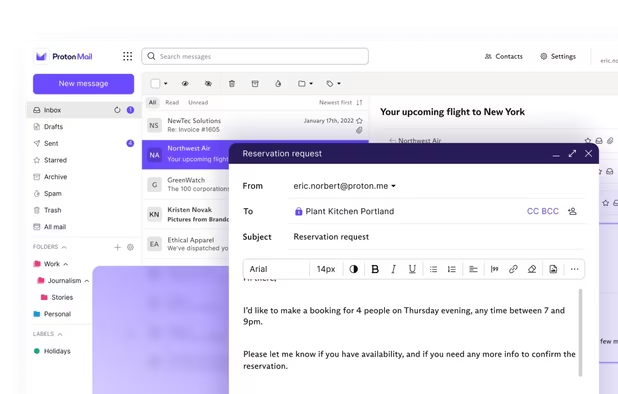
  1. Secure Swiss-based email with end-to-end encryption and zero third-party access. Available across devices, offering a free version to promote privacy.

    Cost / License

    • Freemium
    • Open Source

    Application type

    Platforms

    • Mac
    • Windows
    • Linux
    • Online
    • Android
    • iPhone
    • iPad
    • Snapcraft
    • Flathub
    • OpenAPK
    • Tor
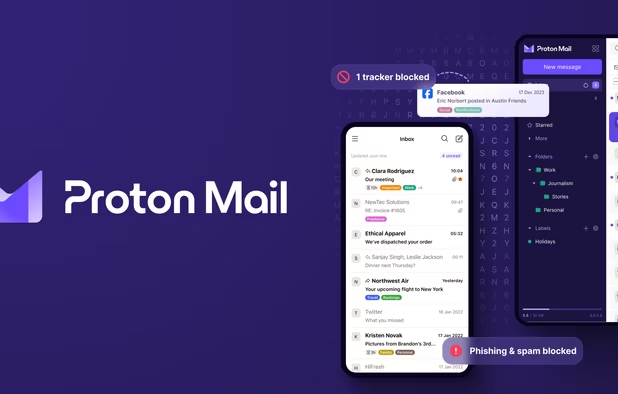
    Proton Mail screenshot 1
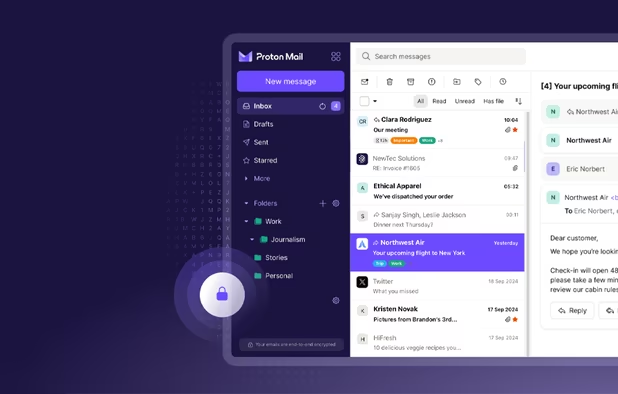
    Proton Mail screenshot 1
    Proton Mail screenshot 2
    +9
    Proton Mail screenshot 3
    XandiarXandiar’s note

    Protonmail is, in my opinion the best mail service around the internet. This is very secure, open-source, privacy focused, customizable (even more if you know CSS3) and it has a free plan which is more than enough if, like me you send less than 150 mails per day. It comes with 500Mb storage which is also way enough, even if you use this service on a daily basis.

  2. LineageOS icon
     Like

    Free and open-source Android-based OS for smartphones and tablets that enables deep customization, regular security updates, privacy focus, and broad device compatibility.

    Cost / License

    • Free
    • Open Source

    Application type

    Platforms

    • Android
    • Android Tablet
    Homescreen
    Notification Shade
    Settings
    XandiarXandiar’s note

    Lineage OS is an Android based OS for smartphone and the best alternative to Android by Google. By using it you won't be tracked by Google anymore (except if you install Google services btw).

Comments

01 z0
0

A cool place for pricacy collections is https://awesome-privacy.xyz/ the maker of this also made https://digital-defense.io/ I recently fell over this when I looked for sauce for my "collection.md" on codeberg and therefore - Bravo and credits to Lissy93 == https://github.com/Lissy93

rakara
0

As of late, Bitwarden had Google Analytics baked in and turned on by default. A Github member realized it and mentioned it on privacytoolsIO. In turn, they removed it from their recommended programs list. Afterward, Bitwarden's developer removed Analytics from the software.

gazyfahim
0

Bitwarden vs Buttercup: Which can be better for privacy, convenience and security ?

1 reply
Xandiar
Replying to @gazyfahim

I haven't tried Bitwarden but I just checked their Privacy Policy, the technology used and all and I can say it's mostly a matter of taste really. though, I'd go more for Buttercup rather than Bitwarden only because Buttercup isn't under the US juridiction (Buttercup comes from Finland and Bitwarden from the US)

-1

Why Firefox and why not Opera? Opera has a built in vpn function as well as an adblocker, which Firefox is finally trying to get integrated into its browser. Personally I think Opera is more privacy oriented as it has the "No coin" (bitcoin mining) protection as well as normal ads and malware domains or sites.

Using 3rd party applications for FB and other social apps, would not recommend it. They still can and do collect information on users.

2 replies
Xandiar
Replying to @TheEmperorArt

Simply because I prefer FF but also FF is more privacy focused (I have read both privacy policy) and I do not trust Opera's VPN which logs your data (unlike ProtonVPN or NordVPN. Plus Ublock Origin is, in my opinion, way more powerful than the Opera's adblocker.

I know using a third party app for FB isn't the best things ever but it's still better than the FB app and require way less authorization. But for sure, if you do not have FB, never use it (and avoid Whatsapp as well)

I prefer Opera's built in vpn as it's free so of course it will log some data on you, so don't use it for the bad stuff, only if you want to pretend you're in a different country (for region locked sites). It has adblocking, malware protection and crypto mining protection and more can be manually added, while FF has the facebook add-on

globy
0

What operating system are you using? Why?

5 replies
Xandiar
Replying to @globy

On my smartphone I run LineageOS because I don't want to use Google's OS (or anything that is google related). And on my PC I use Windows 10 because as a player I can't get rid of it, though I blocked as much as possible Windows' telemetry using a software I do not remember the name.

seczamotu
Replying to @globy

Windows 10 Sends Your Data 5500 Times Every Day Even After Tweaking Privacy Settings: https://anon.to/Migpem

seczamotu
Replying to @globy

Even when told not to, Windows 10 just can’t stop talking to Microsoft: https://anon.to/yUOLQ6

Xandiar
Replying to @globy

It's really a shame they can't just leave or data to ourselves. The software I was talking about is DisableWinTracking, which is mentioned in the first link you send. I hope one day games will all (or most of them) work on Linux and I'll change instantly my OS

seczamotu
Replying to @globy

I use gaming machines too. You can install Windows on a separate partition/disk and use that for gaming only.

spectrumsss
1

I personally find Protonmail to be extremely overrated since: a) It only offers 500 MB of space for the free version b) The emails that are sent take a long time to ACTUALLY be received by the other person

I preffer TutaNota. It gives you more space, the emails don't take long to be received and is open source, like Firefox and Ghostery

2 replies
Xandiar
Replying to @spectrumsss

It's true that 500MB isn't much but I've been using it since the beta and it is way enough for a personal use as long as you delete the emails you won't need anymore. I haven't noticed it took time for someone to receive an email but you might be right.

And ProtonMail si now open-source :)

spectrumsss

500 MB might be enough for you,but I personally need at least 1 GB. Also,I tried deleting my old protonmail emails but deleting them does not free up ALL the space,it cleans up just a little. I'm just going to keep using TutaNota.

I haven't noticed that it's now open source,and I LOOOOOOOOOOVE F.O.S.S(free and open source software) services

seczamotu
4

Great article. May I add a few things:

Firefox addons: add Cookie AutoDelete and Decentraleyes. NoScript Security Suite and uMatrix are also important, but they require advanced knowledge for setting them up properly.

Calendar: if you want a private calendar that syncs from the cloud, EteSync is a secure, end-to-end encrypted calendar/contacts app and works with anything that supports CalDAV/CardDAV.

1 reply
Xandiar
Replying to @seczamotu

Thank you, I didn't know about Decentraleyes. I just tried the two others (I already knew NoScript) and uMatrix is quite hard to use and NoScript is to restrictive as it block legitimate JS. I know there is a whitelist but I'm not sure about using it.

I'm gonna try EteSync ;)