Apps tagged with 'Text Correction'

All apps in Apps tagged with 'Text Correction' category. Use the filters below to narrow down your search. 
Copy a direct link to this comment to your clipboard
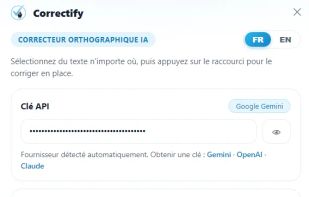
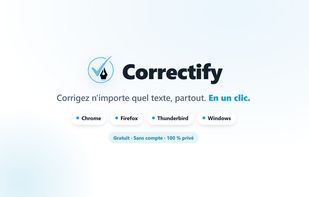
  1. Correctify is a lightweight desktop app that instantly fixes spelling and grammar in any app. Select your text and it corrects it in place — no copy-pasting. Includes mail correction and translation add-ons. Bilingual (EN/FR), fast, private and unobtrusive.
    Cost / License

    • Free
    • Open Source (MIT)

    Since

    • Since 2026 (updated Nov 2026)

    GitHub

    • GitHub stars: 1

    Platforms

    • Windows
    • Thunderbird
    • Google Chrome
    • Mozilla Firefox
    Correctify Addon et App screenshot 1
    Windows App
    4 alternatives
  2.  1 like

    Nitpicker is a language style checker which compares your text with a large database of style warnings, common errors, or warnings indicating that you may have once more used the wrong word or preposition.

    Cost / License

    • Free
    • Proprietary

    Since

    • Since 2015

    Platforms

    • Online
    Nitpicker screenshot 1
  3. Input Fixer is a keyboard utility for Windows and macOS that automatically detects and corrects text typed in the wrong keyboard layout.

    Cost / License

    • Free
    • Proprietary

    Since

    • New

    Platforms

    • Windows
    • Mac
    • TR flagTürkiye
    Input Fixer screenshot 1
    Privacy-first: all text processing stays on your device.
    Input Fixer instantly corrects text typed in the wrong keyboard layout and switches the input source automatically.
    Clean, unobtrusive design — Input Fixer works quietly in the background, correcting mistakes automatically without asking for confirmation.
    16 alternatives
  4. TypeBridge is a free, open-source Windows utility for people who regularly type in more than one keyboard layout. It detects words typed using the wrong layout and offers automatic correction, manual conversion of the last word, and configurable shortcuts to switch layouts.

    Cost / License

    • Free
    • Open Source (MIT)

    Since

    • New

    GitHub

    • GitHub stars: 1

    Platforms

    • Windows
    TypeBridge settings: keyboard layout shortcuts and correction options (Russian UI).
    TypeBridge settings: clipboard-related options (Russian UI).
    TypeBridge settings: privacy and input handling (Russian UI).
    2 alternatives
  5. Corrigoo  icon
     Like

    Select some text, tap a shortcut, and it's corrected or translated. In all your apps. 2,000 free words each week, then unlimited starting at €9/month.

    Cost / License

    • Freemium (Pay once or Subscription)
    • Proprietary

    Application type

    Since

    • New

    Platforms

    • Windows
    • Mac
    • FR flagFrance
    • European Union flagEU
    Corrigoo  screenshot 1
    Corrigoo  screenshot 2
    Corrigoo  screenshot 3
    Corrigoo  screenshot 4
    6 alternatives