Apps tagged with 'screen-utility'

All apps in Apps tagged with 'screen-utility' category. Use the filters below to narrow down your search. 
Copy a direct link to this comment to your clipboard
  1. OneLoupe icon
     6 likes

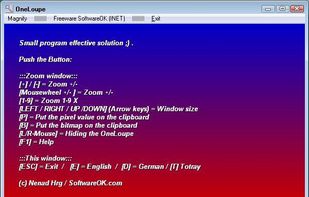
    OneLoupe is a customizable screen magnification tool. It runs in the system tray and can be activated by clicking on the icon or setting a HotKey.

    Cost / License

    • Free
    • Proprietary

    Application type

    Platforms

    • Windows
    Magnifier
    Help Window
    17 alternatives
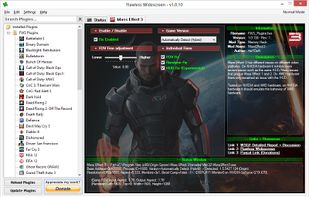
  2. Flawless Widescreen was created to make it easier to craft fixes and patches to get games functioning correctly in UltraWide/Surround/Eyefinity gaming resolutions.
    Cost / License

    • Free
    • Proprietary

    Platforms

    • Windows
    Flawless Widescreen screenshot 1
    1 alternatives
  3. myPoint Light icon
     2 likes

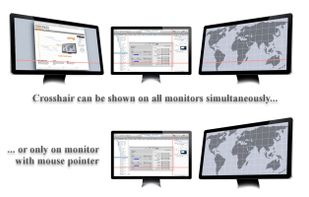
    Stop hunting for your cursor! Modern computers with multiple high resolution displays present us with the "where is my mouse" problem. myPoint solves it using three different techniques - a momentary or permanent mouse locator, a crosshair and a permanent mouse halo. •.

    Cost / License

    • Paid
    • Proprietary

    Platforms

    • Mac
    The locator is customizable: temporary or permanent, static or animated, colors, transparency, size...
    Tune up mouse locator in Locator center.
    Highly customizable crosshair: color, thickness, transparency, outlined or not, offset from mouse, center spot & space, single or multi monitors.
    +2
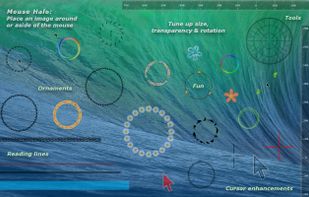
    Different mouse halos: reading lines, cursor enhancement, tolls, ornaments, fun.
    6 alternatives
  4. myPoint Shade icon
     2 likes

    Stop burning your eyes! myPoint Shade is caring for your eyes' comfort.

    If you work in a dark room or struggle with eye strain and headache, myPoint will tune up your displays - this way it will care for your health and comfort.

    myPoint allows you to adjust the brightness o.
    Cost / License

    • Paid
    • Proprietary

    Application type

    Platforms

    • Mac
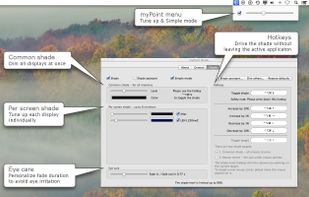
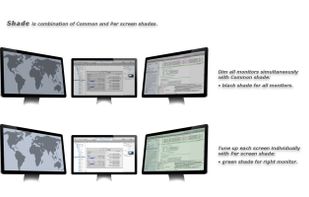
    myPoint supports both Common shade for all screens and Per screen shade.
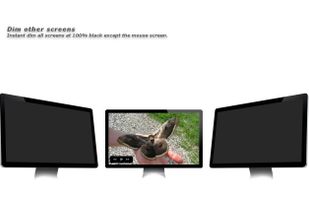
    Dim other screens feature is especially designed for watching movies.
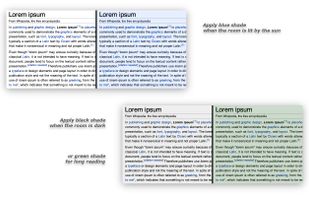
    Set specific shade color according the ambient light.
    +2
    Tune up the shade from myPoint menu and the Shade center or via hotkeys.
    29 alternatives
  5.  2 likes

    Controls settings from the command line for computer monitors that support the Display Data Channel Command Interface (most monitors do). For example, dim the contrast, restore the contrast setting, Change RGB settings.

    Cost / License

    • Free
    • Open Source

    Platforms

    • Mac
    • Windows
    • Linux
    1 alternatives