Apps tagged with 'kubernetes-client'

All apps in Apps tagged with 'kubernetes-client'category. Use the filters below to narrow down your search. 
Copy a direct link to this comment to your clipboard
  1. Seabird icon
     10 likes

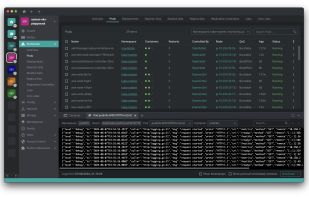
    Seabird is a native cross-platform Kubernetes desktop client that makes it super easy to explore your cluster's resources. We aim to visualize all common resource types in a simple, bloat-free user interface.

    Cost / License

    Platforms

    • Linux
    • Mac
    • Windows
    • Flathub
    Seabird screenshot 1
    21 alternatives
  2. Freelens icon
     6 likes

    Freelens is a free and open-source user interface designed for managing Kubernetes clusters. It provides a standalone application that is compatible with macOS, Windows, and Linux operating systems, making it accessible to a wide range of users.

    Cost / License

    • Free
    • Open Source (MIT)

    Platforms

    • Mac
    • Windows
    • Linux
    • Flathub
    • Flatpak
    Freelens screenshot 1
    16 alternatives
  3. Tempest icon
     1 like

    Tempest is a powerful SSH, RDP, VNC, S3, WebDAV, SFTP, FTP, Telnet, Serial, RCON, and Mosh client for Android — built for developers, sysadmins, and DevOps engineers who manage servers on the go.

    Cost / License

    • Freemium
    • Proprietary

    Platforms

    • Mac
    • Windows
    • Linux
    • Android
    • iPhone
    • Android Tablet
    • iPad
    • Online
    Tempest screenshot 1
    Tempest screenshot 1
    Tempest screenshot 2
    +1
    Tempest screenshot 3
    23 alternatives
  4. Kubebar icon
     Like

    Kubebar is a native macOS and Windows menu-bar / system-tray app for monitoring and managing Kubernetes clusters - pod health at a glance, live logs, one-click restart & scale, Helm, events, port-forwarding, and an optional bring-your-own-key AI assistant.

    Cost / License

    • Paid
    • Proprietary

    Platforms

    • Windows
    • Mac
    Kubebar screenshot 1
    Kubebar screenshot 1
    Kubebar screenshot 2
    +3
    Kubebar screenshot 3