
Apps tagged with 'Excel Comparison'

All apps in Apps tagged with 'Excel Comparison' category. Use the filters below to narrow down your search. 
Copy a direct link to this comment to your clipboard
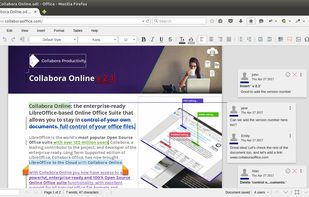
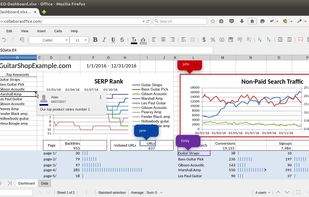
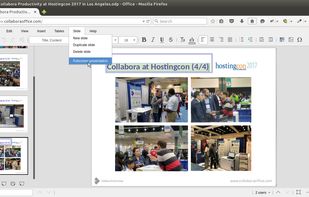
  1. Enterprise-ready on-premise suite with advanced word processing, spreadsheet, and presentation tools, maximizing interoperability and file compatibility.

    Cost / License

    • Freemium (Pay once or Subscription)
    • Open Source (MPL-2.0)

    Application type

    Since

    • Since 2014

    Platforms

    • Windows
    • Mac
    • Linux
    • Chrome OS
    • Software as a Service (SaaS)
    • Android
    • iPhone
    • iPad
    • Android Tablet
    • Cloudron
    • GB flagUnited Kingdom
    Collabora Office Classic screenshot 1
    Collabora Office Classic screenshot 1
    Collabora Office Classic screenshot 2
    62 alternatives
  2. ExamDiff Pro icon
     14 likes

    ExamDiff Pro is a fast visual tool for comparing and merging files, folders, and documents on Windows. It parses source code with Tree-sitter for syntax highlighting, a class/function scope bar, and structure-aware alignment of versions; compares Word, Excel, PowerPoint, and PDF...

    Cost / License

    • Pay once
    • Proprietary

    Application type

    Since

    • Since 2009

    Platforms

    • Windows
    • US flagUnited States
    Side-by-side file comparison
    Folder comparison (tree mode)
    Three-way merge
    +3
    Word, Excel, PowerPoint, and PDF comparison
    60 alternatives
  3. DiffEngineX icon
     3 likes

    DiffEngineX is a fast utility that finds the differences between the formulae, constants, defined names, cell comments and Visual Basic code contained in either two whole Excel workbooks (*.xls, *.xlsx, *.xlsm, *.xlsb) or selected worksheets.

    Cost / License

    • Paid
    • Proprietary

    Since

    • Since 2012

    Platforms

    • Windows
    11 alternatives
  4. Spreadsheet Compare (Excel compare) is a Microsoft Excel Add-In, written in VBA, that performs a cell-by-cell comparison of Worksheets.

    Cost / License

    • Free
    • Open Source

    Since

    • Since 2012

    Platforms

    • Windows
    Spreadsheet Compare screenshot 1
    Spreadsheet Compare screenshot 1
    15 alternatives
  5. MaksPilot icon
     1 like

    Compare Excel & CSV Files in Second. Free, secure, no downloads. Upload files, click compare, get highlighted differences instantly.

    Cost / License

    • Free
    • Proprietary

    Application type

    Since

    • Since 2025

    Platforms

    • Online
    • PL flagPoland
    • European Union flagEU
    MaksPilot screenshot 1
    12 alternatives
  6. Spreadsheet Advantage is an Excel add-in designed to assist users and developers of Excel spreadsheets. Our add-in tools allow you to compare Excel spreadsheets or sections of the same worksheet. We increase productivity by letting you focus on the real issues in your...

    Cost / License

    • Paid
    • Proprietary

    Application type

    Since

    • Since 2012

    Platforms

    • Windows
    11 alternatives
  7. Synkronizer allows you to compare calculation models, data bases, lists or whole Excel spreadsheets automaticallly. Differences are highlighted and can be aligned. If desired, Synkronizer allows you to merge your spreadsheets

    Cost / License

    • Paid
    • Proprietary

    Since

    • Since 2012

    Platforms

    • Windows
    Synkronizer screenshot 1
    12 alternatives
  8. This is a tool developed by a small team in the Netherlands. It's a standalone application that generates a simple, concise, easy to understand overview of the differences between 2 Excel sheets. It can also handle even the most complex Excel files.

    Cost / License

    • Pay once or Subscription
    • Proprietary

    Since

    • Since 2020

    Platforms

    • Windows
    PerfectXL Compare screenshot 1
    PerfectXL Compare screenshot 1
    PerfectXL Compare screenshot 2
    +1
    PerfectXL Compare screenshot 3
    12 alternatives
  9. SheetDelta is a platform that reviews changes in spreadsheets before they are implemented. It operates within existing workspaces like SharePoint or OneDrive, eliminating the need for migration or new saving locations.

    Cost / License

    • Freemium (Subscription)
    • Proprietary

    Since

    • Since 2026

    Platforms

    • Windows
    • Mac
    • Online
    • DE flagGermany
    • European Union flagEU
    SheetDelta screenshot 1
    7 alternatives