Diff Anything icon
Diff Anything icon

Diff Anything

 Like

Diff Anything compares two files or two folders on Mac and Windows and shows exactly what changed, in a view made for each kind of file.
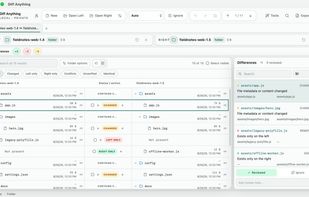
Two folders side by side, with added, removed and changed files

Cost / License

  • Freemium (Pay once)
  • Proprietary

Application type

Since

  • Since 2026

Platforms

  • Windows
  • Mac
0likes
0articles
Save

Features

Features

Highlights All activities

Diff Anything News & Activities

Recent activities

Diff Anything information

  • Developed by

    EE flagMartin Grüner
  • Licensing

    Proprietary and Freemium product.
  • Pricing

    One time purchase (perpetual license) that costs $23 + free version with limited functionality.
  • Alternatives

    18 alternatives listed
  • Badge

    Get an embeddable badge for Diff Anything
  • Supported Languages

    • English
    • German
    • French

AlternativeTo Categories

File Management, Development
Diff Anything was added to AlternativeTo by martingruner on and this page was last updated .

No comments or reviews, maybe you want to be first?

Official Links

What is Diff Anything?

Diff Anything compares two files or two folders on Mac and Windows and shows exactly what changed, in a view made for each kind of file.

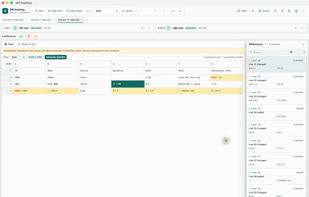
  • Spreadsheets: Excel, OpenDocument and Numbers workbooks are compared row by row, even across formats, and each changed row names the cells that changed. A CSV export can be checked against the sheet it came from.
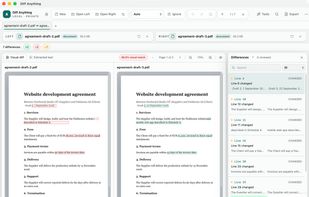
  • Documents and PDFs: Word, PowerPoint, OpenDocument, RTF and PDF text is compared paragraph by paragraph, so a PDF can be compared with the Word document it was made from. PDF pages can also be compared visually, and Word documents show formatting changes too.
  • Folders: two folders side by side, with a preview pane for the selected file, moved-file detection, ignore rules, and archives such as ZIP, 7z, RAR and TAR compared entry by entry.
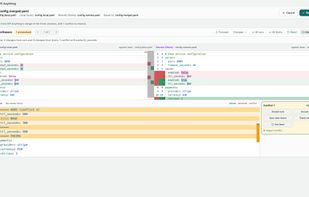
  • Code and data: side-by-side text diffs with syntax highlighting. JSON, YAML, TOML, XML, CSV, OpenAPI, SQLite databases and Jupyter notebooks are compared by their structure, not line by line.
  • Images: overlay, swipe, blink and heatmap views, with regions you can ignore.

Everything runs on your computer: files are never uploaded, there is no account, and no AI is involved.

The free version lets you try every comparison with limits (files up to 5 MiB per side, 10 new comparisons a day, the first 100 results of a list). A one-time Pro purchase removes the limits and adds folder synchronization, three-way merge and conflict resolution, saved profiles, reports, and every command-line mode. The Microsoft Store version includes the command line; on a Mac, a free helper download adds it.

Diff Anything Videos

Show 7 more videos