Apps tagged with 'Eject'

All apps in Apps tagged with 'Eject' category. Use the filters below to narrow down your search. 
Copy a direct link to this comment to your clipboard
  1. Ejectify icon
     1 like

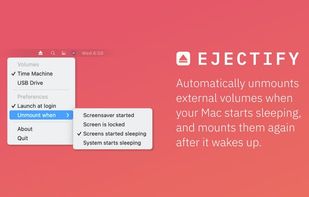
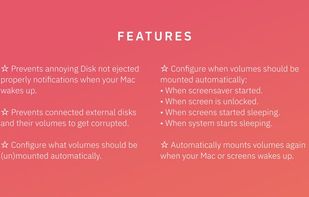
    Ejectify automatically unmounts external volumes when your Mac starts sleeping, and mounts them again after it wakes up.

    Cost / License

    • Pay once
    • Open Source (MIT)

    Application type

    Since

    • Since 2020 (updated Nov 2026)

    GitHub

    • GitHub stars: 591

    Platforms

    • Mac
    • NL flagNetherlands
    • European Union flagEU
    Ejectify screenshot 1
    Ejectify screenshot 2
    18 alternatives
  2. DriveChief icon
     1 like

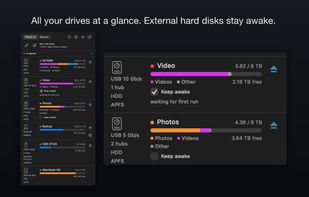
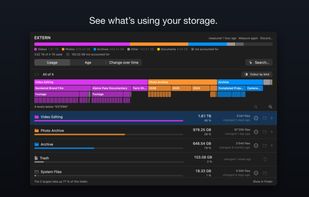
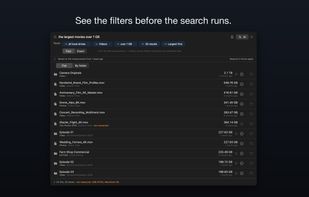
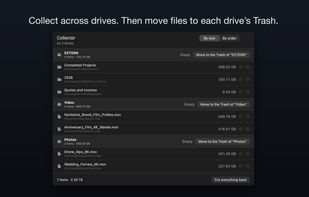
    DriveChief brings local drives and network shares together in the macOS menu bar. It shows storage usage by file type, offers an interactive storage view, and lets you eject drives individually or all at once in the background.

    Cost / License

    • Pay once
    • Proprietary

    Application type

    Since

    • New

    Platforms

    • Mac
    • CH flagSwitzerland
    All drives and network shares in the menu bar. Keep awake is one switch per drive.
    Interactive storage view: what is using the space, by file type and by folder.
    A plain-language file search provides visible, editable filters across all drives.
    +6
    The collector gathers files across drives before anything is moved to the trash.
    26 alternatives
  3. Mountain icon
     1 like

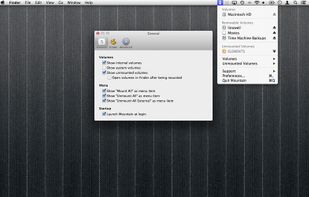
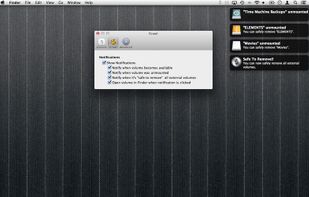
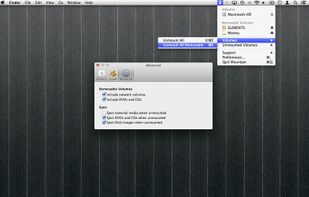
    Living seamlessly in the menu bar Mountain allows you to manage volumes with ease.

    Cost / License

    • Pay once
    • Proprietary

    Application type

    Since

    • Since 2013

    Platforms

    • Mac
    Mountain screenshot 1
    Mountain screenshot 2
    Mountain screenshot 3
    17 alternatives
  4. EjectBar icon
     Like

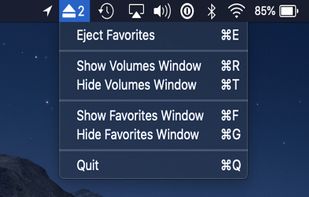
    A tiny, lightweight macOS menubar application to eject multiple mounted volumes in one click. Favorite a mounted volume to save it for quick unmounting later.
    Cost / License

    • Free
    • Proprietary

    Application type

    Since

    • Since 2022

    Platforms

    • Mac
    EjectBar screenshot 1
    EjectBar screenshot 2
    EjectBar screenshot 3
    11 alternatives
  5. Ejector icon
     Like

    Ejector adds an Eject icon to the Mac OS X menu bar. From it you can eject any disks, e.g. an iPod, a CD, a DVD, an USB Key and even a .dmg or a hard disk (including external one). You can then safely disconnect them from your mac.

    Cost / License

    • Free
    • Proprietary

    Since

    • Since 2022

    Platforms

    • Mac
    3 alternatives