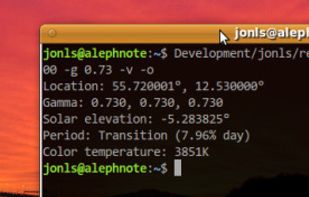
Redshift adjusts the color temperature according to the position of the sun. A different color temperature is set during night and daytime.
Cost / License
- Free
- Open Source
Application types
Alerts
- Discontinued
Platforms
- Mac
- Windows
- Linux
- BSD

Redshift adjusts the color temperature according to the position of the sun. A different color temperature is set during night and daytime.

The app is free on F-Droid and on GitHub but you can buy it on the Google Play Store to support the developer.


Free cross-platform software delivers automatic blue light reduction and PWM flicker-free brightness control with a minimalistic, portable design.


Redshift Tray is a no-frills GUI for the screen temperature adjustment tool Redshift.


Reduces blue light and adjusts screen brightness without flicker, offers auto color temperature, customizable modes, manual settings, overlays, and color effects for eye health and comfort.


To schedule Night Light so it turns on automatically, select Start > Settings > System > Display > Night light > Night light settings.

Free software for eye protection and more! It protects your eyes while you are working on the computer. Eye Saver has three main functions: blue light filter; eliminates the invisible flickering of the display backlight; reminds you to take breaks;


Twilight Blue Light Filter is an optimal night filter that can be created to provide a warm light night screen for your eye care.


Do you use your mobile phone after sunset? Do you use your phone within three hours of your bed time? If yes, then your device might be taking your sleep away. Bluelight from your mobile screens sends a signal to brain to wake up, and makes it difficult for us to sleep at night.


This advanced Windows app allows you to alter the screen shading according to the time of day, which is great if you work outside the normal hours, or if you need a lift in the afternoon. You can set the colour tints and your awake and sleep times.

Night Screen is created for those people who spend a lot of time at night working.
Limit your exposure to energy-efficient lighting before bed. In addition to the LED screens in your electronics, energy-efficient lighting emits a lot of blue light.


Worlds first Myopic Defocus effect. Applies a Myopic Defocus effect on any website. This makes the screen look on the retina naturally as if it was at a greater distance. People report it being more convenient to look at.

Experience a more comfortable screen during nighttime use with LumiGuard: Night Mode. Adjust your display's color temperature and brightness to reduce eye discomfort in low-light environments.