Apps with 'Split PDF files' feature Page 4 of 13

All apps in Apps with 'Split PDF files' feature category. Use the filters below to narrow down your search. 
Copy a direct link to this comment to your clipboard
  1. FileCenter icon
     14 likes

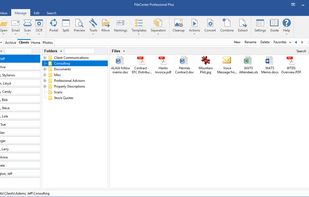
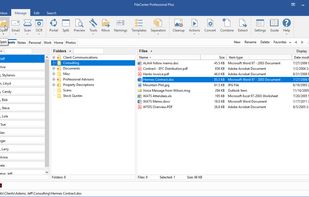
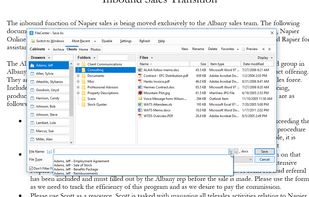
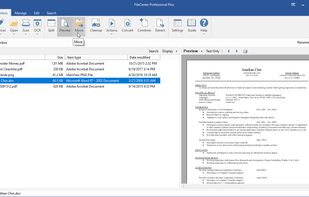
    FileCenter is easy-to-install, easy-to-use paperless office software which helps home and professional users scan, archive, organize, and find computer files. FileCenter is filled with time-saving features, giving you a complete solution within a single, simple interface.

    Cost / License

    • Paid
    • Proprietary

    Since

    • Since 2010

    Platforms

    • Windows
    • Self-Hosted
    • US flagUnited States
    Manage & organize files from a single, unified interface
    Open & save any file type
    Save files with pre-defined naming rules
    +9
    Manage incoming files with an inbox
    50 alternatives
  2. A privacy-first, client-side PDF editor that runs in your browser. Edit, annotate, merge/split, compress to target sizes, OCR scanned PDFs, and convert files—no signup, no watermark.

    Cost / License

    • Free
    • Proprietary

    Application type

    Since

    • Since 2025

    Platforms

    • Online
    • Software as a Service (SaaS)
    • PK flagPakistan
    homepage
    edit pdf
    annotate pdf
    +6
    compress pdf
    40 alternatives
  3. PDF Shaper icon
     9 likes

    PDF Shaper makes it easy to tailor the content of PDF files. Users can split PDF files into smaller PDFs, extract or delete individual pages, and encrypt and decrypt files. It's just as simple to merge multiple PDF files into a larger file.

    Cost / License

    • Freemium
    • Proprietary

    Since

    • Since 2014

    Platforms

    • Windows
    • ES flagSpain
    • European Union flagEU
    PDF Shaper Main Window
    View and print PDF
    Convert images to PDF
    +1
    Merge PDF documents
    54 alternatives
  4. PDFtool.org icon
     3 likes

    A privacy-first PDF online editor, perform simple PDF modification without the need to install a application to your pc. Open the Website, turn of the wifi internet and start editing pdfs! Everything is processed locally only!

    Cost / License

    • Free
    • Proprietary

    Application type

    Since

    • Since 2023

    Platforms

    • Online
    PDFtool.org screenshot 1
    PDFtool.org screenshot 1
    38 alternatives
  5. LynxPDF icon
     1 like

    Enterprise PDF software for conversion, OCR, editing, secure redaction, templates, digital signatures, batch processing, and multilingual document workflows.

    Cost / License

    • Paid
    • Proprietary

    Since

    • Since 2025

    Platforms

    • Mac
    • Windows
    • SG flagSingapore
    LynxPDF screenshot 1
    LynxPDF screenshot 1
    LynxPDF screenshot 2
    +1
    LynxPDF screenshot 3
  6. Create Booklet puts your pages side by side re-sorted for booklet printing, no matter what printer you got! The simpliest solution to generate PDF booklet, from a dedicated and powerfull app.

    Cost / License

    • Paid
    • Proprietary

    Since

    • Since 2015

    Platforms

    • Mac
    • DE flagGermany
    • European Union flagEU
    Create Booklet screenshot 1
    Create Booklet screenshot 1
    Create Booklet screenshot 2
    +2
    Create Booklet screenshot 3
    9 alternatives
  7. Mochify icon
     5 likes

    Mochify is a privacy-first image compressor and converter that processes files entirely in RAM without tracking, background disk storage, or heavy app plugins.

    Cost / License

    • Freemium
    • Proprietary

    Application type

    Since

    • New

    Platforms

    • Mac
    • Windows
    • Linux
    • Online
    • Homebrew
    • GB flagUnited Kingdom
    Mochify screenshot 1
    Mochify Flow, text prompt to image conversion, resize, smart crop and background removal
    Mochify CLI, use text prompts on the command line to transform images
    +1
    Chrome extension, right click and prompt image transformations in browser
    10 alternatives
  8. ToolZella icon
     3 likes

    A powerful collection of 100% free online tools for PDF conversion, image compression, text utilities, calculators, and more — all in one fast, ad-free platform.

    Cost / License

    • Free
    • Proprietary

    Application type

    Since

    • Since 2025

    Platforms

    • Online
    ToolZella screenshot 1
    62 alternatives
  9. KeyPDF icon
     1 like

    KeyPDF is a free PDF editor that opens your document right in the browser and lets you edit the existing text, replace fonts and images, and reorder pages, without converting the file or losing its layout. There is nothing to install and nothing is sent to a server.

    Cost / License

    • Free
    • Proprietary

    Application type

    Since

    • Since 2026

    Platforms

    • Online
    • US flagUnited States
    KeyPDF UI
    Welcoming page
    7 alternatives
  10. PDFEquips icon
     1 like

    a web-based platform that allows you to perform various operations on PDF files, such as conversion, merging, splitting, and more. It works by allowing you to upload your files, select the desired operation, and then download the processed file.

    Cost / License

    • Freemium
    • Proprietary

    Application type

    Since

    • Since 2025

    Platforms

    • Online
    landing page screenshot
    49 alternatives
  11. PDF Agile icon
     6 likes

    PDFagile is a fast, lean alternative to Adobe Acrobat and Foxit. It offers a smaller memory footprint and a clutter-free UI without sacrificing pro features. Enjoy high-fidelity conversion, OCR, and batch processing with professional performance, minus the bloat or premium price.

    Cost / License

    • Freemium
    • Proprietary

    Application type

    Since

    • Since 2025

    Platforms

    • Mac
    • Windows
    • Online
    • SG flagSingapore
    PDF Agile screenshot 1
    PDF Agile screenshot 1
    PDF Agile screenshot 2
    +4
    PDF Agile screenshot 3
    24 alternatives
  12. PDFMerge icon
     4 likes

    PDF Split and Merge tool is implemented using the PdfSharp library and is either GUI or command driven.It is useful for automated document creation.It allows bookmarks from the input pdfs to be imported and flexibly embedded in the destination document.

    Cost / License

    • Free
    • Open Source

    Application type

    Since

    • Since 2013

    Platforms

    • Windows
    PDFMerge screenshot 1
    61 alternatives
  13. PDForge icon
     1 like

    PDForge is a native desktop PDF editor for Windows and macOS designed to help users edit, annotate, sign, organize, and protect PDF documents while keeping files on their own device.

    Cost / License

    • Freemium
    • Proprietary

    Application type

    Since

    • Since 2026

    Platforms

    • Mac
    • Windows
    PDForge screenshot 1
    PDForge screenshot 1
    PDForge screenshot 2
    19 alternatives
  14. ComPDF icon
     1 like

    ComPDF is a brand under PDF Technologies (a KDAN company), offering a range of products including ComPDFKit (PDF SDK and Conversion SDK) and ComIDP (an Intelligent Document Processing solution).

    Cost / License

    • Paid
    • Proprietary

    Since

    • Since 2022

    Platforms

    • Self-Hosted
    • Software as a Service (SaaS)
    • US flagUnited States
    Annotations
    Viewer
    Form
    +4
    Signatures
    4 alternatives
  15. pdfcpu icon
     1 like

    A PDF processor written in Go.

    Cost / License

    Since

    • Since 2025

    Platforms

    • Mac
    • Linux
    • Docker
    • Homebrew
    • Go (Programming Language)
    • Windows
    pdfcpu screenshot 1
    pdfcpu screenshot 1
  16. AlterPDF icon
     6 likes

    AlterPDF is a set of free PDF tools, which allows you to convert, modify and sign your PDF documents. With this program you are able to convert PDF to images, as well as convert JPG and other pictures to PDF, extract text and images.

    Cost / License

    • Freemium
    • Proprietary

    Since

    • Since 2019

    Platforms

    • Windows
    Adding source files: PDF or images
    Converting PDF to image formats
    Splitting PDF to several documents
    +4
    Encrypting PDF and setting permissions
    76 alternatives
  17. PDF Mix Tool icon
     5 likes

    PDF Mix Tool is a simple and lightweight application that allows you to split, merge, rotate and mix PDF files. It is written in C++ and depends only on Qt 5 and PoDoFo.

    Cost / License

    • Free
    • Open Source

    Application type

    Since

    • Since 2018

    Platforms

    • Linux
    PDF Mix Tool screenshot 1
    PDF Mix Tool screenshot 1
    PDF Mix Tool screenshot 2
    +5
    PDF Mix Tool screenshot 3
    48 alternatives
  18. PDF-Tools icon
     10 likes

    Allowing both the creation (from Image file formats, Image Scanners/Web CAMS and text files etc) and manipulation of Adobe compatible PDF files, PDF-Tools is an ideal tool to compliment your existing PDF creation application or as a stand alone tool in its own right!

    Cost / License

    • Paid
    • Proprietary

    Application type

    Since

    • Since 2010

    Platforms

    • Windows
    • CA flagCanada
    PDF-Tools screenshot 1
    49 alternatives
  19. PDFLines icon
     1 like

    18 free online PDF tools. Merge, split, compress, and convert to and from Word, Excel, PowerPoint, JPG, and PNG. No account and no watermarks.

    Cost / License

    • Free
    • Proprietary

    Since

    • Since 2025

    Platforms

    • Online
    • Software as a Service (SaaS)
    • US flagUnited States
    main page
    pdf to doc tool page
  20. PDNob PDF Editor is an AI-powered tool that enables users to view, annotate, edit, convert, perform OCR, create, organize, protect, translate, and summarize PDFs.

    Cost / License

    • Paid
    • Proprietary

    Application type

    Since

    • Since 2024

    Platforms

    • Windows
    • Mac
    PDNob PDF Editor screenshot 1
    PDNob PDF Editor screenshot 1
    PDNob PDF Editor screenshot 2
    +3
    PDNob PDF Editor screenshot 3
    7 alternatives
  21. PDF Owl icon
     1 like

    Make the table of contents for your PDFs automatically using vision AI. Enhance your PDF files, organize pages, then read, annotate, and search effectively.

    Cost / License

    • Freemium
    • Proprietary

    Application type

    Since

    • Since 2025

    Platforms

    • Mac
    • US flagUnited States
    PDF Owl screenshot 1
    PDF Owl screenshot 1
    PDF Owl screenshot 2
    +5
    PDF Owl screenshot 3
    6 alternatives