


Squoosh
40 likes
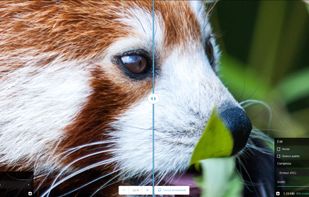
Compress and compare images with different codecs, right in your browser.

Cost / License
- Free
- Open Source (Apache-2.0)
Application typeApplication types
Platforms
- Online


Features
Highlights All activities
Squoosh News & Activities
Recent News
No news, maybe you know any news worth sharing?
Share a News Tip
Recent activities
 Tim Miller added Squoosh as alternative to ImageCrush
 Joshua Omilian added Squoosh as alternative to Shrinker Pro
Great for quickly compressing a single image in the browser and comparing quality side by side. Everything runs locally, which I like for privacy. It's not ideal for batch work or hitting an exact file size, but for one-off optimisation it's excellent.
- Trilok Singh liked Squoosh
 karimz1 added Squoosh as alternative to ImgCompress


APPS - BEGIN curated by colin the catalyst
This is a list curated for the purpose of helping to choose the software/ applications (apps) that should be considered at the initial phase i.e. a new or restored device (Mobile Phone, Tablet, Computer/ Laptop, VR/ MR Headset).
The list is based on continuous research, testing and feedback that is intended to help you create an experience that aligns with the goals of your life/ workflow. The research began in 1992 and has included scenario's that consider living conditions guided by the exploration of the three-world model. (The range of countries is currently limited as it requires continued research while factoring in limited time to test, implement and ongoing refinement.)
The list has been curated using a custom time saving processes designed by colin the catalyst that considers a range of life/ work styles.
The sub-categories for this list include the following:
• OPERATING SYSTEM
• INTERNET BROWSER
• APP BROWSER
• FILES
• REMOTE ACCESS
• END


Image Optimization Tools for E-commerce
A curated collection of free tools for processing multiple images at once. Whether you're an e-commerce seller preparing product photos, a content creator optimizing images for the web, or a photographer managing large batches, these tools handle compression, resizing, format conversion, and more — without the per-image fees of premium services.
Focused on tools that are genuinely free (not just free trials), work in the browser or desktop, and can handle multiple files in one go.



Free Online Tools for Everyday Tasks
A hand-picked collection of free online tools for common tasks like working with PDFs, counting words, compressing images, and making calculations.
Developed by
 Google
 Licensing
Open Source (Apache-2.0) and Free product.Written in
Rating
Average rating of 4.3Alternatives
89 alternatives listedBadge
Get an embeddable badge for SquooshSupported Languages

AlternativeTo Categories
Photos & Graphics, OS & Utilities, File ManagementGitHub repository
- 26,013 Stars
- 2,181 Forks
- 262 Open Issues
- Updated


Comments and Reviews
Reasonably fast. No need to upload.
You can use Oxipng inside Squoosh.
Results for text and reduced palette: Oxipng: 3918 bytes Browser PNG in Squoosh: 7754 bytes TinyPNG: 8152 bytes
Awful, laggy, crashed on me 3 times and froze completely had to force stop.
Great for quickly compressing a single image in the browser and comparing quality side by side. Everything runs locally, which I like for privacy. It's not ideal for batch work or hitting an exact file size, but for one-off optimisation it's excellent.
I largely agree with y4assine. Comparing codecs is really useful for finding the perfect balance between visual quality and file size. I discovered this after Firefox decided to officially support JPEG-XL (JXL). It’s a bit of a shame there isn’t an option to run it locally or offline. And as JXL is still in beta on this site, Squoosh sometimes refuses to convert, citing an error with one library or another.
EDIT: Last updated 2 years ago; most parts of the code are 4–5 years old. And it seems that Squoosh refuses to convert .JXL files larger than 1 MB… Whilst I do like being able to gauge the desired quality using the final preview, the fact that Google (which appears to be behind the development) has neglected this format for too long makes it rather impractical (for JPEG XL or JXL).
One of the most useful image tools I've come across. The side-by-side codec comparison is genuinely helpful when you're trying to balance file size and visual quality. Supports WebP, AVIF, and more. Runs completely in the browser with no server uploads, which is great for privacy-sensitive work. The only thing missing is batch processing.
Most tools I tried for PNG-to-SVG produced "off" conversions where the PNG didn't match the original SVG, usually due to scaling issues or poor rendering. Squoosh, however, provides a pixel-perfect result every single time. It has now become my go-to for all image optimization and conversion needs. The interface is intuitive, and the real-time comparison slider is incredibly helpful for balancing quality and file size. My only wish for the future is a batch processing option to handle multiple files at once. Other than that, it is absolute perfection.
One of the best experience for compressing images to jpegs or even pngs. Fast, intuitive UI, reliable, multiple compression algorithmes to choose and rapidly see how it impact the final image.