


I
ImageFuel
Like
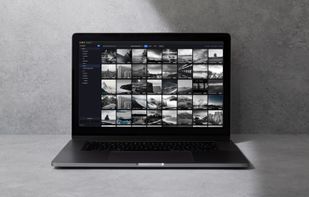
Fast dark-themed Mac media browser for photos and videos supporting batch editing, cropping, bulk renaming, color filters, metadata removal, instant thumbnails, folder and subfolder management, built-in search, and complete file management without cloud or account.

Cost / License
- Free
- Proprietary
Platforms
- Mac


Features
Highlights All activities
ImageFuel News & Activities
Recent activities
- SimplifiedApps updated ImageFuel
- Mauricio B. Holguin added ImageFuel as alternative to ImageOptim, Dinky, TinyFast, Caesium Image Compressor and 1 more
- SimplifiedApps added ImageFuel
- Mauricio B. Holguin updated ImageFuel
Developed by
 SimplifiedApps
 Licensing
Proprietary and Free product.Alternatives
5 alternatives listedBadge
Get an embeddable badge for ImageFuelSupported Languages


No comments or reviews, maybe you want to be first?