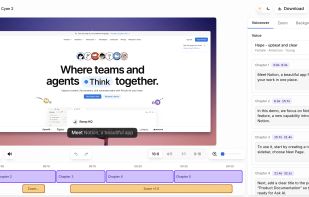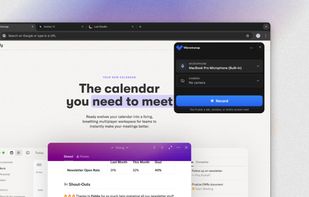
Debut is a screen capture and video recording software that records videos from your screen, webcam or other video devices.
Cost / License
- Freemium
- Proprietary
Application types
Platforms
- Mac
- Windows


Zumie is described as 'User-friendly platform for creating dynamic, clean videos with automatic zooming into key areas. It allows you to capture screen, webcam, and voice recordings, which can be edited and shared in minutes' and is a Screen Recorder in the web browsers category. There are more than 50 alternatives to Zumie, not only websites but also apps for a variety of platforms, including Mac, Windows, Google Chrome and Linux apps. The best Zumie alternative is OBS Studio, which is both free and Open Source. Other great sites and apps similar to Zumie are SimpleScreenRecorder, Screenity, Bandicam and Camtasia.
Debut is a screen capture and video recording software that records videos from your screen, webcam or other video devices.


Turn static images or a boring video into captivating animated clips that really capture attention. Ideal for Dribbble shots, Twitter videos, landing page videos, feature announements.


PolyCapture allows you to record cameras, microphones, screens, and apps — individually or multiple at once.


Comprehensive tool supporting all video creation stages with a doc-style editor, separate scene recording, auto-sync, customizable layout, and transcript-based editing.


AI-powered tool for editing audio and video by editing transcribed text, featuring transcription, filler removal, captions, background replacement, rapid translation, collaboration, mastering, recording, and viral content identification features.


Record Go: Screen Recorder is a user-friendly and practical application for screen capture. No matter whether it is to record tutorials, courses, demonstrations, meetings, games, film/TV series, or videos, Record Go: Screen Recorder could always save your time and offer great...


ScreenMix - Screen Recorder provides an easy, uncomplicated way of recording your desktop's screen and webcam sessions. Excellent for games and video stream recording, product demos, tutorials, webcam chats, and more!.


Turns screen recordings into branded, shareable videos with composite, multi-layout recording, background removal, auto-chapters, analytics, captions, comments, call-to-actions, permissions, fast app workflow, HD export, and multi-language support.


A screen recorder comes with automated editing. Automatically track cursor movement, apply dynamic zoom and click effects, add a pleasant background, and generate a professional-looking video/gif that is ready to use.
Web-based platform enabling screen and camera recordings with customizable layouts, overlays, clip-based editing, speaker notes, Unsplash backgrounds, transitions, and instant sharing. Compatible with Mac and PC, requires no installation, and offers flexible export options.


AI-powered Canvid offers easy recording and exporting in formats like MP4 and GIF, with features including zoom, enhanced audio, and automatic captions, making it perfect for tutorials, demos, and professional presentations, supporting up to 4K resolution with intuitive design.