XnConvert Alternatives

XnConvert is described as 'Easy image converter for graphic files, photos and images available on Windows, MacOSX and Linux' and is a popular Image Optimizer in the photos & graphics category. There are more than 100 alternatives to XnConvert for a variety of platforms, including Windows, Mac, Web-based, Linux and SaaS apps. The best XnConvert alternative is ImageMagick, which is both free and Open Source. Other great apps like XnConvert are GetCompress, TinyFast, Converseen and RIOT - Radical Image Optimization Tool.

Copy a direct link to this comment to your clipboard
XnConvert alternatives page was last updated

Alternatives list

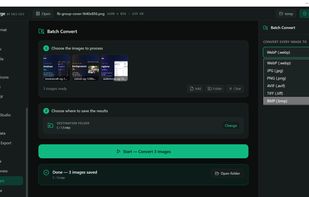
  1. Meta Converter is a Windows desktop application for converting and compressing AI-generated images while preserving generation metadata. It converts PNG and WebP files to JPEG, PNG or WebP in batches and keeps metadata compatible with Automatic1111 WebUI, ComfyUI and NovelAI...

    Cost / License

    • Paid
    • Proprietary

    Application type

    Platforms

    • Windows
     
  2. Alchemy lets you convert and merge images with ease through an intuitive, drag and drop interface. On Mac, it's easily accessed through the Mac menubar.

    Cost / License

    • Free
    • Open Source (MIT)

    Application type

    Alerts

    • Discontinued

    Platforms

    • Mac
    • Windows
     
  3. Unlock the full power of images and documents with Image Magic Suite: Your complete toolbox for editing, scanning, converting, encrypting, and organizing files. With 100+ smart features, advanced filters, format support, batch tools, and creative utilities, Image Magic Suite is...

    Cost / License

    Platforms

    • Android
    • Samsung Galaxy Store
     
  4. Zapixal icon
     1 like

    Fast, 100% offline, privacy-first image compressor and HEIC/WebP converter running locally in your browser via WebAssembly.

    Cost / License

    • Free
    • Open Source

    Platforms

    • Online
     
  5. LocallyTools icon
     1 like

    LocallyTools is a free local toolbox, offering various practical tools such as image compression, PDF processing, developer tools, etc. 100% local processing, zero upload, zero risk, fully protecting privacy and security. Supports offline use, no registration required.

    Cost / License

    • Free
    • Proprietary

    Platforms

    • Online
     
  6. PhotoTray is a Windows desktop application (Windows 10/11, 64-bit) that acts as an all-in-one utility belt for working with photos, built around a simple principle: everything happens locally on your own machine.

    Cost / License

    • Free
    • Proprietary

    Platforms

    • Windows
     
  7. Batcher icon
     Like

    Batch Processing Plug-in for GIMP 3.

    Cost / License

    Platforms

    • GIMP
     
  8. SocialPixOptimizer is a powerful, free image optimization tool built specifically for social media creators and digital marketers. With over 50,000 monthly users and 2 million+ images optimized, it's become an essential tool for anyone managing social media content.

    Cost / License

    • Free
    • Proprietary

    Platforms

    • Online
     
  9. Fast online JPEG to WebP/AVIF converter with up to 80% file size reduction. Free tier with 5 daily conversions, Pro version adds batch processing, resizing, and removes watermarks.

    Cost / License

    • Freemium
    • Proprietary

    Platforms

    • Online
     
  10. 25 offline desktop tools for image compression, PDF processing, and file conversion. Fast Rust-native performance. Your files never leave your device. One-time purchase, no subscription.

    Cost / License

    • Paid
    • Proprietary

    Platforms

    • Windows
     
  11. ShrinkFox icon
     Like

    ShrinkFox by Chovexa is a privacy-first, client-side web utility engineered to compress JPG, PNG, WebP, and PDF documents down to exact target file sizes (such as <50KB, <100KB, or custom thresholds) with zero server uploads.

    Cost / License

    • Free
    • Open Source (MIT)

    Application type

    Platforms

    • Online
     
You are at page 9 of XnConvert alternatives