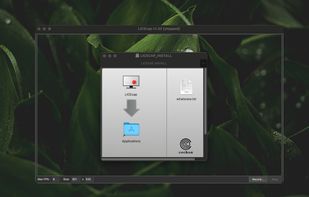
XerahS is described as 'The most advanced screen capture tool for Windows, macOS, and Linux. ShareX reimagined with modern UI technologies, built from the ground up for cross-platform performance' and is a screenshot capture tool in the photos & graphics category. There are more than 50 alternatives to XerahS for a variety of platforms, including Mac, Windows, Google Chrome, Web-based and Linux apps. The best XerahS alternative is ShareX, which is both free and Open Source. Other great apps like XerahS are Flameshot, Greenshot, SimpleScreenRecorder and ScreenToGif.


Screen recording app providing native Windows and macOS support, adds AI-driven auto-zoom following actions, motion blur, 3D effects, animated backgrounds, captions, keystroke and click highlights, webcam overlays, and fast 4K or GIF exporting without watermark.

Comprehensive screenshot and screencast tool offering full-screen, window, or region captures with a built-in editor. Supports cropping, resizing, labels, and effects, with integration for popular services. Free version includes some branding and is limited to 15s screen casts.


Easy and free screen recorder for Mac, Windows, and Chromebooks. Record your camera and screen with audio directly from your Chrome browser and share the video with your team, friends, and family.


Snipaste is a simple but powerful snipping tool, and also allows you to pin the screenshot back onto the screen. Snip. Then paste. Free. Customizable. Portable.


You know all of those code screenshots you see on Twitter? Although the code's usually impressive, we saw room for improvement in the aesthetic department. Carbon is the easiest way to create beautiful images of your source code. So what are you waiting for?

Flamory remembers things, so you don't have to. Make snapshots of web pages, files and desktop apps. You can find snapshots later using full-text search and thumbnails. Paste them anywhere as links or screenshots.


Capture full web page screenshots in Firefox, Chrome, Opera, Pale Moon or Internet Explorer Quick screenshots and annotations!


Beautiful screenshots with stunning backgrounds and powerful annotation tools. Create, edit, and share professional-quality screenshots with ease.


Capture your screen, windows, or regions on macOS, record with audio, edit screenshots and videos using built-in tools like shapes, blur, and redaction, export in various formats with multiple quality presets, enjoy ad-free usage, offline access, and no registration.


Tired of manually taking screenshots to document your work or track progress? Meet AutoShot, a macOS app that automatically captures screenshots at set intervals so you can focus on your work.