Wondershare Filmora AlternativesOnly apps categorised as Video Editors

The best Video Editor alternative to Wondershare Filmora is Kdenlive, which is both free and Open Source. If that doesn't suit you, our users have ranked more than 100 alternatives to Wondershare Filmora and loads of them are Video Editors so hopefully you can find a suitable replacement. Other interesting Video Editor alternatives to Wondershare Filmora are Shotcut, OpenShot, DaVinci Resolve and Avidemux.

filter to find the best alternatives

Wondershare Filmora alternatives are mainly Video Editors, but if you're looking for Video Converters or Slideshow Makers you can filter on that. Other popular filters include Free, Mac, iPhone + AI-Powered, iPad, Video Editing, Linux + Open Source and Android. You can also filter by region, for example EU-based alternatives if you prefer software developed in the European Union. These are just examples - use the filter bar below to find more specific alternatives to Wondershare Filmora.
Copy a direct link to this comment to your clipboard
Wondershare Filmora alternatives page was last updated

Alternatives list

  1. Kdenlive icon
     930 likes

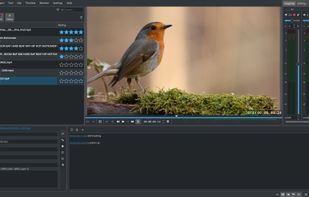
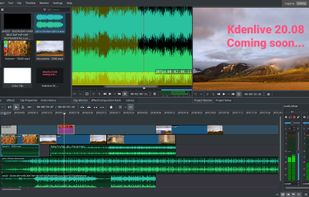
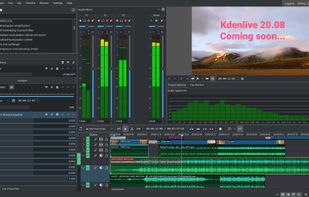
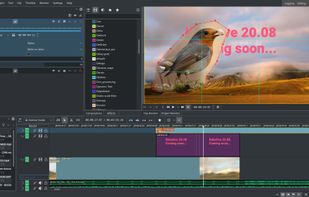
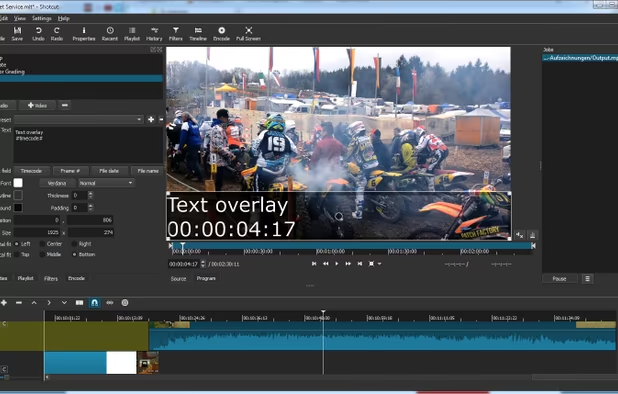
    Free, open-source multi-track video editor supporting multiple platforms and formats. Features include chroma key, color grading, 4K rendering, keyframe animation, and customizable workspaces. Offers privacy focus, offline use, and hardware acceleration without ads or registration.

    139 Kdenlive alternatives

    Cost / License

    Application type

    Platforms

    • Mac
    • Windows
    • Linux
    • BSD
    • KDE Plasma
    • Snapcraft
    • Flathub
    • Flatpak
     
    |
    8
    Kdenlive vs Wondershare Filmora Comments
    Top Positive Comment
    Ezra
    4

    Open source, has similar or parallel features

    Top Negative Comment
    Guest
    1

    The interface is really different from Filmora, and many of the features that are in Filmora are either hard to reach in Kdenlive or not there. Overall, I found Kidenlive to be very different from Filmora and really complicated.

    hamza naeem
    Positive
    1

    An extremely good tool for video editing, especially when you compare it to filmora - it has those features which you can never find on filmora, also being open source adds to the positive aspects of the tool. What I find best in kdenlive is how you can add different volume keyframes in one video to adjust the audio nodes, also I never found a way to add a beep sound in filmora whereas in kdenlive I can do it.

    3 of 8 comments
    • Kdenlive is Free and Open SourceWondershare Filmora is Freemium and Proprietary
    • Kdenlive is Customizable, Lightweight and Privacy focusedWondershare Filmora is not according to our users
  2. Shotcut icon
     493 likes

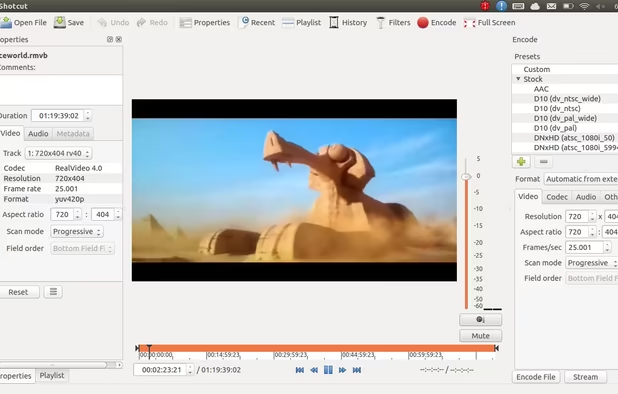
    Free and open-source, Shotcut is a cross-platform video editor supporting myriad formats with native editing, multi-format timelines, and precise seeking. It offers versatile resolution supports, capturing options up to 4k, and extensive platform integration through various capture and monitoring services.

    154 Shotcut alternatives

    Cost / License

    Application type

    Platforms

    • Mac
    • Windows
    • Linux
    • AppImageHub
    • Snapcraft
    • Flathub
    • PortableApps.com
     
    |
    2
    Shotcut vs Wondershare Filmora Comments
    Snow Code
    Positive
    5

    Open source, free, a lot of useful effects and very easy to use ! Also more lightweight than KdenLive and available on all platforms (except mobile)

    Guest
    Positive
    -1

    Honestly, the only problem I keep having is that everything goes mute after a while to where I have to save my project and restart. Other than that, it is a pretty good alternative

    • Shotcut is Free and Open SourceWondershare Filmora is Freemium and Proprietary
    • Shotcut is Lightweight and Privacy focusedWondershare Filmora is not according to our users
  3. OpenShot icon
     591 likes

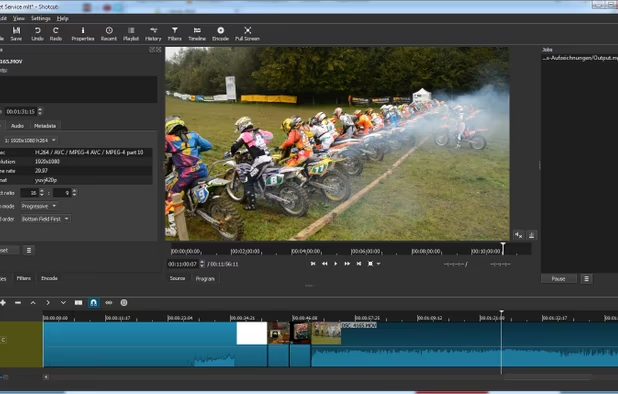
    Open-source, cross-platform video editor with unlimited tracks, simple interface, 3D animated titles, video and audio effects, waveform visualization, trim tools, keyframe animations, drag and drop import, multi-language support, and no export watermarks.

    151 OpenShot alternatives

    Cost / License

    • Free
    • Open Source

    Application type

    Platforms

    • Mac
    • Windows
    • Linux
    • Flathub
    • Flatpak
     
    |
    1
    OpenShot vs Wondershare Filmora Comments
    Guest
    Negative
    3

    The cutting video function do not work as well. Cropping is nowhere near as convenient.

    • OpenShot is Free and Open SourceWondershare Filmora is Freemium and Proprietary
    • OpenShot is Lightweight and Privacy focusedWondershare Filmora is not according to our users
  4. DaVinci Resolve icon
     465 likes

    Combines advanced video editing and color correction with integrated visual effects, motion graphics, and audio post-production in a user-friendly interface used by professionals, supporting 4K content, node-based control, plugins, and non-destructive editing, all within one app.

    147 DaVinci Resolve alternatives

    Cost / License

    • Freemium
    • Proprietary

    Application type

    Platforms

    • Mac
    • Windows
    • Linux
    • iPad
     
    |
    1
    DaVinci Resolve vs Wondershare Filmora Comments
    Guest
    Negative
    1

    Davinci Resolve versus Filmora is like comparing a airplane to a racecar, they are fast indeed but they have different uses. Davinci is a professional program and Filmora is more for consumers.

    • DaVinci Resolve is Freemium and ProprietaryWondershare Filmora is also Freemium and Proprietary
  5. Avidemux icon
     666 likes

    Linear video editor supporting basic cutting, filtering, encoding, batch scripting, and many formats; ideal for single-file edits, trimming, re-encoding, and simple cleanup but not for multi-track or montage projects requiring nonlinear editing capabilities.

    172 Avidemux alternatives

    Cost / License

    • Free
    • Open Source

    Application type

    Platforms

    • Mac
    • Windows
    • Linux
    • BSD
    • PortableApps.com
     
    |
    1
    Avidemux vs Wondershare Filmora Comments
    Guest
    Negative
    2

    Way more confusing then Wondershare.

    • Avidemux is Free and Open SourceWondershare Filmora is Freemium and Proprietary
    • Avidemux is LightweightWondershare Filmora is not according to our users
  6. Animation Desk icon
     180 likes

    Create frame-by-frame animation, sketches, and storyboard projects using multiple painting tools, pressure sensitivity, onion skinning, stamp features, layer support, dynamic backgrounds, and easy export to PDF or animatics for sharing or further creative use.

    93 Animation Desk alternatives

    Cost / License

    • Freemium
    • Proprietary

    Platforms

    • Windows
    • Android
    • iPhone
    • Android Tablet
    • iPad
     
  7. Advanced video editing tool offering customizable timelines, multi-format import without transcoding, improved media management, and GPU acceleration for faster rendering. Integrates with Creative Cloud to sync settings, allowing you to edit efficiently on any machine anywhere in the world.

    174 Adobe Premiere Pro alternatives

    Cost / License

    • Paid
    • Proprietary

    Application type

    Platforms

    • Mac
    • Windows
    • iPhone
    • iPad
     
    |
    3
    Adobe Premiere Pro vs Wondershare Filmora Comments

    Guest
    Negative
    3

    Adobe Premiere Pro is used by profesionals in the media industry

    RemovedUser
    Negative
    4

    Way more complicated. Premiere Pro is designed for professionals, while Filmora tries to be a easy-to-use editor.

    Guest
    Positive
    0

    Undoubtly, with After Effects, too, in your system.

    • Adobe Premiere Pro is Paid and ProprietaryWondershare Filmora is Freemium and Proprietary
  8. CapCut icon
     76 likes

    Free video editor offering multi-track timeline, trimming, splitting, speed adjustments, advanced filters, stickers, backgrounds removal, licensed music, speech-to-text, stabilization, customizable 4K 60fps export, and direct sharing to social platforms like TikTok and YouTube.

    215 CapCut alternatives

    Cost / License

    • Freemium
    • Proprietary

    Application type

    Platforms

    • Mac
    • Windows
    • Online
    • Android
    • iPhone
    • Android Tablet
    • iPad
     
  9. OpenCut icon
     29 likes

    Open-source video editor for Windows, macOS, and Linux offering non-linear multi-track editing, timeline tools, and advanced features like templates, no watermarks, fast exports, extensive format support, subtitles, user-friendly interface, and offline functionality.

    79 OpenCut alternatives

    Cost / License

    • Free
    • Open Source (MIT)

    Application type

    Platforms

    • Online
    • Self-Hosted
     
  10. VEGAS Pro icon
     254 likes

    Video editing with AI enhances creativity. SOUND FORGE Pro for advanced audio editing. Use VEGAS Hub for media management. Features effects chains and Open FX plug-ins. Utilize hardware acceleration and mobile video uploads for seamless editing experience.

    129 VEGAS Pro alternatives

    Cost / License

    • Paid
    • Proprietary

    Application type

    Platforms

    • Windows
    • Steam
     
  11. Camtasia icon
     238 likes

    This all-in-one solution offers screen and webcam recording, video editing, and chroma key features, producing stunning HD-quality content easily shareable on platforms like YouTube and Screencast.com. Designed for training, presentations, and more, it supports H.264 format and compact file sizes.

    316 Camtasia alternatives

    Cost / License

    • Freemium
    • Proprietary

    Platforms

    • Mac
    • Windows
    • Online
     
12 of 154 Wondershare Filmora alternatives