WinScreen icon
WinScreen icon

WinScreen

 Like

Free, open-source, lightweight Windows utility for advanced window control, interactive Picture-in-Picture, transparency, floating Anchors, and visual effects.
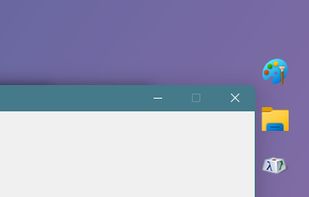
Window Anchors

Cost / License

  • Free
  • Open Source (MIT)

Application type

Since

  • New

Updated

  • Updated Nov 2026

Platforms

  • Windows  Windows 10 (version 2004 or later) and 11, 64-bit Intel/AMD (x64) only.
0likes
0articles
Save

Features

Properties

Features

Highlights All activities

WinScreen News & Activities

Recent activities

WinScreen information

AlternativeTo Category

OS & Utilities

GitHub repository

  •  11 Stars
  •  0 Forks
  •  0 Open Issues
  •   Updated  
View on GitHub
WinScreen was added to AlternativeTo by DarkLian on and this page was last updated .

No comments or reviews, maybe you want to be first?

Official Links

What is WinScreen?

WinScreen is a free, open-source tray app for Windows 10 and 11.

Press Ctrl+Alt+P on any window for a small live view that stays on top. You can use the app right inside the view: click, type, scroll and open menus, while the real window stays hidden. Crop a view to the part you need, zoom, resize it, or make it see-through.

It can also pin windows on top, make them see-through or click-through, and add floating Anchors that bring a window back with one click. Windows can be arranged with shortcuts or by dragging with Alt. The optional effects include dark mode, glass, crop and roll-up. A toolbar on title bars, a window menu and shortcuts you can change make it all quick to reach.

No administrator rights needed. English, 简体中文 and 繁體中文.

More localization to come in the future