

WhichSpace
Like
Menu bar utility for viewing and switching Spaces (macOS 14.0+).
Features
Properties
- Privacy focused
- Lightweight
- Customizable
Features
- No registration required
- No Tracking
- Ad-free
- Support for Multiple Monitors
- Works Offline
- Applescript
- Workspaces
WhichSpace News & Activities
Highlights All activities
Recent activities
POX added WhichSpace as alternative to SpaceJump, Spencer for Mac, FlashSpace and StayHere- POX updated WhichSpace
- POX added WhichSpace
WhichSpace information
No comments or reviews, maybe you want to be first?
What is WhichSpace?
Menu bar utility for viewing and switching Spaces (macOS 14.0+).
Have you ever forgotten which space is currently active on macOS and wanted a quick way to tell? Didn't think so… but I did!
Overview
- Multiple Spaces - Show current Space only, or all Spaces at once
- Multiple Displays - Show Spaces across multiple monitors
- Click-to-Switch - Jump to any Space directly from the menu bar
- Scroll-to-Switch - Cycle through Spaces by scrolling over the menu bar icon
- Colors - Set foreground and background colors per Space
- Icons - Choose from multiple icon styles (square, circle, triangle, and more)
- Labels - Replace Space numbers with custom text labels
- Symbols - Use native macOS symbols instead of numbers
- Emojis - Use emojis to get even more creative
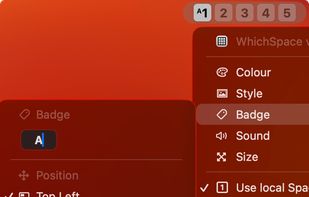
- Badges - Add a small character of your choice next to the Space number
- Size - Scale icons to your preference
- Sound - Play a sound when switching Spaces
- Shortcuts - Native actions for the Shortcuts app
- AppleScript - Automate with scripting support
- URL Scheme - Trigger Space switches from any launcher via whichspace:// links
- Launch at Login - Start automatically with macOS
- Auto-Updates - Stay up-to-date with automatic updates
- Languages - Translated into multiple languages