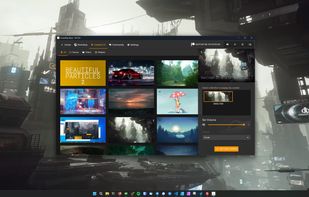
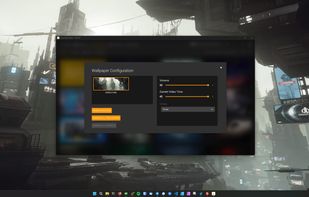
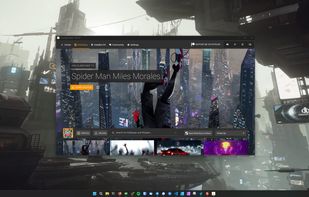
ScreenPlay is an Open Source cross-platform app for displaying Video Wallpaper & Widgets. It is written in modern C++20/Qt6/QML. It currently supports Windows and macOS (x64 and arm).


Wallpaper Engine is not available for Mac but there are plenty of alternatives that runs on macOS with similar functionality. The best Mac alternative is ScreenPlay, which is both free and Open Source. If that doesn't suit you, our users have ranked more than 50 alternatives to Wallpaper Engine and 19 are available for Mac so hopefully you can find a suitable replacement. Other interesting Mac alternatives to Wallpaper Engine are Solace, Wallper, Aerial and Desktopr.
ScreenPlay is an Open Source cross-platform app for displaying Video Wallpaper & Widgets. It is written in modern C++20/Qt6/QML. It currently supports Windows and macOS (x64 and arm).


Automatically changes Mac appearance using real-time weather, sunlight, and time data for light and dark modes, dynamic wallpapers, and color temperature, with on-device privacy, menu bar access, no subscriptions, and no analytics for seamless daily comfort.


Delivers live 4K wallpapers for Mac, supporting H.264/H.265 playback across multi-displays, customizable Smart Library filters, device management for up to three devices, Apple Silicon compatibility, music sync, lock screen and custom screensavers, and secure app sandboxing.


Desktopr is simple way to extend your desktop with any content you can even imagine. Using Desktopr you can set any website, social network, movie or other content as your desktop background.


Live2DViewerEX is an unofficial cross-platform Live2D viewer, it supports Windows, MacOS and Android.


Lightweight macOS wallpaper tool with advanced customization, supporting animated GIFs, videos, and online browsing for desktop backgrounds while prioritizing efficiency and low RAM usage, offering user-friendly management and ongoing feature updates.


Choose from thousands of stunning photos taken by amazing photographers from around the world and set them as your desktop background in a single click.


A macOS menu bar app for automatic wallpaper updates with curated channels, global shortcuts, and community contributions of wallpapers.


24 Hour Wallpaper offers beautiful desktop wallpapers that match the time of day. Choose from 80+ professionally captured wallpapers and watch your desktop transition in-time with natural light. Compatible with macOS Dynamic Desktop.


BackStory Wallpapers uses the photos in your Photos library to create beautiful backgrounds for your desktop. Select an arrangement, some albums, and maybe a filter or two. Then set the timer and let BackStory show you collages of images.


It does not support screen sharing, the entire project rely too much on Steam gaming platform. Don't use it.