Vortex is a desktop SSH client for macOS, Windows and Linux.
Each session is a single SSH connection with four things layered on top of it: a terminal, an SFTP file browser, your port forwards, and the identities you connect with. Switching between them doesn't reconnect, so you won't end up with a second login you didn't ask for.
Your hosts live in a list grouped by environment, and each group picks a colour. That colour then follows the session everywhere it goes: the sidebar, the tab, the edge of the terminal, the status bar. The point is that you can tell at a glance which machine you're typing at. Production gets a colour nothing else is allowed to use, plus a broken line, so the signal still survives a cheap monitor or a screenshot pasted into chat.
SSH runs inside the app using Go's own implementation. It doesn't shell out to the system ssh binary, and the pseudo-terminal is requested on the remote host over the SSH channel instead of being allocated locally. In practice that means Windows gets the same terminal as macOS, with ConPTY nowhere in the path. vim renders, htop renders, and resizing the window resizes the remote terminal with it.
Features:
- Terminal on a remote-allocated PTY, with the geometry shown in the status bar
- Jump hosts, with the host key checked at every hop
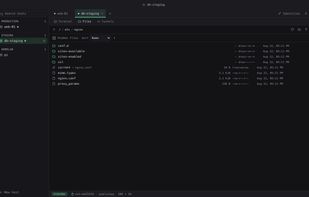
- SFTP browser on the same authenticated connection, with upload and download progress, a right-click menu, remote-to-remote copy, chmod, and a built-in editor for remote text files
- Local and remote port forwarding, opened and closed without dropping the session, bound to loopback unless you ask for something else
- SSH key creation in the app, passphrase-protected keys, and passwords kept in the platform credential store
- A one-shot importer for an existing OpenSSH config file
- A local terminal tab that runs a login shell on your own machine (macOS and Linux)
- Dark and light palettes, following the system preference by default
- When a connection fails, you get the whole dial traced step by step in a log instead of one vague sentence
The interface renders in the webview your operating system already ships, so there's no bundled Chromium and nothing serving the frontend over a local port. The download is about 9 MB and it runs as a single process.
Vortex costs ten dollars, once. No seat count, no expiry, no activation, no account. A new version is a new download at the same price, and the copy on your disk doesn't phone home.







 neko1101 added Vortex SSH as alternative to Termius, PuTTY, MobaXterm, SecureCRT and 9 more


No comments or reviews, maybe you want to be first?