





Volant
1 like
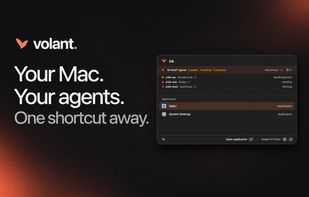
Open-source macOS launcher that searches apps, files, contacts and calendars; provides inline math, conversions and snippets; keeps Markdown notes plus encrypted clipboard history; controls audio, connectivity and power; and surfaces supported coding-agent sessions.

Platforms
- Mac


Features
Highlights All activities
Volant News & Activities
Recent activities
- Andrew Lombardi A comment was removed from Volant
- Andrew Lombardi added File Search as a feature to Volant
- Andrew Lombardi added Full-Text Search as a feature to Volant
- Andrew Lombardi added Support for scripting as a feature to Volant
- Andrew Lombardi liked Volant
- Andrew Lombardi added Volant
- Mauricio B. Holguin updated Volant
 Mauricio B. Holguin added Volant as alternative to LaunchBar, Quicksilver, SOL, Script Kit and 20 more
- Mauricio B. Holguin updated Volant
- Mauricio B. Holguin updated Volant

Developed by
 Mystic Coders, LLC
Licensing
Open Source (MIT) and Free product.Written in
Alternatives
41 alternatives listedBadge
Get an embeddable badge for VolantSupported Languages

AlternativeTo Category
OS & UtilitiesGitHub repository
- 10 Stars
- 2 Forks
- 17 Open Issues
- Updated



No comments or reviews, maybe you want to be first?