useCadence Alternatives

useCadence is described as 'Cadence is a screen recording platform with AI voice and accent transformation for professionals who want polished videos without re-recording or expensive gear. Record normally, then the AI rebuilds your audio with a cleaner global sound, preserving your natural pace, emotion' and is a Screen Recorder in the audio & music category. There are more than 50 alternatives to useCadence, not only websites but also apps for a variety of platforms, including Mac, Windows, Linux and Android apps. The best useCadence alternative is OBS Studio, which is both free and Open Source. Other great sites and apps similar to useCadence are OpenScreen, Recordly, ScreenArc and SimpleScreenRecorder.

Copy a direct link to this comment to your clipboard
useCadence alternatives page was last updated

Alternatives list

  1. ScreenRecorder.me lets you create and share screen recordings directly from your browser without login. Customize stunning wallpapers, apply webcam effects, and use intuitive sliders for quick styling. Experience smooth animations with physics-based movements and effortlessly achieve professional results.

    Cost / License

    • Free
    • Proprietary

    Platforms

    • Online
     
  2. Screen Studio icon
     17 likes

    Record macOS screens with smoothed mouse movement, zoomed click highlights, cinematic motion blur, and customizable backgrounds while integrating webcam, microphone, system sound, and easy video editing. Output in HD for instructional and promotional videos.

    122 Screen Studio alternatives

    Cost / License

    • Paid
    • Proprietary

    Platforms

    • Mac
     
  3. Boom Share AI icon
     23 likes

    Boom Share AI is a free asynchronous video messaging tool designed to enhance communication in business and productivity settings. It allows users to record video messages using their camera or screen, making it ideal for freelancers, remote teams, and agencies.

    Cost / License

    • Free
    • Proprietary

    Platforms

    • Online
    • Android
    • iPhone
    • Android Tablet
    • iPad
     
  4. Shottr icon
     24 likes

    Shottr is a small, fast, human-sized screenshot app built for those who care about pixels. It was crafted with Swift, optimized for M1, and is completely free at the moment.

    101 Shottr alternatives

    Cost / License

    • Paid
    • Proprietary

    Application type

    Platforms

    • Mac
     
  5. CleanShot X icon
     24 likes

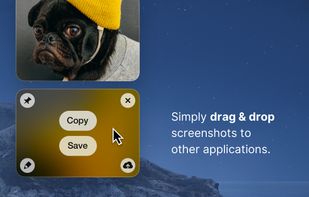
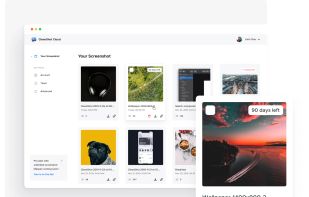
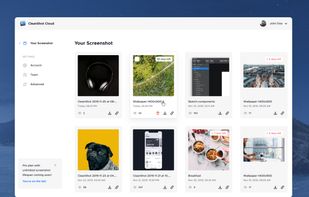
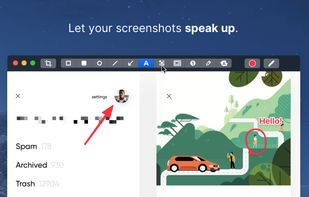
    Capture and record screens on Mac with CleanShot X, featuring seamless recording, custom keyboard shortcuts, customizable wallpapers, Quick Access Overlay, and Desktop icon toggle for a tidy user interface.

    214 CleanShot X alternatives

    Cost / License

    • Paid
    • Proprietary

    Platforms

    • Mac
     
  6. Motionik icon
     11 likes

    Motionik is a cross-platform screen recorder and editor for macOS (12.3+) and Windows 10+. It combines recording, zoom, cursor effects, and lightweight editing to help you create polished product demos, tutorials, and promo videos in minutes—no complex timeline editing required.

    45 Motionik alternatives

    Cost / License

    • Freemium
    • Proprietary

    Application type

    Platforms

    • Mac
    • Windows
     
  7. Pixsnip icon
     6 likes

    Privacy-focused screenshot utility with local-only storage, capture and post-editing, precision tools like rulers and color picker, grouping, collage and card creation, full history, an intuitive interface, and no cloud or login required for secure offline workflows.

    Cost / License

    • Free
    • Proprietary

    Application type

    Platforms

    • Mac
    • Windows
     
  8. LICEcap icon
     61 likes

    LICEcap can capture an area of your desktop and save it directly to .GIF (for viewing in web browsers, etc) or .LCF (see below). LICEcap is an intuitive but flexible application (for Windows and now OSX), that is designed to be lightweight and function with high performance.

    30 LICEcap alternatives

    Cost / License

    • Free
    • Open Source

    Platforms

    • Mac
    • Windows
     
  9. ActivePresenter icon
     62 likes

    Authoring solution enabling interactive eLearning course creation, flexible project layouts, advanced screen recording, video editing tools with annotation, timeline-based adjustments, and export to video, image, HTML5, SCORM, xAPI, office, or PDF formats.

    Cost / License

    • Free Personal
    • Proprietary

    Platforms

    • Mac
    • Windows
     
  10. flowy icon
     5 likes

    macOS tool for detailed screen recording, timeline-based video editing, customizable cursor animations, camera and audio capture, background editing, and easy sharing. Suitable for tutorials, presentations, or social media creation with a user-friendly workflow.

    Cost / License

    • Paid
    • Proprietary

    Platforms

    • Mac
     
You are at page 2 of useCadence alternatives