To schedule Night Light so it turns on automatically, select Start > Settings > System > Display > Night light > Night light settings.

Twilight is described as 'The app filters the blue spectrum on your phone or tablet after sunset and protects your eyes with a red filter. The filter intensity is smoothly adjusted to the sun cycle based on your local sunset and sunrise times' and is a popular color temperature tool in the system & hardware category. There are more than 25 alternatives to Twilight for a variety of platforms, including Windows, Linux, Mac, Android and Wayland apps. The best Twilight alternative is f.lux, which is free. Other great apps like Twilight are Redshift, LightBulb, Red Moon and RedshiftGUI.
To schedule Night Light so it turns on automatically, select Start > Settings > System > Display > Night light > Night light settings.

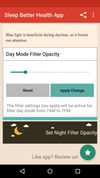
Do you use your mobile phone after sunset? Do you use your phone within three hours of your bed time? If yes, then your device might be taking your sleep away. Bluelight from your mobile screens sends a signal to brain to wake up, and makes it difficult for us to sleep at night.


Night Shift: Blue Light Filter is the most popular Android Tablet alternative to Twilight.
Twilight Blue Light Filter is an optimal night filter that can be created to provide a warm light night screen for your eye care.


World's 1st instantaneous content-aware brightness control app that let your screen brightness adapt instantly and automatically to provide the most optimal viewing experience for your eyes.


NightTone makes your screen more comfortable, enjoyable and healthier by shifting the colors of your display to a warmer, eye-friendly palette. It makes you sleep and feel better.


Worlds first Myopic Defocus effect. Applies a Myopic Defocus effect on any website. This makes the screen look on the retina naturally as if it was at a greater distance. People report it being more convenient to look at.

Experience a more comfortable screen during nighttime use with LumiGuard: Night Mode. Adjust your display's color temperature and brightness to reduce eye discomfort in low-light environments.


Free software for eye protection and more! It protects your eyes while you are working on the computer. Eye Saver has three main functions: blue light filter; eliminates the invisible flickering of the display backlight; reminds you to take breaks;


Trouble Sleeping? Device screen too bright even on the lowest brightness setting? Want to give your phone a warm look instead of that eye straining blue gaze you see at night? EasyEyes is the solution. By changing your device's color temperature, EasyEyes reduces eye strain...


Kumux is a dynamic circadian color scheme for code editors and other software. It adjust color temperature, color hues, contrast and brightness levels throughout the day based on the position of the sun.

Kumux is the most popular SaaS alternative to Twilight.
Velis Auto Brightness is a pretty powerfully adjustable auto-brightness app for your android device.