Enhance PC performance by boosting speed and freeing up disk space. Features include Turbo Mode, Program Deactivator, and battery savers like Economy Mode—plus tools to manage startups and clean registries effectively.


TweakPower is described as 'All-in-one suite that has been designed to keep you and all your family’s computers running at optimal speed and efficiency' and is a File Recovery tool in the os & utilities category. There are more than 50 alternatives to TweakPower for a variety of platforms, including Windows, Mac, Linux, Web-based and Android apps. The best TweakPower alternative is Chris Titus Tech's Windows Utility, which is both free and Open Source. Other great apps like TweakPower are RemoveWindowsAI, Glary Utilities, ShutUp10++ and Kudu Cleaner.
Enhance PC performance by boosting speed and freeing up disk space. Features include Turbo Mode, Program Deactivator, and battery savers like Economy Mode—plus tools to manage startups and clean registries effectively.


Anti-Beacon is the #1 Privacy Protection tool which offers the highest level of protection in the easiest way possible.


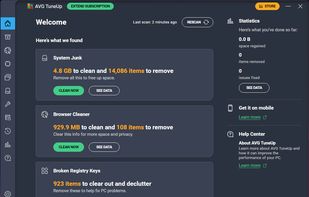
Comprehensive PC tool for optimization, cleansing, and speeding up. Removes junk, logs, caches; protects against adware/spyware; includes AI Mode, Firewall Protection, Software Health, Real-time Tuneup, Anti-tracking, and Large File Cleaner for enhanced system security and performance.


Tweaking.com - Windows Repair is a tool designed help fix a large majority of known Windows problems including; registry errors, file permissions, issues with Internet Explorer, Windows Updates, Windows Firewall and more.


PC software suite improves performance with tools to optimize operations, free disk space, and fix registry issues for free. Provides real-time protection, disk defragmentation, startup management, and privacy safeguarding with support for 4K UHD monitors.


The by default highly questionable set options concerning privacy and data protection in Windows 10 brought me to the idea for the development of this little program. Microsoft generously enables everybody to change the concerning settings, but hides them in countless menus...


Open-source Windows tool offers bloatware cleanup, removes unwanted apps, streamlines performance, and improves privacy with a user-friendly interface, batch automation, and customizable settings, all in a lightweight executable designed for all experience levels.


Suite offering junk file removal, RAM boosting, defragmentation, internet setting optimization, automatic idle-time system maintenance, security vulnerability fixing, file recovery, malware protection, password management and user-friendly features for Windows.

Powerful Win utilities: fix registry, clean junk, protect privacy, optimize system, quick launch, find duplicates, folder size, see more recent resources, activity monitor, batch operation, synchronization, disable context menus, skip UAC, trace file.


Microsoft Edge is a “Trusted” UI App and a core part of the Windows 11-10 Operating System it sets itself to not only be the default browser, but the default PDF reader too it is integrated in Windows 11.


Even though Windows 10 did bring many of the features users expected of it, such as a Start Menu and revamped icons, it also came with several issues and a very important one is related to its tracking behavior.