Tripo AI
Like
AI 3D model generator that turns text and images into production-ready 3D models in seconds. Free to start, no sign-up. Export GLB/STL/OBJ for games & 3D printing.
Cost / License
- Freemium (Subscription)
- Open Source (MIT)
Platforms
- Online
Features
Tripo AI News & Activities
Highlights All activities
Recent activities
- luola1224 added 3D Modelling as a feature to Tripo AI
- luola1224 added Tripo AI
- luola1224 added Tripo AI as alternative to Vecto3d, Mixar, Stable Video 4D and Luma AI Genie
Tripo AI information
No comments or reviews, maybe you want to be first?
What is Tripo AI?
Tripo is a technology vendor specializing in 3D visualization and augmented reality solutions. The company focuses on transforming traditional content into immersive experiences, enabling users to interact with 3D models and environments. Tripo's offerings are designed for various industries, including real estate, education, and marketing, providing tools that enhance engagement and facilitate better understanding of complex concepts through visual representation. Features: Model Generation
- HD Model Creates high-detail 3D models with richer texture details. It is suitable for workflows that need better visual quality, more accurate shapes, and stronger final presentation.
- Smart Mesh / Low-Poly Model Supports fast model generation and is suitable for quick concept testing, batch creation, low-poly game assets, and other high-efficiency workflows.
- Text-to-3D Generates 3D models directly from text prompts. It is useful when the article focuses on turning written ideas into 3D assets.
- Image-to-3D Generates 3D models from a single image. This is the most common workflow for guest posts, especially when the partner creates or improves an image first and Tripo turns it into a 3D model.
- Multi-view Generation Generates 3D models from multiple reference images taken from different angles. It is useful when the workflow needs a more complete structure and a more accurate shape. Model Editing
- Texture Supports high-quality texture generation and improvement. It is useful for articles that focus on visual quality, material details, product display, or asset presentation.
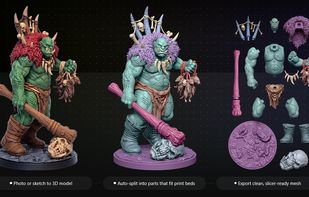
- Segmentation Supports splitting a model into separate parts with different precision levels. It is useful when the workflow needs part-level editing, separate processing, 3D printing, or later production work.
- Rigging Supports rigging for different model types, including biped and multi-legged characters. It is useful for character, animation, and game asset workflows.
- Animation Supports biped and multi-legged animation. It is suitable for character previews, game characters, animated assets, and motion-based workflows. Ecosystem Integration
- Pre-3D Image Optimization Can be used in a text/image ? image ? 3D workflow. This is useful when the partner platform helps create or improve the image before Tripo turns it into a 3D model.
- Plugin / DCC Bridge Export Supports downstream workflows with tools and platforms such as Blender, Maya, Unity, Unreal Engine, Godot, Cocos, and 3D printing platforms. It is suitable for articles about professional production pipelines.
- 3D Printing / Custom Delivery After a model is generated, users can submit it for 3D printing through Tripo Studio. This is useful for articles about custom models, physical products, 3D printing, and turning digital assets into real objects.
- Pro Refine Provides custom model improvement for projects that need higher final quality, commercial use, or more detailed delivery.