Vecto3d icon
Vecto3d icon

Vecto3d

Transform Your SVGs into Stunning 3D Models with Vecto3D – Open-Source, Simple, Fast, and Customizable!.
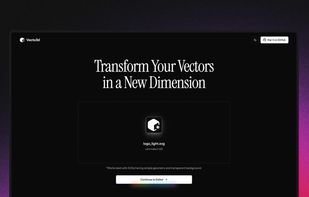
Vecto3d screenshot 1

Cost / License

  • Free
  • Open Source (MIT)

Application type

Platforms

  • Online
30likes
1comment
0articles

Features

Properties

  1.  AI-Powered

Features

  1.  3D Renderer
  2.  No registration required
  3.  Support for SVG
  4.  Image to 3D
  5.  Ad-free
  6.  No Tracking
  7.  Web-Based
  8.  Built-in 3D model viewer
  9.  GlTF Support

Vecto3d News & Activities

Highlights All activities

Recent News

No news, maybe you know any news worth sharing?
Share a News Tip

Recent activities

  • PredatorQ updated Vecto3d
  • PredatorQ updated Vecto3d
  • PredatorQ liked Vecto3d
  • mehdi_mifa1986 liked Vecto3d
  • Tripo AI icon
    luola1224 added Vecto3d as alternative to Tripo AI
  • llo liked Vecto3d
  • bgrateful321 liked Vecto3d
  • mounta11n liked Vecto3d
  • kvrvntin liked Vecto3d

Vecto3d information

AlternativeTo Category

Photos & Graphics

GitHub repository

  •  1,415 Stars
  •  86 Forks
  •  2 Open Issues
  •   Updated  
View on GitHub

Our users have written 1 comments and reviews about Vecto3d, and it has gotten 30 likes

Vecto3d was added to AlternativeTo by Mauricio B. Holguin on and this page was last updated .

Comments and Reviews

   
Top Positive Comment
Alternative Software
1

Vecto3d is great at turning SVG images into 3D objects. The results are adjustable and very good. The one caveat is that the images do have to be fairly simple (such as a logo) to get the best results. It is great to see a tool such as this that is free and open source, though!

Official Links

What is Vecto3d?

This tool converts simple SVGs, mainly logos, to 3D models using AI.

Features include multiple customization options for geometry, materials, environment, and background, all accessible via an intuitive UI. You can adjust the thickness and bevels of your 3D models, experiment with different colors and materials, preview your models in various environments, and add custom environments using any image.

The tool allows you to download the 3D model in STL, GLB, and GLTF formats, export images in HD, 2K, and 4K PNG quality, and change the background color of the preview panel. It also includes a vibe mode, which adds a dreamy effect with bloom and soft shadows to your preview panel.
