Shottr is a small, fast, human-sized screenshot app built for those who care about pixels. It was crafted with Swift, optimized for M1, and is completely free at the moment.


Trickle is described as 'Helps you summarize and organize screenshots, extracting insights for easy search and query. Transform visual chaos into an intelligent archive, allowing you to screenshot anything and effortlessly retrieve and utilize its contents later' and is a screenshot capture tool in the photos & graphics category. There are more than 50 alternatives to Trickle for a variety of platforms, including Mac, Windows, Google Chrome, Web-based and Mozilla Firefox apps. The best Trickle alternative is ShareX, which is both free and Open Source. Other great apps like Trickle are Flameshot, Greenshot, PicPick and FastStone Capture.
Shottr is a small, fast, human-sized screenshot app built for those who care about pixels. It was crafted with Swift, optimized for M1, and is completely free at the moment.


Recall helps you find anything you've seen on your PC by capturing snapshots of your activity, allowing you to search using keywords, context, or scroll through a visual timeline. All data is processed and stored locally to protect privacy.


Snipaste is a simple but powerful snipping tool, and also allows you to pin the screenshot back onto the screen. Snip. Then paste. Free. Customizable. Portable.


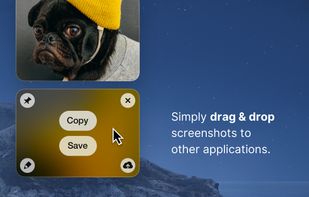
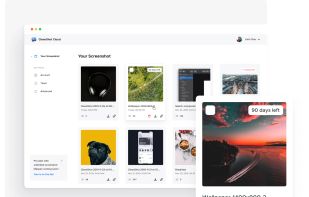
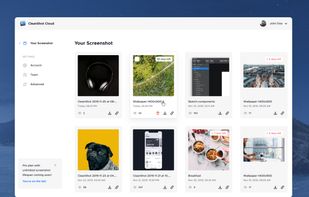
Capture and record screens on Mac with CleanShot X, featuring seamless recording, custom keyboard shortcuts, customizable wallpapers, Quick Access Overlay, and Desktop icon toggle for a tidy user interface.


Windrecorder is a memory search app by records everything on your screen in small size, to let you rewind what you have seen, query through OCR text or image description, and get activity statistics.


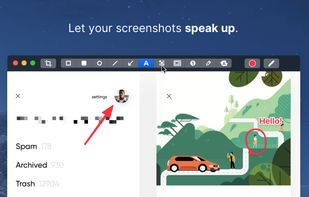
Beautiful screenshots with stunning backgrounds and powerful annotation tools. Create, edit, and share professional-quality screenshots with ease.


Enhances your storytelling through animated screenshot, add gradient background, images or video. Whether for presentation, social media posts, or engaging content creation, VibrantSnap provides the tools to make your visuals stand out and immersive.


Capture full and partial screenshots, record screen or webcam videos with extensive editing tools, including annotations, video conversion to gif/mp4, and sharing options. Create step-by-step guides enhanced by AI, save in multiple formats, and utilize cloud storage integration.


Intuitive screenshots baked right into the browser. Capture, save and share screenshots as you browse the Web using Firefox.
Capture full web page screenshots in Firefox, Chrome, Opera, Pale Moon or Internet Explorer Quick screenshots and annotations!


Capture the whole page or any portion, annotate it with rectangles, circles, arrows, lines and text, one-click upload to share.