
TmuxAI icon
TmuxAI icon

TmuxAI

 3 likes

TmuxAI is an intelligent terminal assistant that lives inside your tmux sessions. Unlike other CLI AI tools, TmuxAI observes and understands the content of your tmux panes, providing assistance without requiring you to change your workflow or interrupt your terminal sessions.
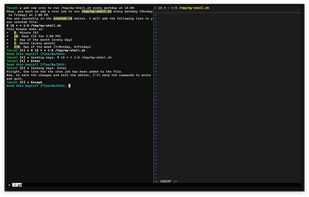
adding cron

Cost / License

Since

  • Since 2025 (updated Nov 2026)

Releases

  • 12 releases last year12 last year

GitHub

  • GitHub stars: 2k

Platforms

  • Windows
  • Mac
  • Linux
  • BSD
  • FreeBSD
  • Homebrew
3likes
0articles
Save

Features

Features

Highlights All activities

TmuxAI News & Activities

Recent activities

TmuxAI information

AlternativeTo Category

AI Tools & Services

GitHub repository

  •  1,978 Stars
  •  132 Forks
  •  7 Open Issues
  •   Updated  
View on GitHub

Our users have written 1 comment or review about TmuxAI, and it has gotten 3 likes.

TmuxAI was added to AlternativeTo by Alvin Unreal on and this page was last updated .

Comments and Reviews

   
0ddL33
0

I was looking for a free open source alternative to Warp. This is perfect!

Official Links

Install from the command line

  • brew install tmuxai

Be careful what you paste into a terminal. Check what a command installs before running it.

What is TmuxAI?

TmuxAI is an intelligent terminal assistant that lives inside your tmux sessions. Unlike other CLI AI tools, TmuxAI observes and understands the content of your tmux panes, providing assistance without requiring you to change your workflow or interrupt your terminal sessions.

Think of TmuxAI as a pair programmer that sits beside you, watching your terminal environment exactly as you see it. It can understand what you're working on across multiple panes, help solve problems and execute commands on your behalf in a dedicated execution pane.

TmuxAI's design philosophy mirrors the way humans collaborate at the terminal. Just as a colleague sitting next to you would observe your screen, understand context from what's visible, and help accordingly, TmuxAI:

Observes: Reads the visible content in all your panes Communicates: Uses a dedicated chat pane for interaction Acts: Can execute commands in a separate execution pane (with your permission)