


Warp Terminal
34 likes
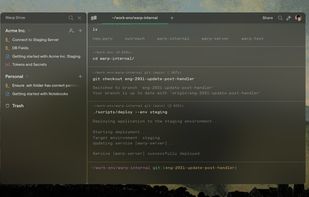
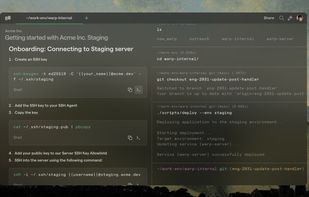
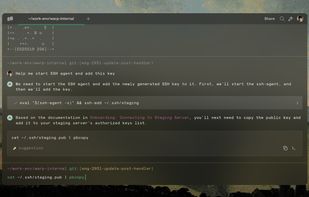
Warp is a blazingly fast, Rust-based terminal that makes you and your team more productive at coding and DevOps.

Cost / License
- Freemium (Subscription)
- Open Source (AGPL-3.0)
Application type
Platforms
- Mac
- Windows
- Linux
- Homebrew


+13


Features
Warp Terminal News & Activities
Highlights All activities
Recent News
- Paul published news article about Warp Terminal
- Fla published news article about Warp Terminal
- Mauricio B. Holguin published news article about Warp Terminal


Recent activities
 Luka-N-Arnold added Warp Terminal as alternative to Soft-Machine
 Croco Loki added Warp Terminal as alternative to Claw Code
 Alexander-Nt added Warp Terminal as alternative to Reach SSH
 koderchen added Warp Terminal as alternative to MyShell
 Ioannis-Makris added Warp Terminal as alternative to vnm_terminal
 Bobby Coleman added Warp Terminal as alternative to Oxide Terminal
 Paul added Warp Terminal as alternative to Kuu
 d0x2a Labs added Warp Terminal as alternative to mTerm
 Paul added Warp Terminal as alternative to vidrio
 Adam-Bandel added Warp Terminal as alternative to swe-mux


Featured in Lists



phant's software list
my software list, mostly open-source.I have used the vast majority of the software listed there myself for a long time.
This software list open-source/free/freemium apps for Windows 10/11 that I would recommend.This also includes tools for CS/EE background developer.
This list is designed to highlight excellent software in a particular area, so you don’t need to install all the software on the list. You should only consider installing the software I’ve selected when you have a need that falls under a specific section of the list.
What is Warp Terminal?
Warp Terminal information
Developed by
 Denver Technologies, Inc.
 Licensing
Open Source (AGPL-3.0) and Freemium product.Pricing
Subscription ranging between $8 and $200 per month + free version with limited functionality.Written in
Rating
Average rating of 3.9Alternatives
82 alternatives listedNews
8 news article related to Warp TerminalBadge
Get an embeddable badge for Warp TerminalSupported Languages

AlternativeTo Categories
OS & Utilities, DevelopmentGitHub repository
- 65,346 Stars
- 5,608 Forks
- 5330 Open Issues
- Updated


Comments and Reviews
The warp terminal application does not require login nowadays. It is able to provide autocomplete suggestions based on context without an internet connection. These suggestions are more accurate than those from plugins of bash, zsh, and fish. Open source developers may question the privacy because the warp terminal is proprietary.
Why would anyone replace a core system utility with a third-party, VC-backed, closed-source app?
Why do I have to sign in to use a terminal? Ridiculous.
It has telemetry enabled by default. When launched it makes an outgoing request to:
Security: I expect my terminal to be a much more secure environment than my web browser. When an application starts communicating with the internet, I have no choice but to treat it with the same level of scrutiny as my browser.
Text-based commands do not need AI and shiny features. OhMyZsh's built-in plugins are much better.
Same as Hyper in 2019, this is another program promoted by tech influencers and hyped by Jr. Front-End developers because it looks pretty.
Also, using the enter key as an autocomplete command is really dangerous.
Firstly this terminal no longer needs to have any login you can use it without. The terminal input line is very handy whether it be allowing vim mode or just regular input. it can store launch configs, workflows, notebooks, themes and more allowing quick access to these I tried using a combination of omz extensions, allacrity, tmux, atuin and starship to get to the same level and I still could not do it, plus the ai integration is really good, if this was open source I would give it 5 stars, but as it is now its easily the best terminal emulator out in terms of just the amount of useful features
Terrible software, a terminal that requires registration and login
Requires an account and login to use
A new and very innovative type of terminal emulator, and not just different for the sake of it, but totally amazing to use. Its fast, and it has a lot of great unique features.