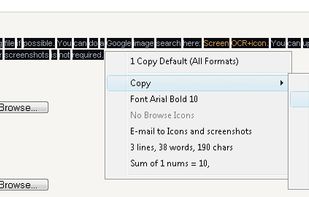
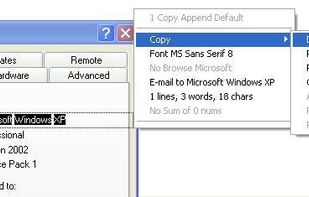
Screen OCR is a screen capture and character recognition tool. You can use Screen OCR in any way you are most comfortable with. It can be window selection, scrolling capture, simple cursor capture or rectangular selection.


TextGrabber is described as 'With TextGrabber you can easily copy text anywhere on your screen' and is an app in the os & utilities category. There are more than 25 alternatives to TextGrabber for a variety of platforms, including Mac, Windows, Android, iPhone and Linux apps. The best TextGrabber alternative is Snagit. It's not free, so if you're looking for a free alternative, you could try GImageReader or NormCap. Other great apps like TextGrabber are Crow Translate, CamScanner, OpenScan and Capture2text.
Screen OCR is a screen capture and character recognition tool. You can use Screen OCR in any way you are most comfortable with. It can be window selection, scrolling capture, simple cursor capture or rectangular selection.


Boxoft Screen OCR is fast and easy-to-use software which helps to extract any area on your screen, recognize every character and then save as TXT file. Price: 27 USD. The smart tool enables you to select text from anywhere on the screen, including areas that you cannot highlight...

Ever needed to quickly grab text from an image, a non-selectable PDF, a video, or a website that blocks copying? Hawkr makes it effortless. With a simple keyboard shortcut, you can capture any text visible on your screen and have it instantly copied to your clipboard.


Quilt is your utility for effortlessly turning anything on your screen from books in apps like Apple Books, HTML slides or textbooks even into a PDF with custom keybinds or mouse clicks.

Do you often find yourself retyping text that's stuck inside an image? Have you ever spent hours trying to find something where you know you sent someone a screenshot of it a while back?

Typing out has come to a end. Say ‚Hello‘ to Condense. Your easy to use optical character recognition (OCR) application.


LudyLens is the fastest screen OCR app for Mac. Capture text from videos, images, PDFs, or any app. Pin it. Edit it. 100% on-device.


You need to get the text out of an image or from anywhere on your screen? With picatext this is as easy as selecting a file or a screen area. So now you can get the text you need in almost no time. No need to tediously typewrite everything again.


Simplify your workflow with Textly – the ultimate tool for capturing text, copying it, and pasting it wherever you need. Whether you’re working on a project, taking notes, or organizing information, Textly makes text management seamless and efficient.