SuperMotion AlternativesScreen Recorders & Screenshot Capture Tools like SuperMotion

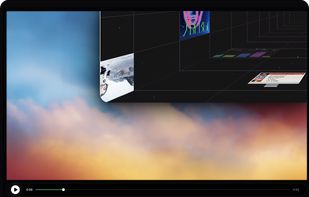
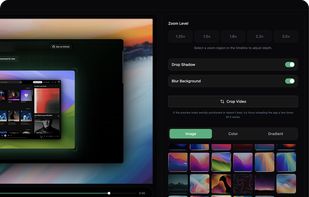
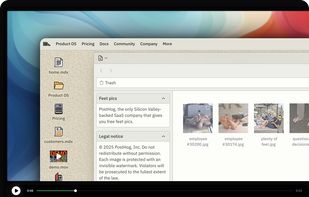
SuperMotion is described as 'Turn static images or a boring video into captivating animated clips that really capture attention. Ideal for Dribbble shots, Twitter videos, landing page videos, feature announements' and is a Screen Recorder in the video & movies category. There are more than 50 alternatives to SuperMotion, not only websites but also apps for a variety of platforms, including Mac, Windows, Google Chrome and Linux apps. The best SuperMotion alternative is OpenScreen, which is both free and Open Source. Other great sites and apps similar to SuperMotion are ScreenArc, Recordly, Camtasia and Cap.

Copy a direct link to this comment to your clipboard
SuperMotion alternatives page was last updated

Alternatives list

  1. OpenScreen icon
     50 likes

    Open-source, no-cost screen recorder with no watermarks, supporting entire screen or app capture, manual zoom, smooth pan, custom backgrounds, cropping, motion blur, and direct use in browser for product demos, tutorials, and commercial purposes.

    73 OpenScreen alternatives

    Cost / License

    • Free
    • Open Source (MIT)

    Application type

    Platforms

    • Mac
    • Windows
    • Linux
     
  2. ScreenArc icon
     21 likes

    Cross-platform screen recording and editing tool featuring automated cinematic pan-and-zoom on mouse actions, webcam overlay, customizable visuals, timeline editor, multi-monitor support, instant aspect ratio switching, style presets, and 2K output in MP4 or GIF.

    Cost / License

    Platforms

    • Mac
    • Windows
    • Linux
     
  3. Recordly icon
     16 likes

    Free open-source screen recorder for macOS and Windows featuring auto-zoom, smooth cursor animations, MP4 and GIF export, timeline trimming, speed changes, annotations, frame styling options, advanced audio capture, and substantial OpenScreen modifications.

    55 Recordly alternatives

    Cost / License

    • Free
    • Open Source

    Application type

    Platforms

    • Mac
    • Windows
    • Linux
     
  4. Camtasia icon
     236 likes

    This all-in-one solution offers screen and webcam recording, video editing, and chroma key features, producing stunning HD-quality content easily shareable on platforms like YouTube and Screencast.com. Designed for training, presentations, and more, it supports H.264 format and compact file sizes.

    290 Camtasia alternatives

    Cost / License

    • Freemium
    • Proprietary

    Platforms

    • Mac
    • Windows
    • Online
     
  5. Cap icon
     24 likes

    Open-source tool for screen and camera capture with 4K recording, timeline editor, instant sharing via links, privacy controls, no signup, multiple layouts, custom branding, cursor options, threaded comments, self-hosting, and paid AI-powered features available.

    110 Cap alternatives

    Cost / License

    • Freemium
    • Open Source

    Platforms

    • Mac
    • Windows
     
  6. Screen Studio icon
     16 likes

    Record macOS screens with smoothed mouse movement, zoomed click highlights, cinematic motion blur, and customizable backgrounds while integrating webcam, microphone, system sound, and easy video editing. Output in HD for instructional and promotional videos.

    118 Screen Studio alternatives

    Cost / License

    • Paid
    • Proprietary

    Platforms

    • Mac
     
  7. Motionik icon
     11 likes

    Motionik is a cross-platform screen recorder and editor for macOS (12.3+) and Windows 10+. It combines recording, zoom, cursor effects, and lightweight editing to help you create polished product demos, tutorials, and promo videos in minutes—no complex timeline editing required.

    Cost / License

    • Freemium
    • Proprietary

    Application type

    Platforms

    • Mac
    • Windows
     
  8. Boom Share AI icon
     21 likes

    Boom Share AI is a free asynchronous video messaging tool designed to enhance communication in business and productivity settings. It allows users to record video messages using their camera or screen, making it ideal for freelancers, remote teams, and agencies.

    58 Boom Share AI alternatives

    Cost / License

    • Free
    • Proprietary

    Platforms

    • Online
    • Android
    • iPhone
    • Android Tablet
    • iPad
     
  9. Shottr icon
     22 likes

    Shottr is a small, fast, human-sized screenshot app built for those who care about pixels. It was crafted with Swift, optimized for M1, and is completely free at the moment.

    98 Shottr alternatives

    Cost / License

    • Paid
    • Proprietary

    Application type

    Platforms

    • Mac
     
  10. CleanShot X icon
     23 likes

    Capture and record screens on Mac with CleanShot X, featuring seamless recording, custom keyboard shortcuts, customizable wallpapers, Quick Access Overlay, and Desktop icon toggle for a tidy user interface.

    210 CleanShot X alternatives

    Cost / License

    • Paid
    • Proprietary

    Platforms

    • Mac
     
  11. AutoZoom icon
     4 likes

    Screen recording app providing native Windows and macOS support, adds AI-driven auto-zoom following actions, motion blur, 3D effects, animated backgrounds, captions, keystroke and click highlights, webcam overlays, and fast 4K or GIF exporting without watermark.

    44 AutoZoom alternatives

    Cost / License

    • Paid
    • Proprietary

    Application type

    Platforms

    • Mac
    • Windows
     
12 of 51 SuperMotion alternatives