


 United States


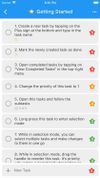

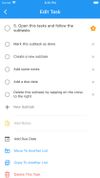


Apps similar to Super Productivity include Notion, which has a free version. Other options are Trello, AFFiNE, Todoist and Tolaria. You're spoiled for choice with Task Management Tools like Super Productivity: we list more than 100 alternatives for the web, iPhone, Android, Mac and Windows.
United States
Divergent is a simple yet powerful app to help you keep up with your day-to-day tasks. From hardcore reminders to an awesome upcoming tab, get more done with less mental effort and overwhelming stress.

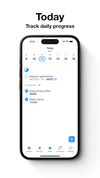



A simple time-tracker program for GNOME. Instead of using online-first options like Toggl and Clockify, use a lightning-fast local-first option that is still able to sync with multiple computers via cloud or network storage.
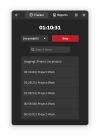
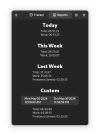



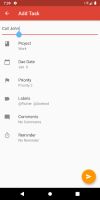



Open-source time tracking application for personal and team productivity. Track your time, analyze performance, and boost productivity with our free, privacy-focused desktop app for Windows, macOS, and Linux.


Pomodorot is a timer app which can be used to set 20-minute breaks where you move away from your computer, or also can be used as a pomodoro timer. Its main difference being the ability to block the screen when it's break time so that you don't ignore it impulsively.

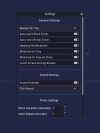
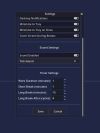


MailToDoList lets you manage your Gmail inbox the way you manage a to-do list. It lets you move emails up and down, it lets you group and hide related emails, and it lets you add tasks and notes.
United States


Tired of endless to-do and task lists? Meet “What's Your A?” — the best ABCDE-based task management, to-do list, and notes app designed to boost your productivity. With its intuitive UI/UX design, this productivity app makes organizing tasks hassle-free and enjoyable.
 United Kingdom

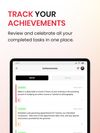



TodoTxtMac is a minimalist, keyboard-driven to-do manager for Mac OS X (10.8 Mountain Lion and higher) that conforms to the todo.txt format spec. - mjdescy/TodoTxtMac


An Adobe Air application for working with the Pomodoro technique, http://www.pomodorotechnique.com.
United Kingdom


dypt helps you turn a vague goal or a crowded to-do list into clear next actions. Organise tasks in a nested hierarchy, ask AI to suggest subtasks, and review the result before putting it to work. Keep priorities, deadlines, reminders, notes and dependencies alongside the plan.


