


Sublime Merge
31 likes
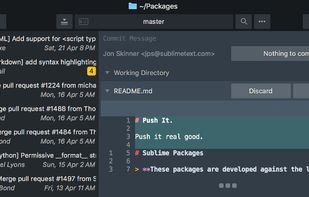
Sublime Merge is a fast and intuitive git client built on the same performant platform as Sublime Text.

Cost / License
- Freemium (Pay once)
- Proprietary
Application typeApplication types
Since
- Since 2018

Features


Highlights All activities
Sublime Merge News & Activities
Recent News
No news, maybe you know any news worth sharing?
Share a News Tip
Recent activities
 rolottr added Sublime Merge as alternative to Gitā
 Paul added Sublime Merge as alternative to Tributary
 IcaruzSoftware added Sublime Merge as alternative to GerGit
 Abdelwahab-Ayman-Samy added Sublime Merge as alternative to GetHub
 Neo-dev added Sublime Merge as alternative to Mergelio
 Mr T ahmad added Sublime Merge as alternative to GitGud
 user-4221 added Sublime Merge as alternative to ddugit
 Marstut added Sublime Merge as alternative to 🌱 Twig
 Mihai-Adrian-Tanase added Sublime Merge as alternative to BranchBay
 Felix-Wang added Sublime Merge as alternative to LightGitPad



Core, Development & Services
A list with 807 apps by AmileyaRyver without a description.



Coding Favorites
A list with 10 apps by kestermckinney without a description.
Official Links
Install from the command line
winget install -e --id SublimeHQ.SublimeMergebrew install --cask sublime-mergeflatpak install flathub com.sublimemerge.App
Developed by
 Sublime
Licensing
Proprietary and Freemium product.Pricing
One time purchase (perpetual license) + free version with limited functionality.Rating
Average rating of 3.5Alternatives
82 alternatives listedBadge
Get an embeddable badge for Sublime MergeSupported Languages


Comments and Reviews
Only real alternative to somewhat fill the void left by not having GitExtensions on Linux. After some settings tweaking it's a fair git GUI that supports some complex operations. "Move commit up/down" and "Squash with parent" I use all the time. A must have is the ability to stage single lines from modified files (any other git GUI without this feature is discarded immediately)
First thing it does is ask for the url of your Repository, so it is streamlined to work with Cloud Storage, but click New Repository and you get to your files. Terms are kind of alienating .. repository.. staged files.. Kinda not what I want to delve into.
I paid a license for it but I'm overall disappointed. There are serious bugs and limitations which makes it annoying to use. The dark theme is not good and lacks contrast between the various UI elements, and that makes it hard to follow the changes in a git commit.
I would also expect Ctrl+F to search within the current view - for example if I'm looking at a diff, it should search within the diff but instead it takes you out of context and search within the whole repository.
For some reason, on macOS, there's no option to specify editor path commands (unlike on Windows) so it means you pretty much have to use Sublime Text as an external editor.
When I open a PHP file, it shows me a popup "Error loading syntax file “Packages/PHP/PHP.sublime-syntax”: Apparent recursion within a with_prototype action: 25000 context sanity limit hit", as if I could do anything about it. The app should handle errors more gracefully, especially when it concerns built-in packages.
Overall I'm quite disappointed with this app. I've tried to get use to it but its many glitches is making me look for an alternative.
[Edited by lau22, July 27]