sshs3 is a free, open-source (MIT) SSH, SFTP, S3 and Kubernetes client for Linux and Windows, built around hardware security keys and smartcards. It uses the real OpenSSH under the hood, so your existing ~/.ssh/config, keys and agents just work.
Authentication
• FIDO2 / YubiKey security keys and PKCS#11 smartcards, including SITHS and Net iD, with an in-app PIN dialog and three PIN-caching modes.
• Private keys on hardware tokens never leave the device; saved secrets are encrypted with the OS keyring.
Terminal
• Tabs and recursive split panes, local shells, snippets, clipboard history, session restore, clickable links and paths, and an optional live performance bar.
• ProxyJump bastions, saved local/remote/dynamic tunnels, outgoing proxies, and X11 forwarding (with a bundled X server on Windows).
File manager
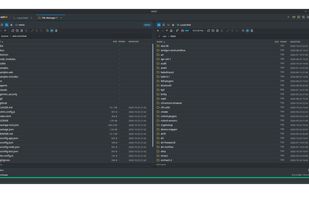
• Dual-pane view over local disk, SFTP, S3 and Kubernetes pods, with a transfer queue, folder sync and diff, content search, tail -f, a built-in editor with live Markdown preview, and Git status.
Kubernetes & OpenShift
• Cluster discovery from ~/.kube/config, exec terminals, logs, a pod file explorer, ephemeral debug containers and port forwarding.
Profiles & sync
• Folders of connection profiles, an opt-in zero-knowledge sync to your own S3 or SFTP target, a dotfiles pool, and Team Vault for sharing profiles with a team.
Keyboard-first and private
• Fully usable without a mouse (rebindable shortcuts, Ctrl+Shift+Arrows navigation).
• No telemetry, analytics or crash reports. The only background request is an update check against GitHub Releases, which can be turned off.
For administrators: a per-machine MSI for Windows, Group Policy / registry or policy.conf settings to lock options, and signed-off release builds with checksums, an SBOM and build-provenance attestations.
sshs3 is under active development, so expect frequent releases and the occasional rough edge.






 EU


 alun


No comments or reviews, maybe you want to be first?