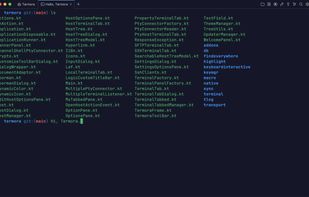
Termora is developed using Kotlin/JVM and partially implements the XTerm protocol (with ongoing improvements). Its ultimate vision is to achieve full platform support (including Android, iOS, and iPadOS) through Kotlin Multiplatform.

Muon SSH/SFTP client is described as 'Graphical SFTP client and terminal emulator with helpful utilities' and is an app in the backup & sync category. There are more than 25 alternatives to Muon SSH/SFTP client for a variety of platforms, including Windows, Mac, Linux, Android and iPhone apps. The best Muon SSH/SFTP client alternative is FileZilla, which is both free and Open Source. Other great apps like Muon SSH/SFTP client are WinSCP , PuTTY, Termux and OpenSSH.
Termora is developed using Kotlin/JVM and partially implements the XTerm protocol (with ongoing improvements). Its ultimate vision is to achieve full platform support (including Android, iOS, and iPadOS) through Kotlin Multiplatform.


A feature rich terminal UI file transfer and explorer with support for SCP/SFTP/FTP/Kube/S3/WebDAV.


A modern SSH client and terminal offering an unrivaled SSH and SFTP experience that enhances your productivity without compromising your privacy.


A modern, open-source file manager and client for FTP, SFTP, WebDAV, and S3, featuring an AI assistant, cloud sync, and military-grade encryption.


Desktop SSH manager featuring a user-friendly graphical interface, integrated terminal, tabbed sessions, port forwarding, secure credential storage, SCP upload, keypair generation, privacy controls, customizable appearance options, and .ssh/config import support.


MTPuTTY (Multi-Tabbed PuTTY) is a small free utility enabling you to wrap unlimited number of PuTTY applications in one tabbed GUI interface. You are still continue using your favorite SSH client, but you are no longer messing around with PuTTY...


A complete, efficient and easy-to-use manager. Create and edit connections, groups, customize the terminal, with multiple instances of the same connection.


Whether you're on the go or at your desk, WebSSH keeps you connected — anytime, anywhere! ?(^?^)?