Smooth Capture Alternatives

Smooth Capture is described as 'MacOS app designed to create cinematic, professional-looking screen recordings with "zero effort" by automatically applying polished visual effects like auto-zoom, cursor smoothing, and 3D device framing' and is a Screen Recorder in the photos & graphics category. There are more than 10 alternatives to Smooth Capture for a variety of platforms, including Mac, Windows, Web-based, Android and iPhone apps. The best Smooth Capture alternative is OBS Studio, which is both free and Open Source. Other great apps like Smooth Capture are Recordly, Camtasia, Screen Studio and Motionik.

Copy a direct link to this comment to your clipboard
Smooth Capture alternatives page was last updated

Alternatives list

  1. Tella icon
     7 likes

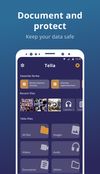
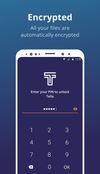
    Tella is a mobile app designed to protect human rights defenders, advocates, and journalists by encrypting and hiding their sensitive data and safely uploading it to their organization's server.

    Cost / License

    • Free
    • Open Source

    Application type

    Platforms

    • iPhone
    • Android
    • F-Droid
     
  2. Screenize icon
     2 likes

    Open-source macOS screen recording app with auto-zoom, cursor effects, and timeline editing — Screen Studio alternative.

    Cost / License

    Application type

    Platforms

    • Mac
     
  3. Screen Story is a video creation tool for MacOS that doesn't require advanced editing skills. It includes features such as Smooth Cursor for quality animation, AutoZoom and AutoFollow for automatic zoom animations, and Motion Blur for smoother videos.

    Cost / License

    • Freemium
    • Proprietary

    Platforms

    • Mac
     
  4. Canvid icon
     2 likes

    AI-powered Canvid offers easy recording and exporting in formats like MP4 and GIF, with features including zoom, enhanced audio, and automatic captions, making it perfect for tutorials, demos, and professional presentations, supporting up to 4K resolution with intuitive design.

    Cost / License

    • Paid
    • Proprietary

    Application type

    Platforms

    • Windows
     
  5. Supercut icon
     1 like

    Turns screen recordings into branded, shareable videos with composite, multi-layout recording, background removal, auto-chapters, analytics, captions, comments, call-to-actions, permissions, fast app workflow, HD export, and multi-language support.

    Cost / License

    • Freemium
    • Proprietary

    Application type

    Platforms

    • Online
    • Windows
    • Mac
     
  6. FocuSee icon
     3 likes

    A screen recorder comes with automated editing. Automatically track cursor movement, apply dynamic zoom and click effects, add a pleasant background, and generate a professional-looking video/gif that is ready to use.

    101 FocuSee alternatives

    Cost / License

    • Paid
    • Proprietary

    Platforms

    • Mac
    • Windows
     
  7. ScreenSage is a macOS screen recording and tutorial creation tool designed for high-quality video capture. It allows users to record their screen with smooth performance, add annotations, and edit directly within the app.

    Cost / License

    • Freemium
    • Proprietary

    Platforms

    • Mac
     
  8. Poindeo icon
     Like

    Poindeo is an online video editor specializing in creating dynamic zoom effects for your screen recordings, images, and PDFs. Ideal for creating professional product demos, tutorials, and presentation videos with minimal effort.

    Cost / License

    • Free
    • Proprietary

    Application type

    Platforms

    • Online
     
  9. RookieClip icon
     1 like

    Free web based video editor for creators who love dynamic zoom animations and overlays.

    Cost / License

    • Free
    • Proprietary

    Application type

    Platforms

    • Online
     
  10. Create Beautiful Screen Recordings without leaving your browser.

    Cost / License

    • Free
    • Proprietary

    Application type

    Platforms

    • Google Chrome
    • Online
     
  11. ScreenBuddy auto-zooms wherever you click during recording (1.25x to 5x). No keyframing, no post-production pain — just hit record. What's inside: - Auto-zoom that follows your clicks - 18 gradient backgrounds - Annotations: text, arrows, images - Trim, crop, resize, webcam...

    7 ScreenBuddy alternatives

    Cost / License

    • Paid
    • Proprietary

    Platforms

    • Mac
     
You are at page 2 of Smooth Capture alternatives